QCoherent Software, LLC


Selecting a Classification for a Conflation Point Cloud Task


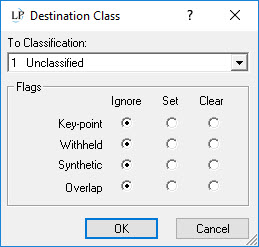
About Selecting a Classification for a Conflation Point Cloud Task

Once an LAS point has been determined to satisfy the requirements of the Within a Distance of spatial relationship, it is assigned to a classification value.

How to Select a Destination Classification

  1. Within the Data Types table on the Conflation point cloud task properties page, check the Classify check box. Click in the Classification column for the type value you wish to assign a classification.

  2. The Destination Class dialog will open. Select a classification value from the list.