On the LP360 toolbar, click the arrow next to the Display by Legend button.

Select the Display by Point Files button.
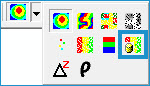

The Display by Point Files legend type displays
points color-coded by their files, so all the points from a particular
LAS file are displayed in one color. The points in the adjacent files
are also displayed in their own distinct color so that all points
in the overlap areas are clearly seen.
On the LP360 toolbar, click the arrow next to the Display by Legend button.
Select the Display by Point Files button.