 will have an icon displayed on the Table of Contents view in ArcMap similar
to the "Drawing Order"
will have an icon displayed on the Table of Contents view in ArcMap similar
to the "Drawing Order" , "Source"
 , and "Selection"
 icons.

The LAS Files Contents View is an embedded contents view within the
Table of Contents. The LAS Files Contents View
will have an icon displayed on the Table of Contents view in ArcMap similar
to the "Drawing Order", "Source", and "Selection" icons.

In LP360 for Windows, there is a tab within the Table of Contents labeled "LAS Files".
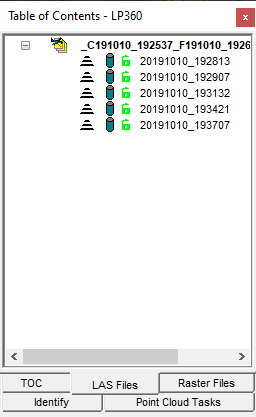
1. Click the "LAS Files" icon on the Table of Contents view within ArcMap.
1. Click the "LAS Files" tab on the Table of Contents view.
Tip
|