
If you are tiling the export area, a file naming method to define how the base filename will be created for each file must be provided. The following describes each available file naming method:
Increment Number from S-N then W-E (Start Number = 0)
| 2 | 5 | 8 |
| 1 | 4 | 7 |
| 0 | 3 | 6 |
Increment Number from W-E then S-N (Start Number = 0)
| 6 | 7 | 8 |
| 3 | 4 | 5 |
| 0 | 1 | 2 |
File Name from Row and Column (Row_Col)
| 2_0 | 2_1 | 2_2 |
| 1_0 | 1_1 | 1_2 |
| 0_0 | 0_1 | 0_2 |
File Name from Column and Row (Col_Row)
| 0_2 | 1_2 | 2_2 |
| 0_1 | 1_1 | 2_1 |
| 0_0 | 1_0 | 2_0 |
File Name from Lower Left Corner (X_Y)
Each tile's lower left corner x and y coordinates are rounded to the nearest whole number and concatenated into the filename.
How to Select a File Naming Method
Open the Export Wizard and complete the first two steps required in the Export Wizard. See Export Format (Step 1 of 3) and Export Extent (Step 2 of 3) for instructions on starting the Export Wizard and completing the initial step.
On the Step 3 of 3 page, click the arrow next to the File Naming Method list and select one of the listed methods.
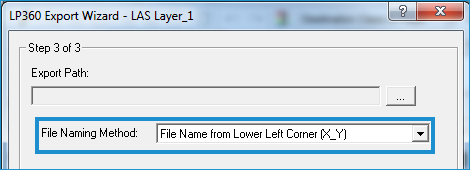
If you select an Increment Number... method, enter a start number greater than or equal to zero.

Click Save.

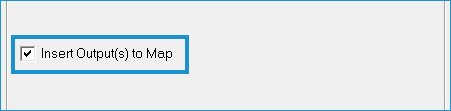
To display the created output file in the Map view, click Insert Output(s) to Map.
Click Finish.
