LP360 Help
Click here to see this page in full context
Removing a Task from a Macro
About Removing Tasks from a Macro
When a task in a Macro is no longer needed, you can remove the task from the Macro's task list.
How to Remove Tasks from a Macro
Remove Command
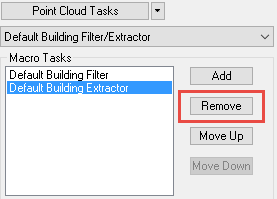
Within the Macro Properties window, click in the Task List to select the task you wish to remove.
Click the remove button to remove the task from the Macro.