About Diagnostic Data
When a
point cloud task is developed,
data that is not the result but is useful in the configuration of
the task can be displayed within the main view of the preview window.
The display and content of diagnostic data is optional and is completely
left up to the discretion of the engineer(s) of the point cloud task.
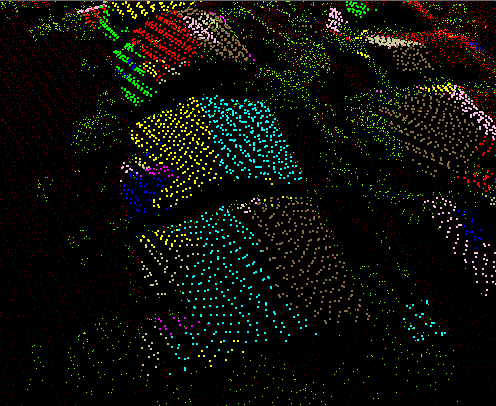
Picture of Diagnostic Data
Example of diagnostic data associated with the planar filter point
cloud task configured for filtering rooftops. Each color shows
a grouping of points on
fitted planes.