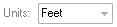
The units define the unit of measure for all applicable parameters
for the planar filter. The parameter
values for the filter do not have to match the units of the point
cloud data. If necessary, the parameter values are converted to the
units of the point cloud at the time of execution of the task. The
point cloud data must have an assigned coordinate system in order
to convert parameter values.
How to Modify the Units
Units Box
On the Planar Point Filter
property page, click the down arrow on the Unit box.
Select the desired unit of measure from the list, and click
the 'Apply' button to commit the change.
Tip
When selecting a different unit of measure, the parameters
in the property page are not automatically adjusted to
their new units.