
Selecting a Path or Filename
Depending on the inputs provided in Step 2 of the Export Wizard, a path
or a filename must be specified. If only one file is created from the
export process, you must select a file to create. However, if you are
cookie-cutting by polygons or tiling the export area, a path is required
to define the destination of any new files. The base filenames for cookie-cutting
by polygons are specified by the individual polygons, but tiling the export
area requires an additional input to define the file naming method.
Learn
more about specifying a file naming method
How to Select the Path or Filename
Open the Export Wizard and complete the first two steps required
in the Export Wizard. See Export Format (Step
1 of 3) and Export Extent (Step 2 of
3) for instructions on starting the Export Wizard and completing
the initial step.

On the Step 3 of 3 page, click the browse button
(...)  next
to the Export File field, navigate to the path, and
enter a filename for the file to create.
next
to the Export File field, navigate to the path, and
enter a filename for the file to create.
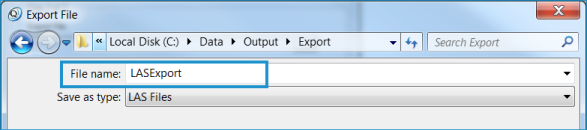
Click Save.

To display the created output file in the Map view, click Insert
Output(s) to Map.
Click Finish.
