
About the Points per Refresh
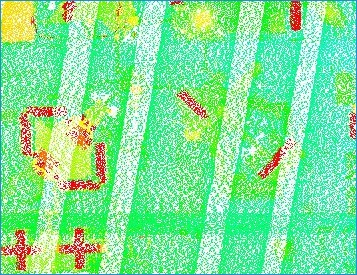
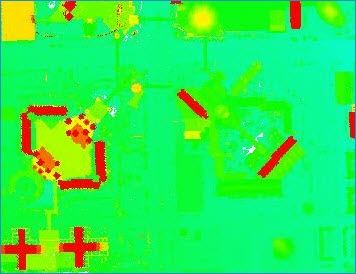
The Points per Refresh setting is the number of points to retrieve and draw in the map for a LIDAR Layer. Larger numbers will decrease the refresh performance, however the point density may provide an improved aesthetic display of the LIDAR data. Smaller numbers will greatly increase the refresh performance of the layer but will not produce high-point densities for display in the map. For LIDAR data, a value from 200,000 to 300,000 points is a good number of points for both aesthetics and performance.The Points per Refresh number is not the number of guaranteed points that will be drawn in the map. Other factors, such as the display filter and the scale at which the map is zoomed, affect the number of points that are actually retrieved and drawn in the map. The map may be at a small scale (zoomed out), but a display filter set to Bare Earth, for example, in a LIDAR Layer can eliminate many points resulting in drawing fewer points in the map than requested. Zooming in to large scales can also result in smaller numbers of points than requested, because the point resolution is 100%, or all of the raw points are being retrieved and drawn in the map.
How to Modify the Points per Refresh
Modifying the Points per Refresh on the Performance Options Tab
The Points per Refresh value is entered in the Performance Options tab of the LIDAR Layer Properties dialog box. To change the number of points per refresh, enter a whole number greater than zero, and less than the Maximum Point Cache Size value and less than or equal to the Maximum Points to TIN/Contour value.
See Modifying LIDAR Layer Display Performance Options for complete information on the LIDAR display performance options.
| 100,000 Points | 300,000 Points |
 |
 |