Exporting tasks can be an excellent way to share configurations of tasks with co-workers. The exported tasks are saved to XML files that can be imported using the "Import Task(s)" command.
How to Export the Selected Task
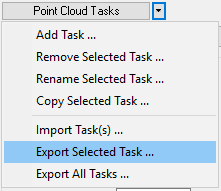
Export Selected Task Command
With the task you wish to remove selected (or active in the point cloud task combo box), left-click the "Export Selected Task" command.