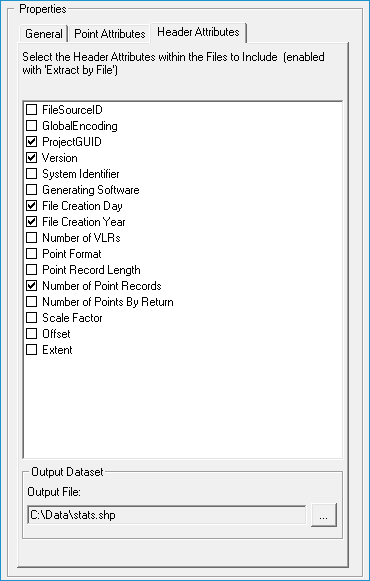
About Extracting Header Attributes
When using the
Extract By
Files option, you can select a number of header attributes to
save in the extracted summaries. The following is the current list
of exportable header attributes and their corresponding field names:
- File name: FName
- Spatial Reference Name: SRS
- File Signature: FileSig
- File Source ID: FileSrcID
- Global Encoding: GlobalEnc
- Project GUID: ProjGUID
- Version: Version
- System Identifier: SystemID
- Generating Software: GenSoft
- File Create Day: CrDay
- File Create Year: CrYear
- Header Size: HdrSize
- Offset to Point Data: PointOff
- Number of VLR Records: NumVLRS
- Point Format ID: PntFormID
- Point Record Length: PntRecLgth
- Number of Point Records: PntCnt
- Number of Points Per Return: RNCnt_#
(1-5)
- Scale Factor: XScale, YScale, ZScale
- Offset: XOffset, YOffset, ZOffset
- Extent: XMin,YMin,ZMin,XMax,YMax,ZMax
Please consult the
LAS
file format specifications for any further explanation of header attributes.