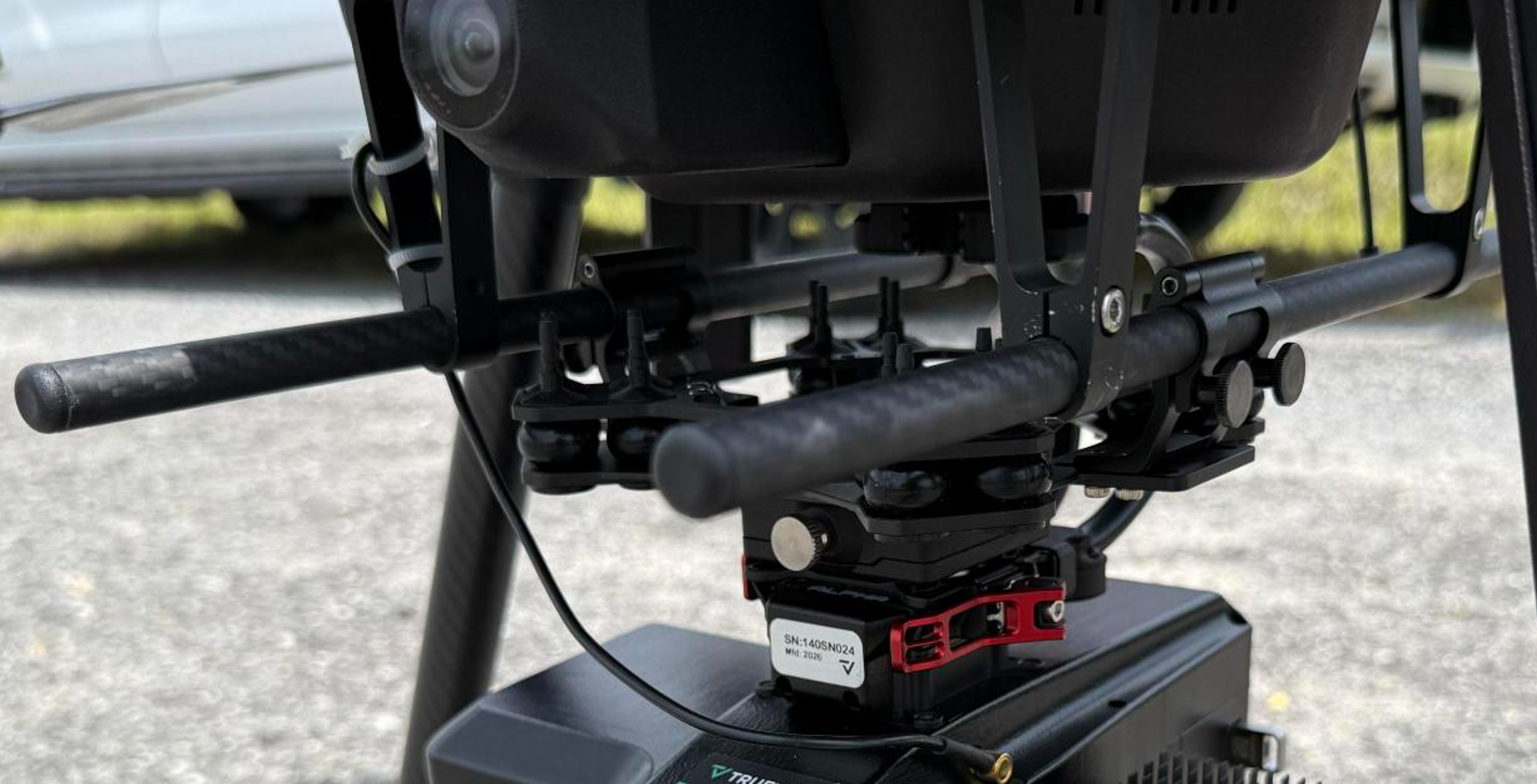
This article provides step-by-step instructions to mount TrueView sensors to the IF1200A drone, including both single and dual payload configurations. Follow these procedures for safe, secure, and optimal installation.

| Part number : FTV1001221A00T (Antenna mount included in this kit) |
Payload compatibility
All Trueview payloads equipped with a PLI-type adapter (4 pegs).
Installation video
Included components
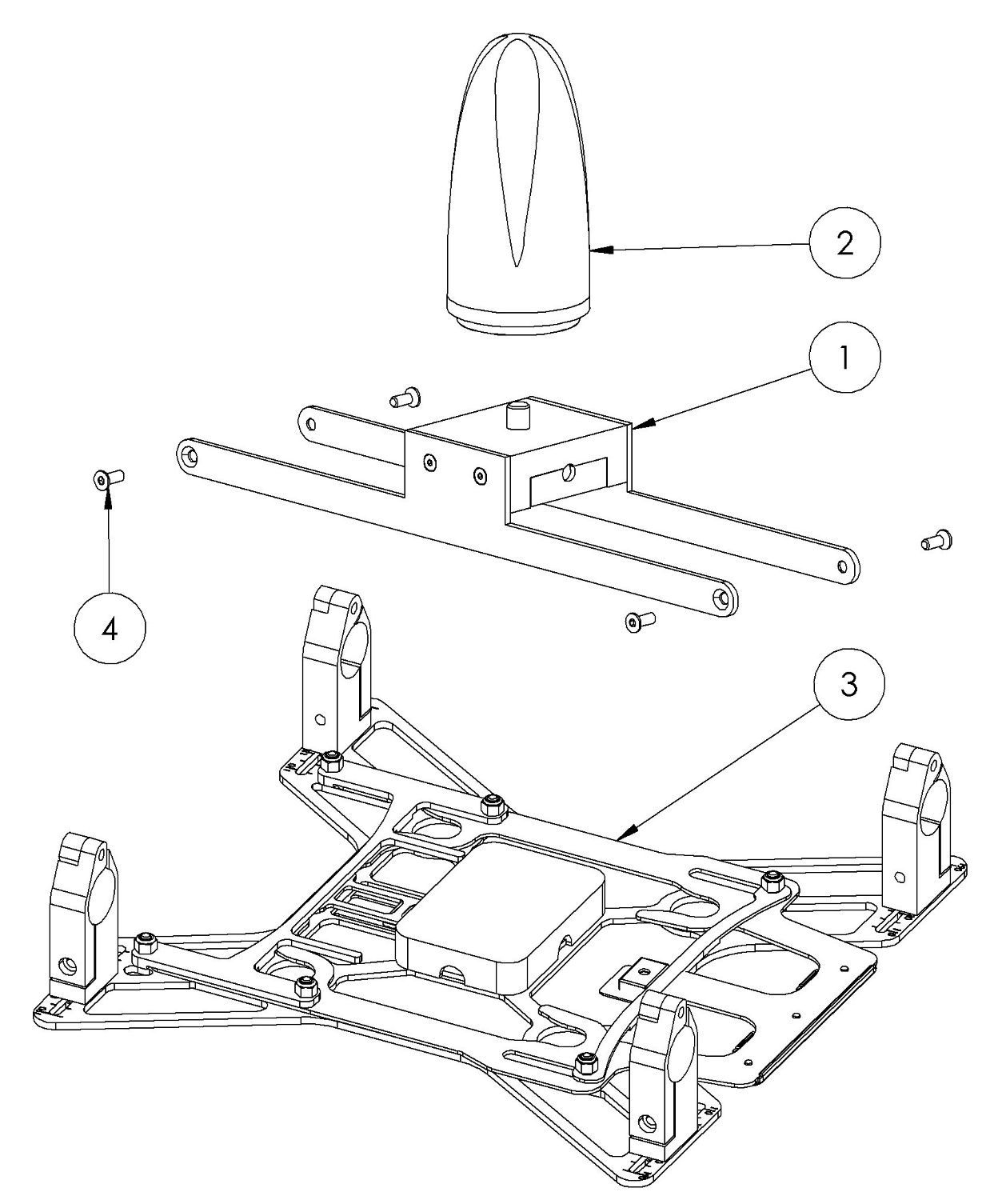
- IF1200A Antenna mount
- Antenna (included with payload)
- VAR6 Front-latch tube mount assembly
- M3x8 mm flat head screws
- 3ft Cable Right Angle SMB Jack to Right Angle SMA Jack (not pictured)
- Loctite Threadlocker Blue 243 (not pictured)
Required tools
- 2mm hex screwdriver
- 2.5mm hex screwdriver
Single Payload Configuration
Installing the Payload Adapter
- Ensure the XYZ coordinate axis symbol on the adapter faces the front of the IF1200A.
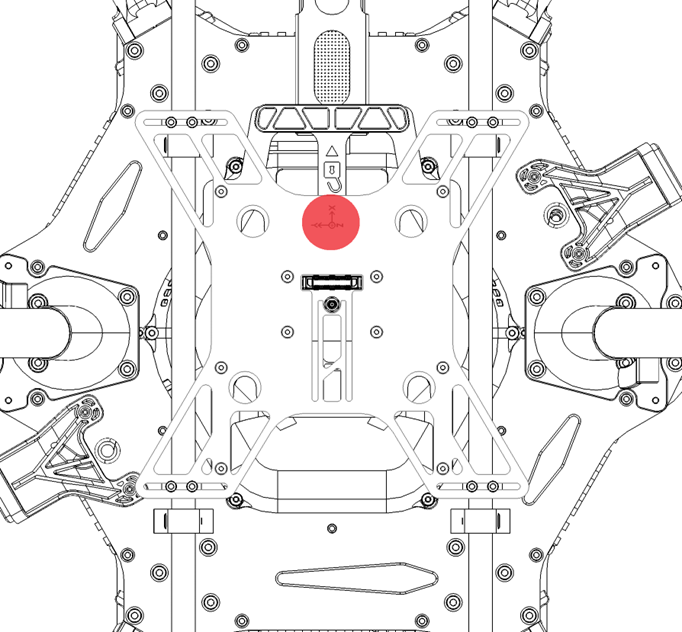
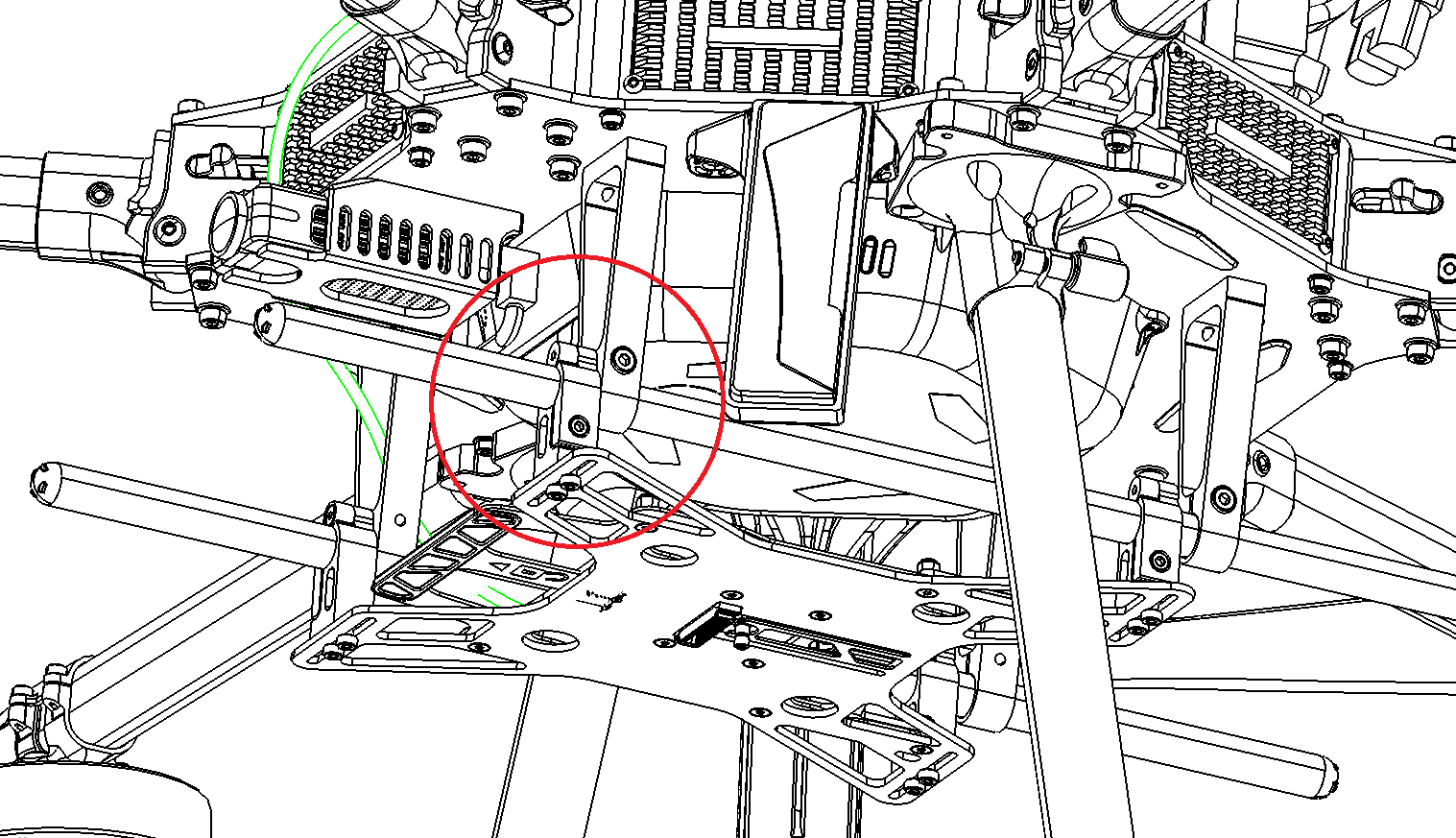
2. Unscrew the four Gremsy 12mm tube mount clamps to the open position.
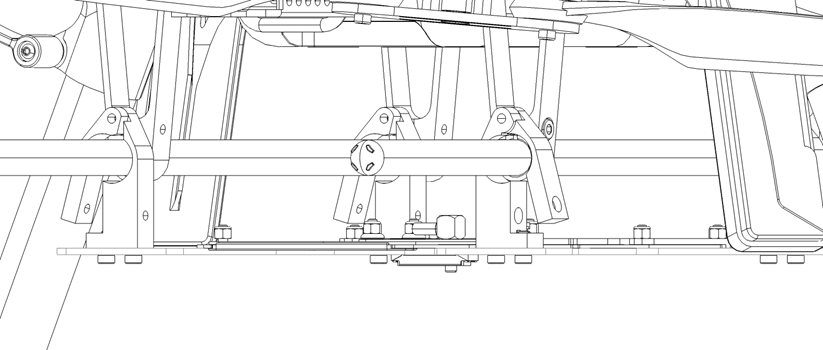
3. Install the payload adapter and loosely tighten the clamps so the adapter can slide for adjustment.
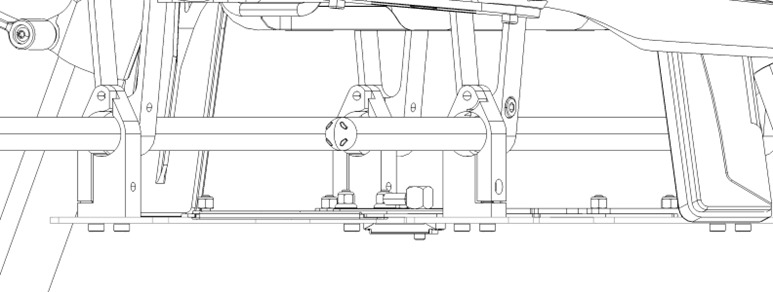
Confirm the main plate orientation (handle towards the front).
4. Position the adapter so the front two tube mount clamps are coincident. Secures the screws with Loctite.
| Part number : CUSTOM (Contact Geocue Support to purchase this kit) |
Installing Front and Back Adapters
- Position the front-handle and side-handle payload adapter as below, with a 115mm distance between the adapter’s front clip and the IF1200A’s front clip.
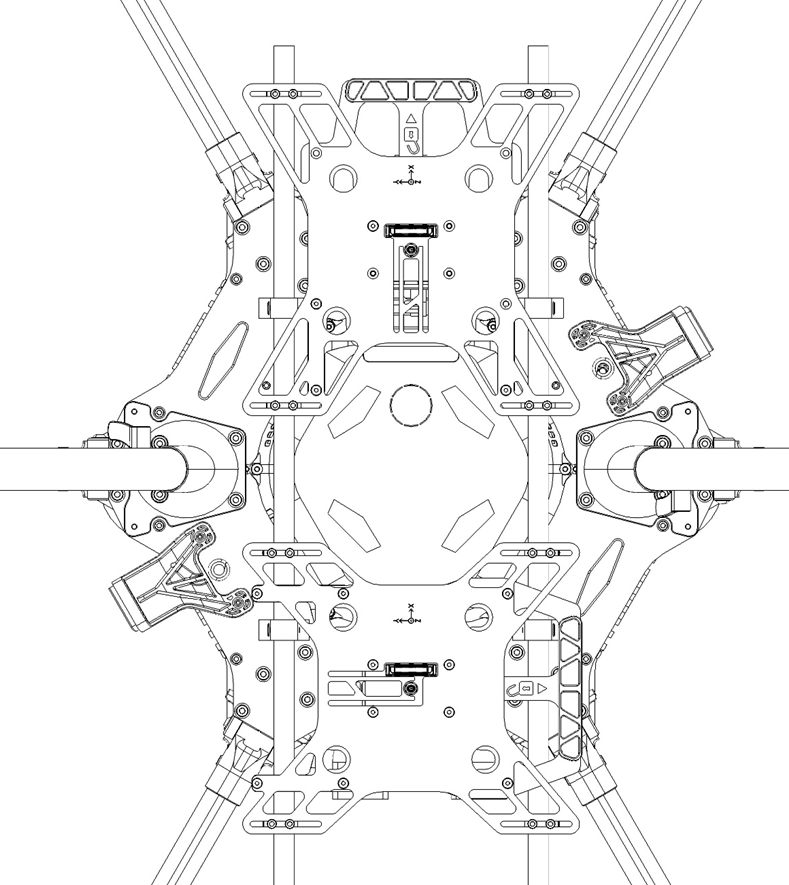
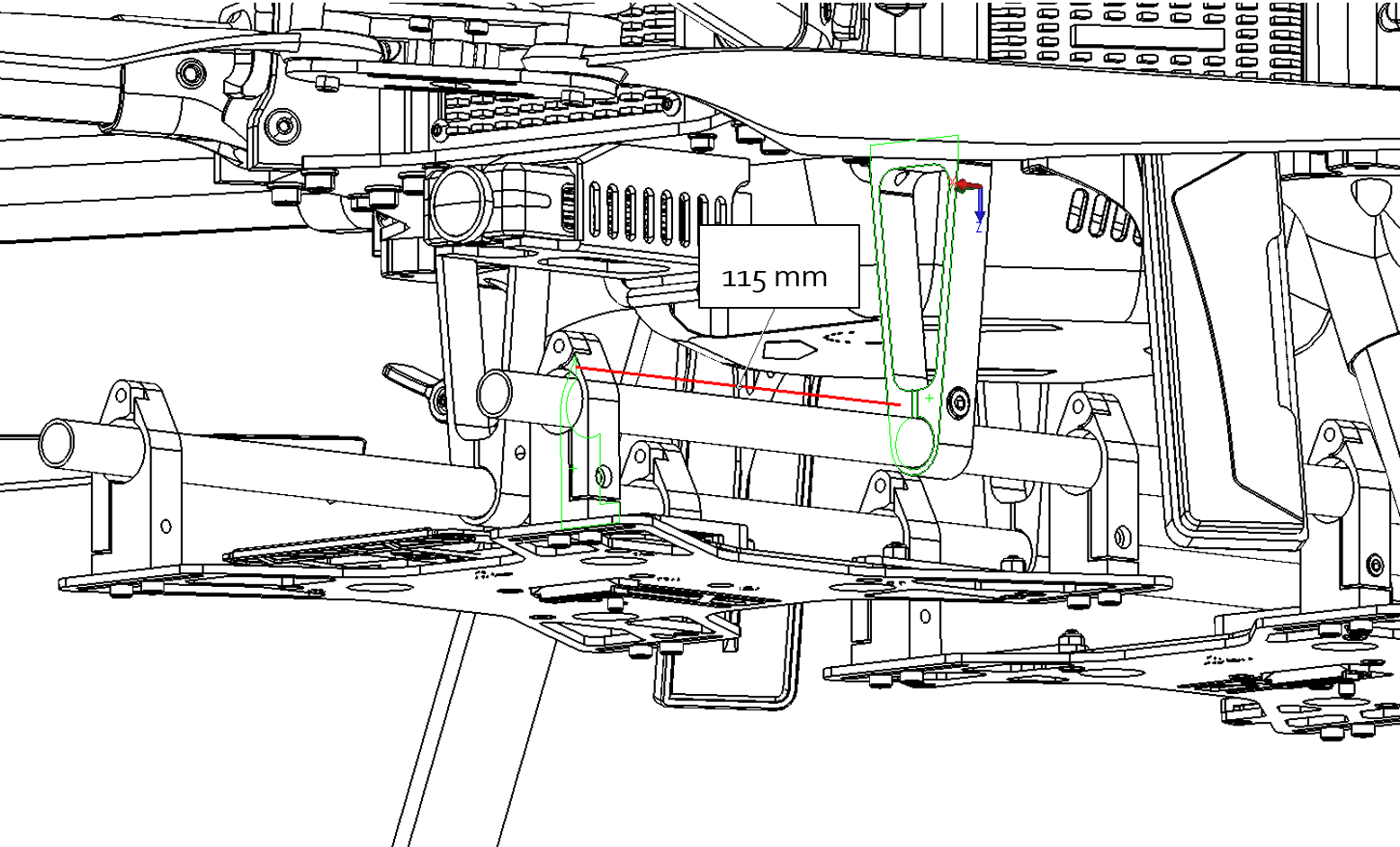
2. Position the back payload adapter (side-handle) using the included positioning jig; set the distance between front and back adapters to 76mm.
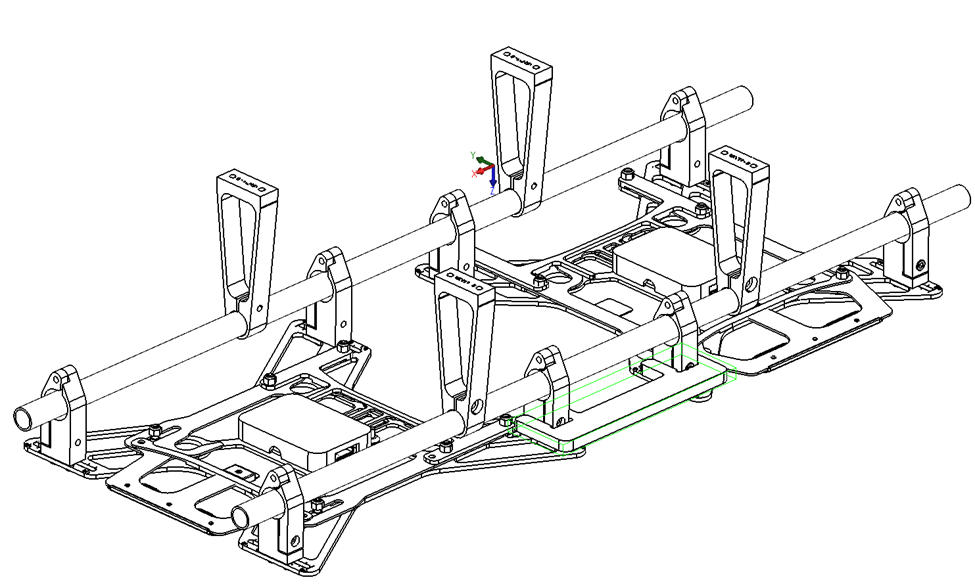
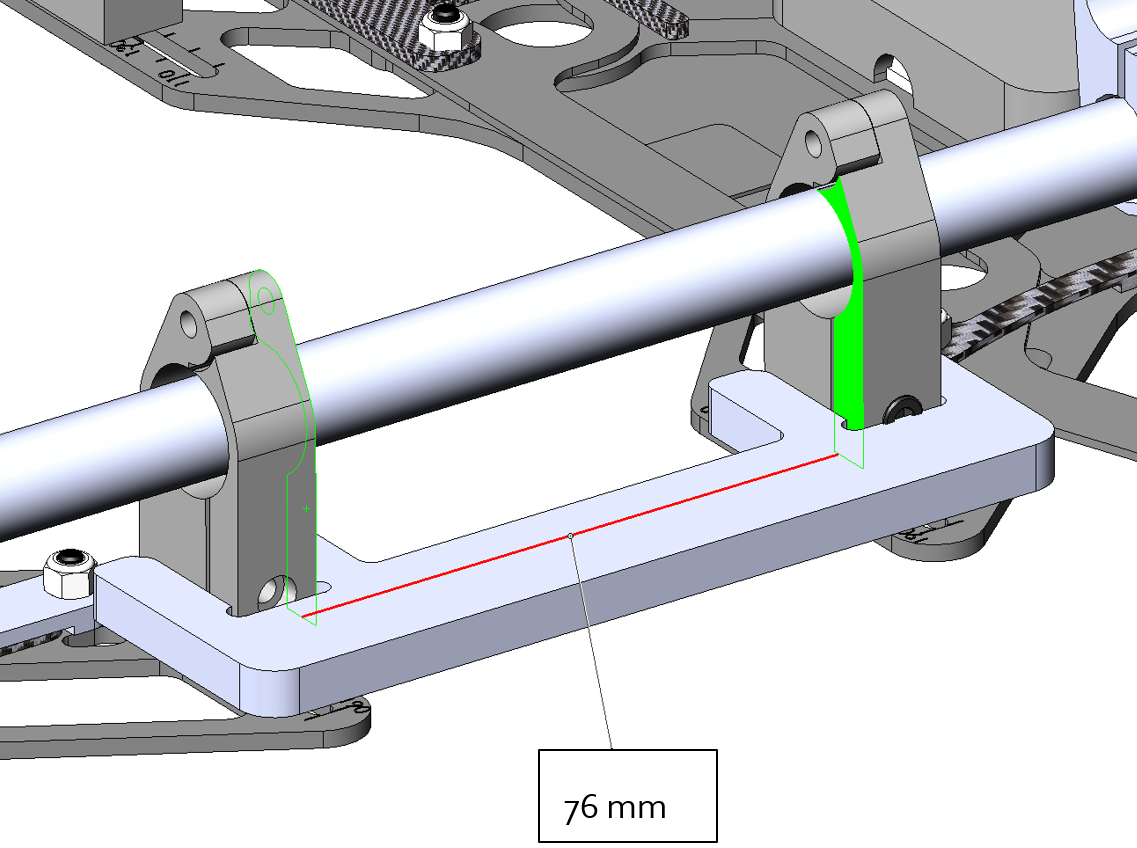
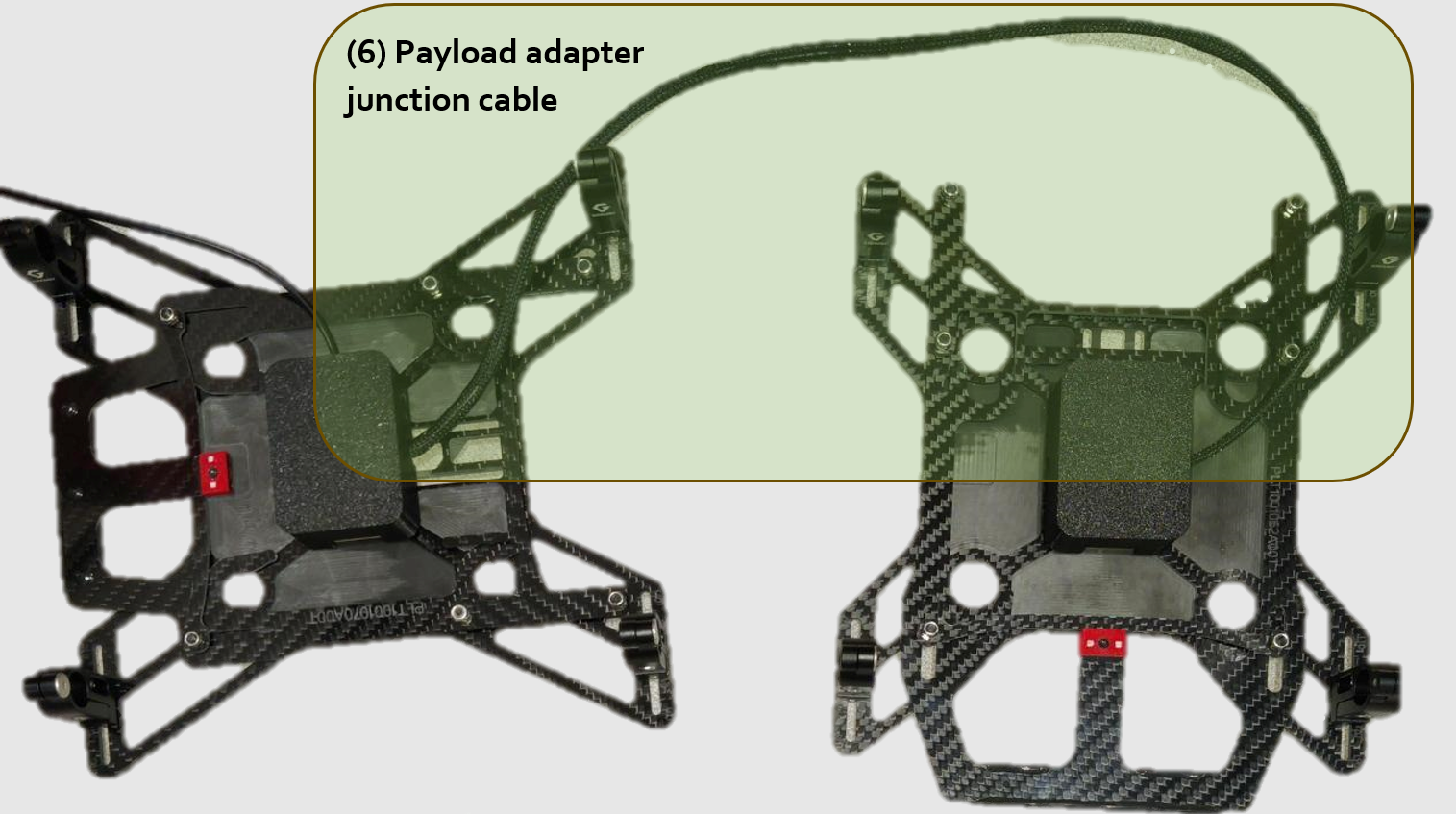
3. Verify both adapters are joined by the payload adapter junction cable.
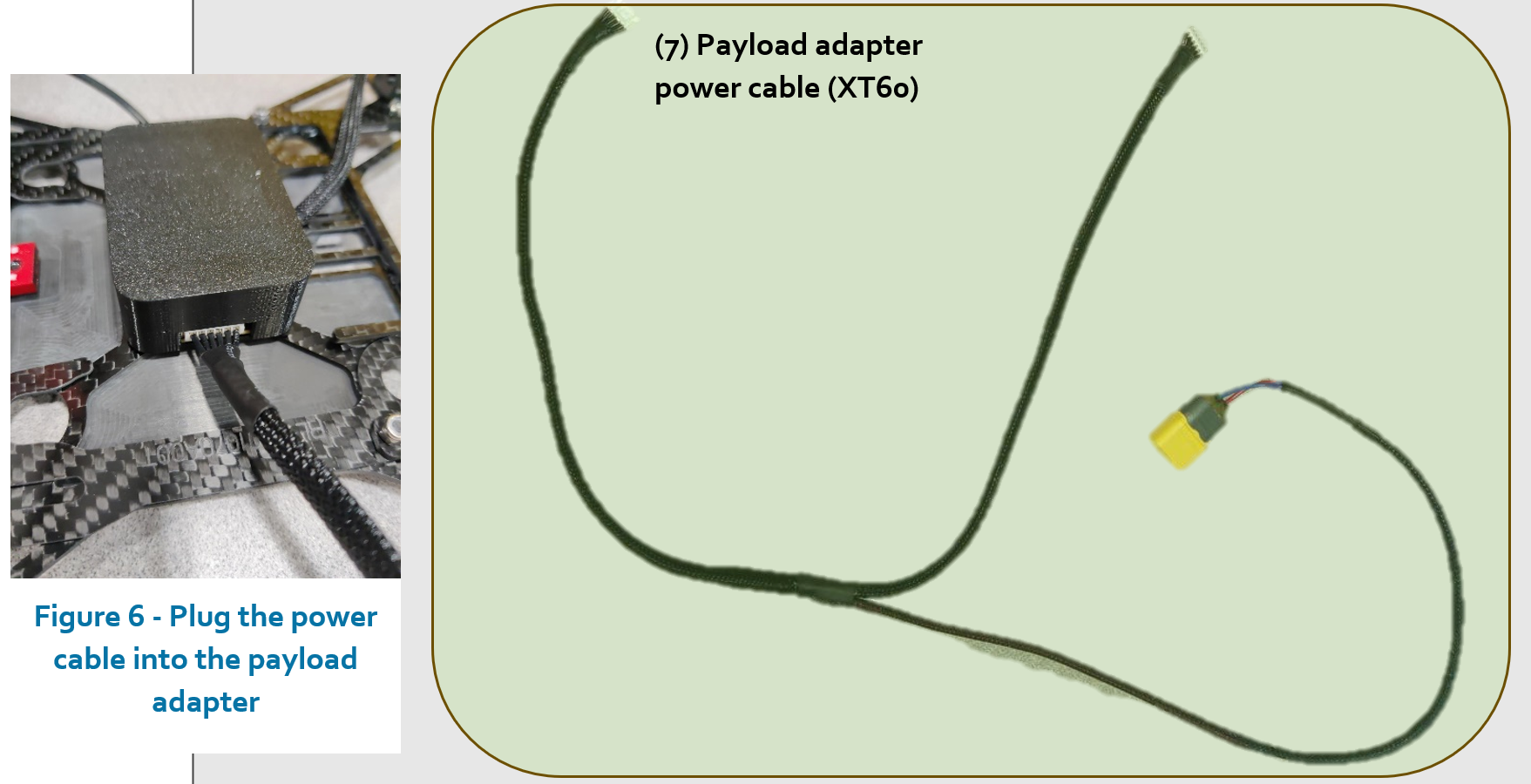
4. Plug the payload adapter power cable (XT60) into each PLI adapter and into the IF1200A’s XT60 power port.
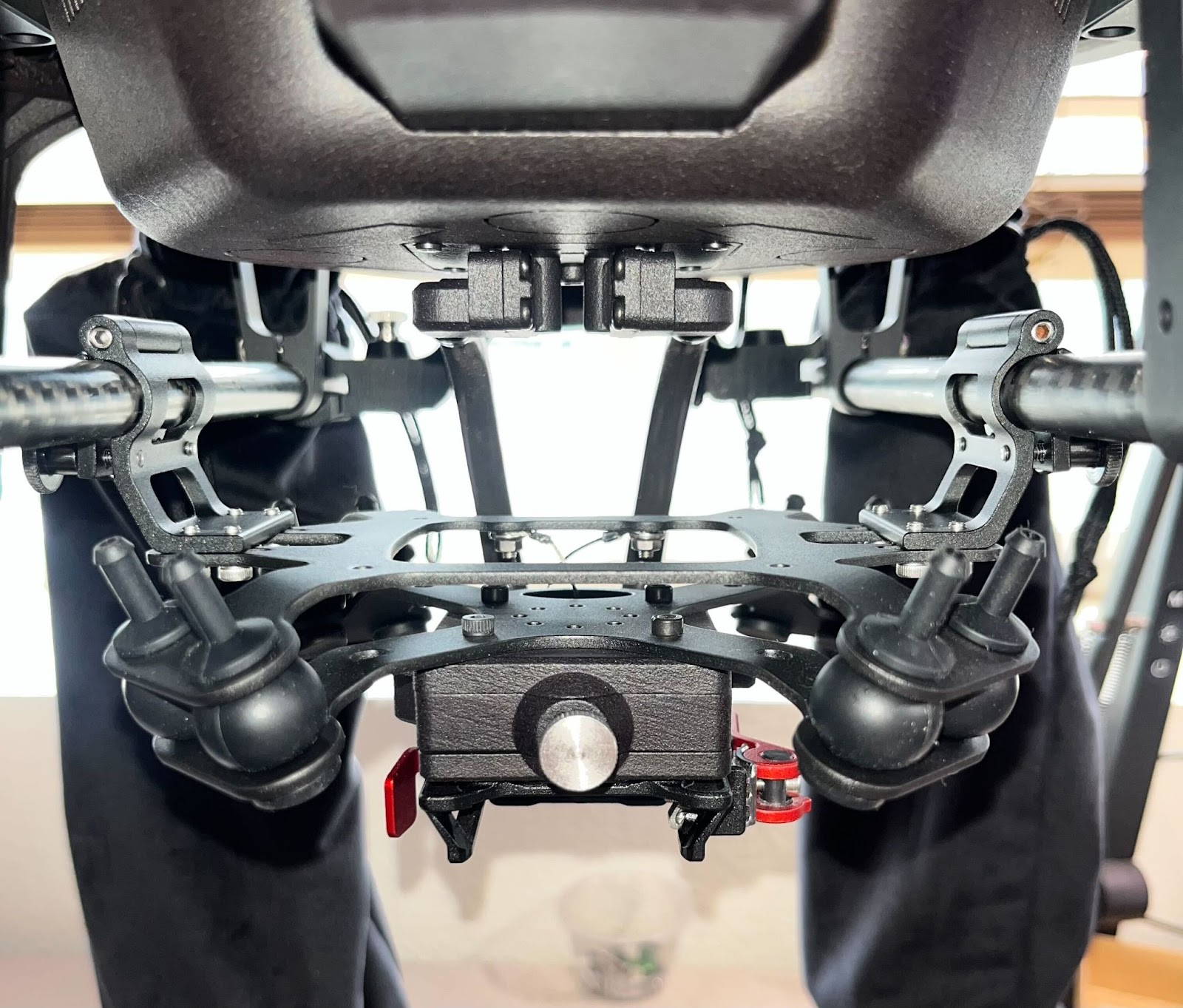
Payload compatibility
This smart dovetail kit is provided by Inspired Flight for the IF1200A drone.
- Weight limit is 1.5kg
This adapter requires a Trueview antenna mount (see Antenna section).
Please contact Inspired Flight to obtain this adapter : https://www.inspiredflight.com/contact
Installation
Installation documentation for this mount is available on Inspired Flight’s knowledge base.
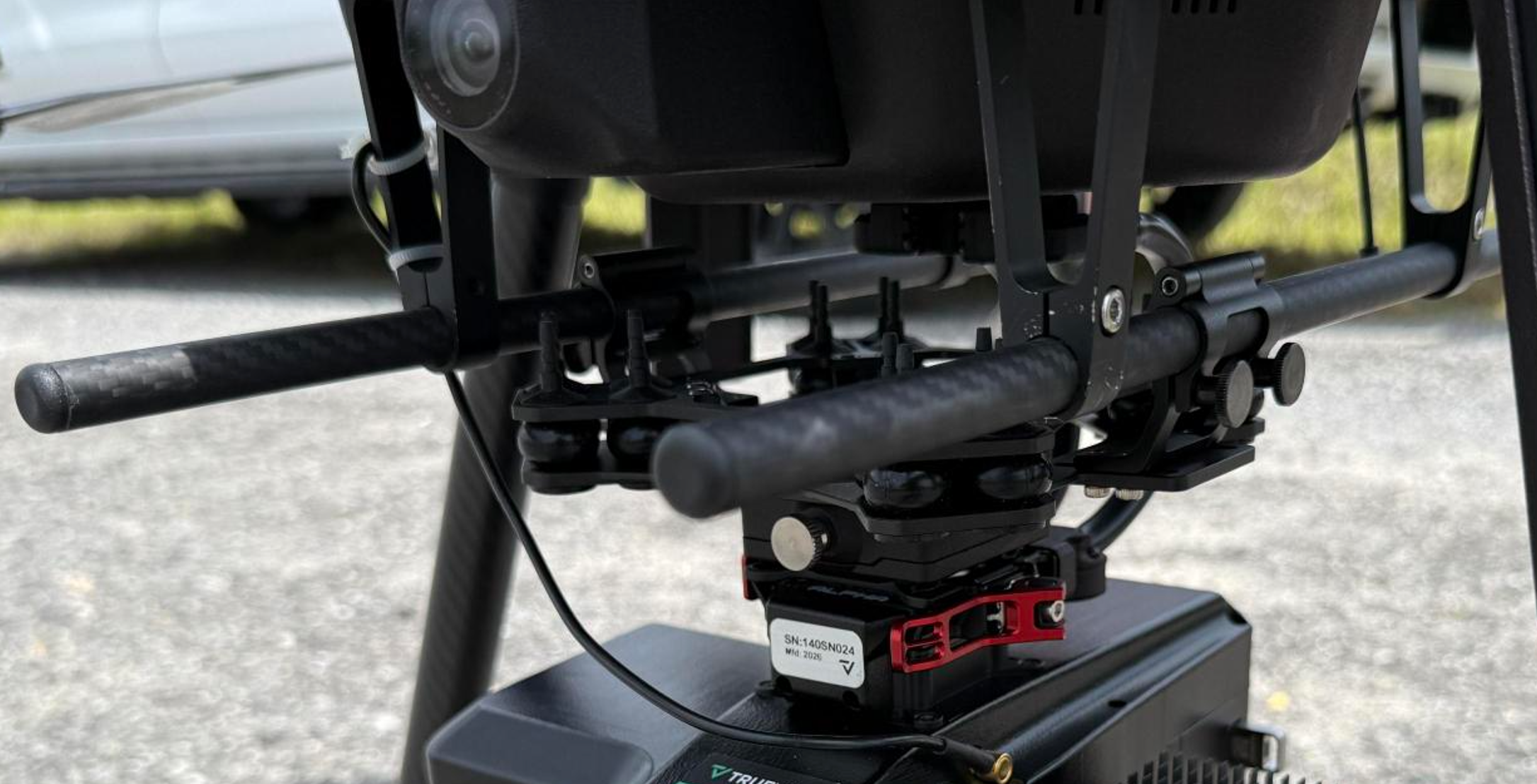
Payload compatibility
This smart dovetail kit is provided by Inspired Flight for the IF1200A drone.
- Weight limit is 3.0kg
This adapter requires a Trueview antenna mount (see Antenna section).
Please contact Inspired Flight to obtain this adapter : https://www.inspiredflight.com/contact
Installation
Installation documentation for this mount is available on Inspired Flight’s knowledge base.
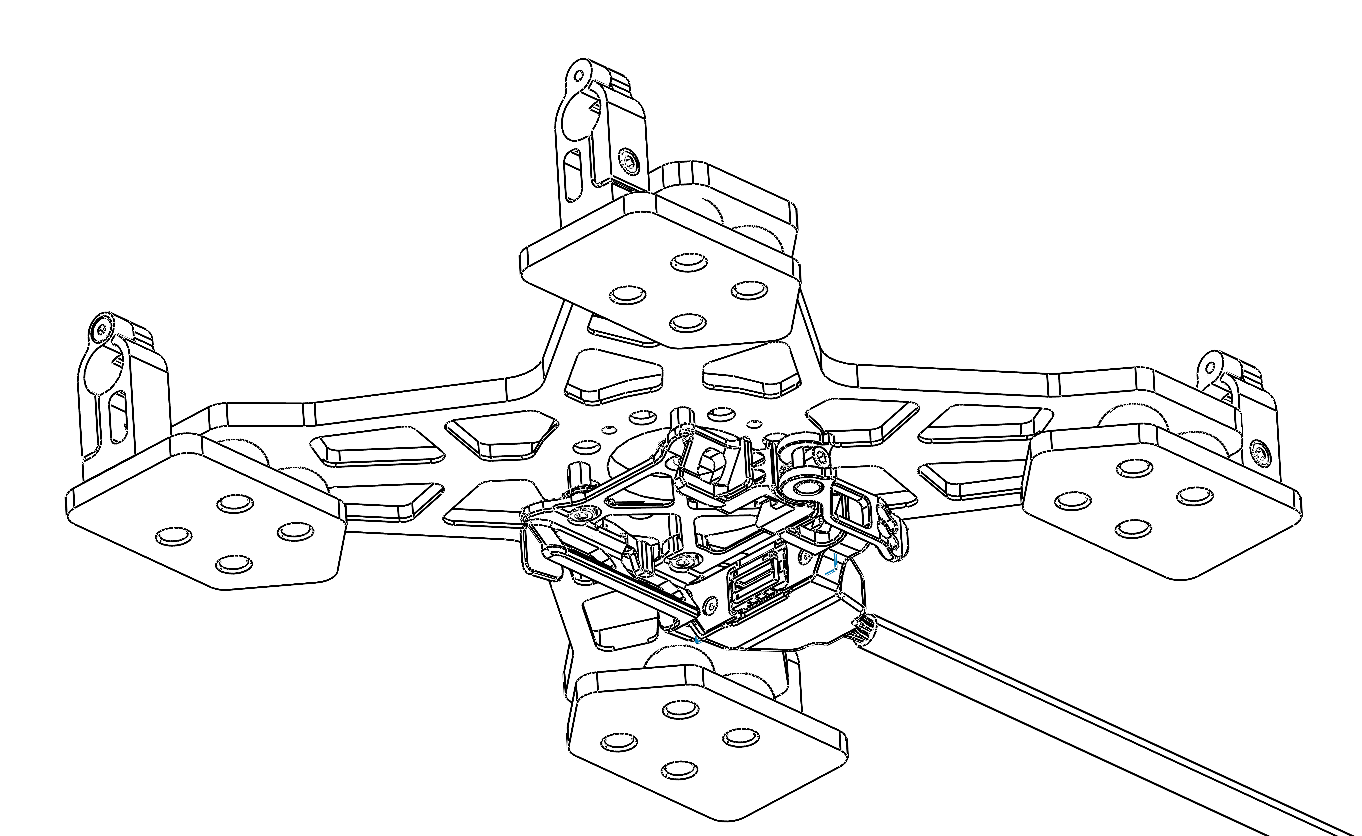
| Part number : MNT1002262A00T (Antenna mount included in this kit) |
Payload compatibility
The Trueview smart dovetail adapter is compatible with all TrueView payloads equipped with smart dovetail.
Included components
- Trueview smart dovetail adapter
- IF1200A Antenna mount
- Antenna (included with payload)
- 3ft Cable Right Angle SMB Jack to Right Angle SMA Jack (not pictured)
- Loctite Threadlocker Blue 243 (not pictured)
Required tools
- 2mm hex screwdriver
- 2.5mm hex screwdriver
Adapter Installation
1. Slide the adapter onto the 12mm tubemounts on the IF1200A
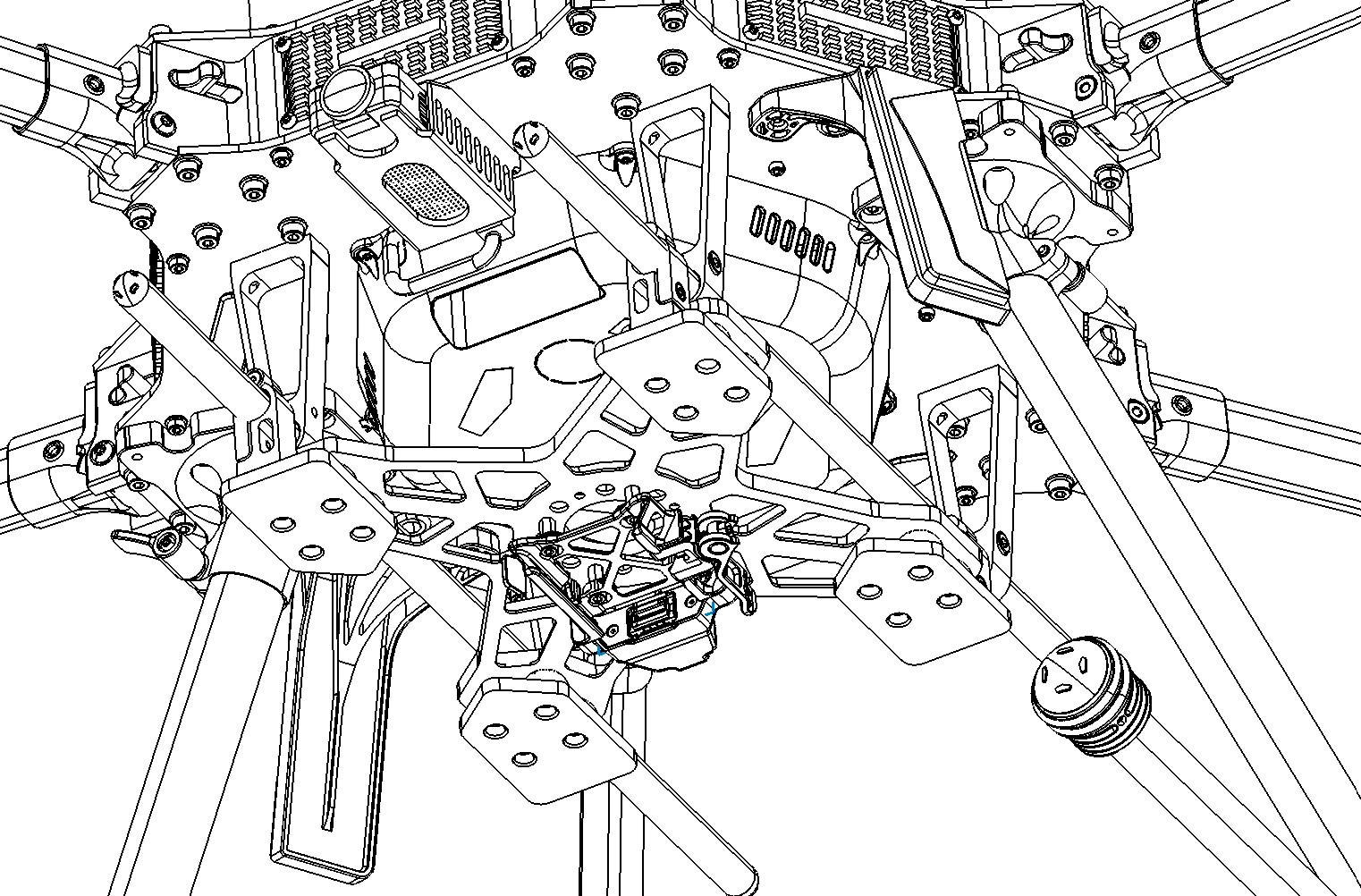
2. Position the adapter so the back two tube mount clamps are coincident. Secures the screws with Loctite.
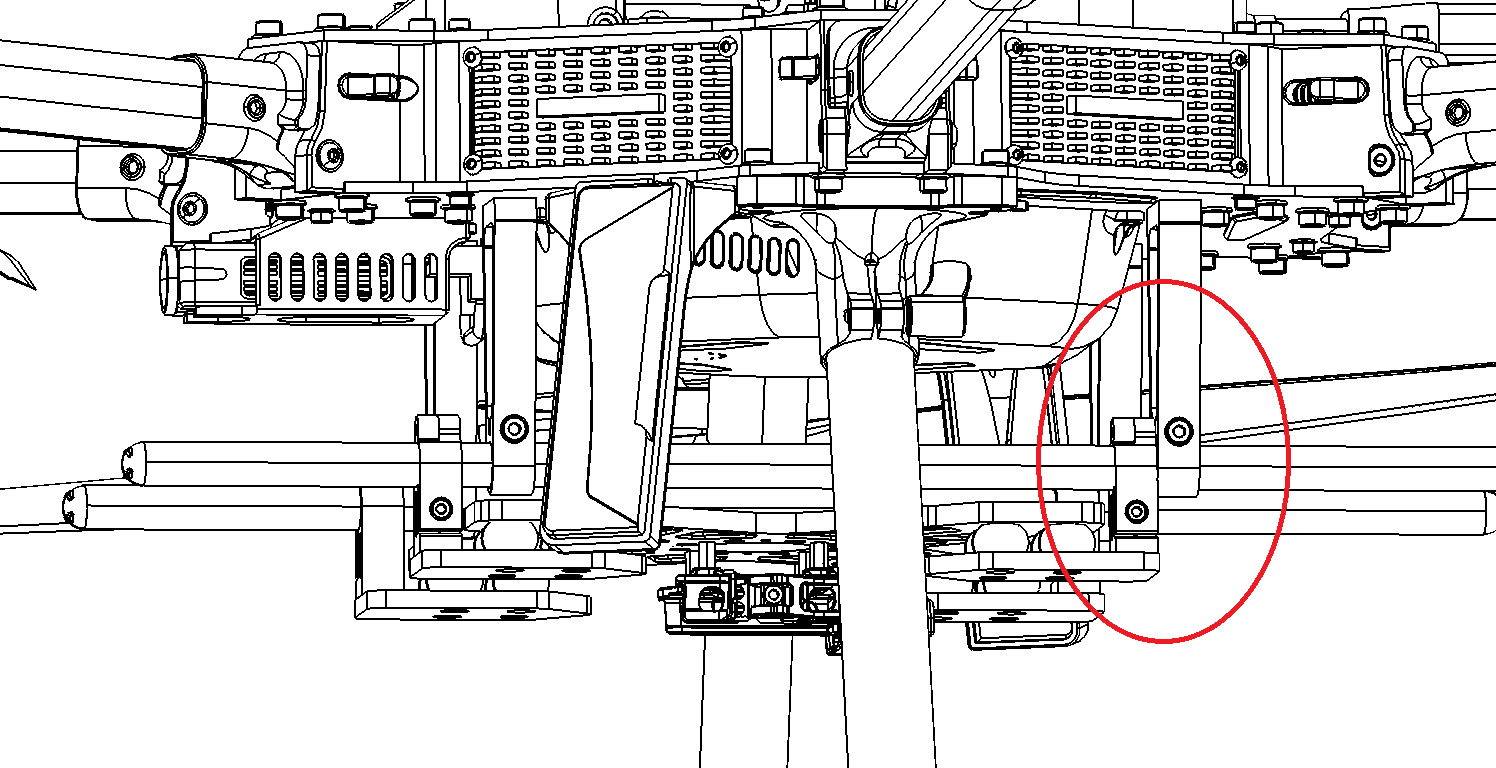
3. Plug the smart dovetail power cables (see Payload power section)
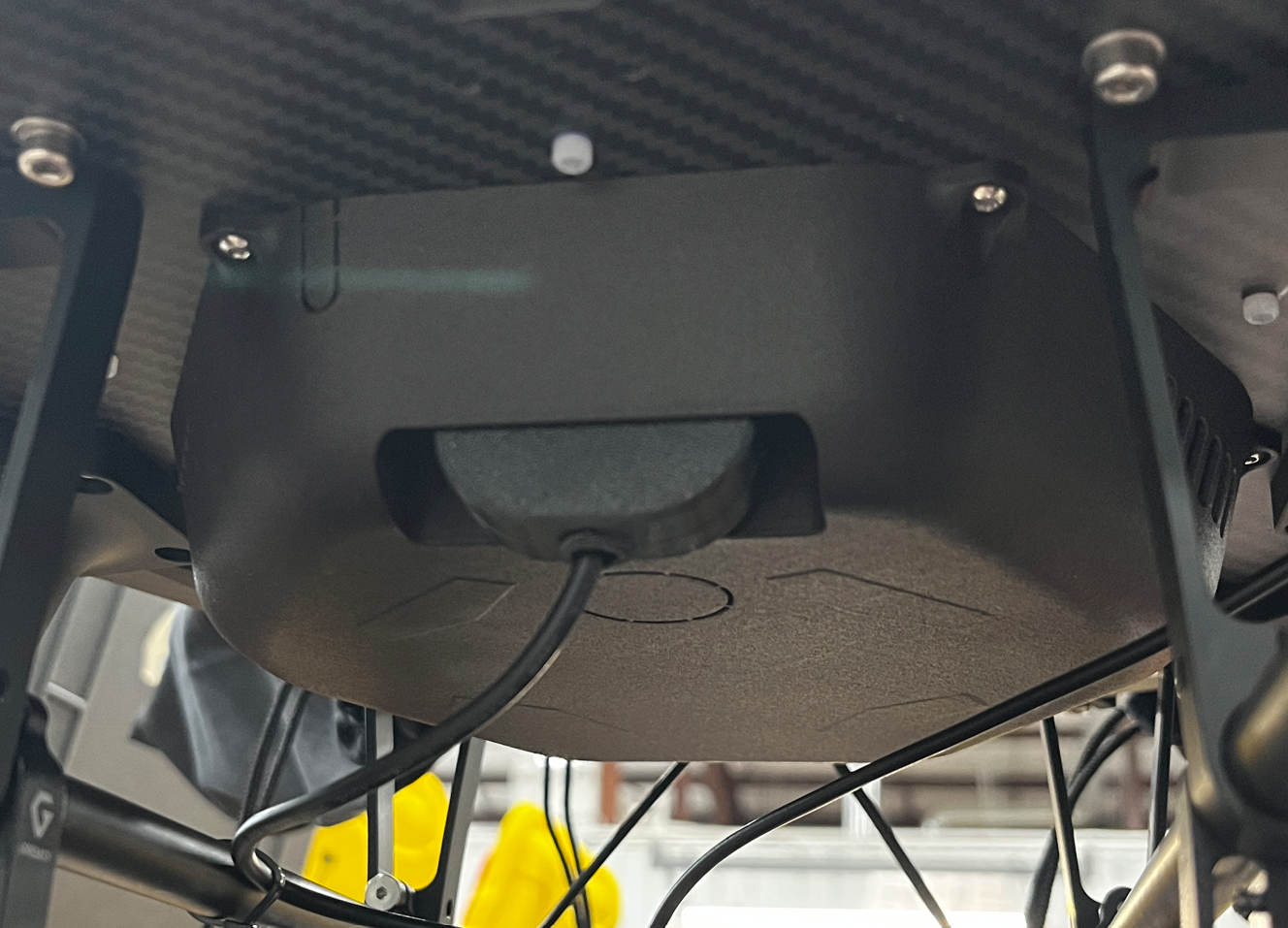
Depending on the version of your IF1200A drone, there are many options for the power connection. Select the one that applies to your drone.
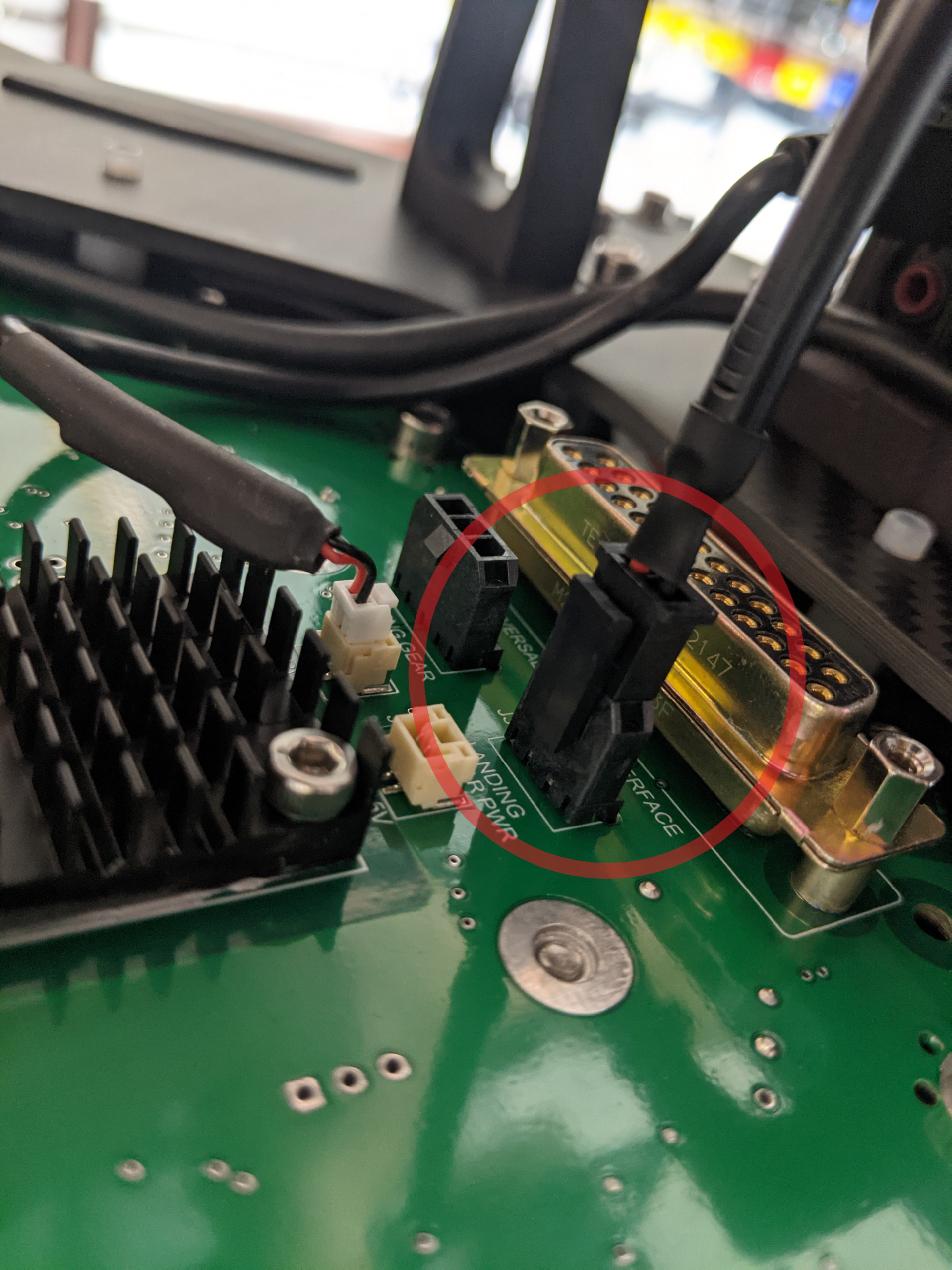
2-pin Molex Micro-Fit connector
2-pin black Molex connector. See the PLI installation video (section above) for instructions on how to removed the cover and connect this cable.
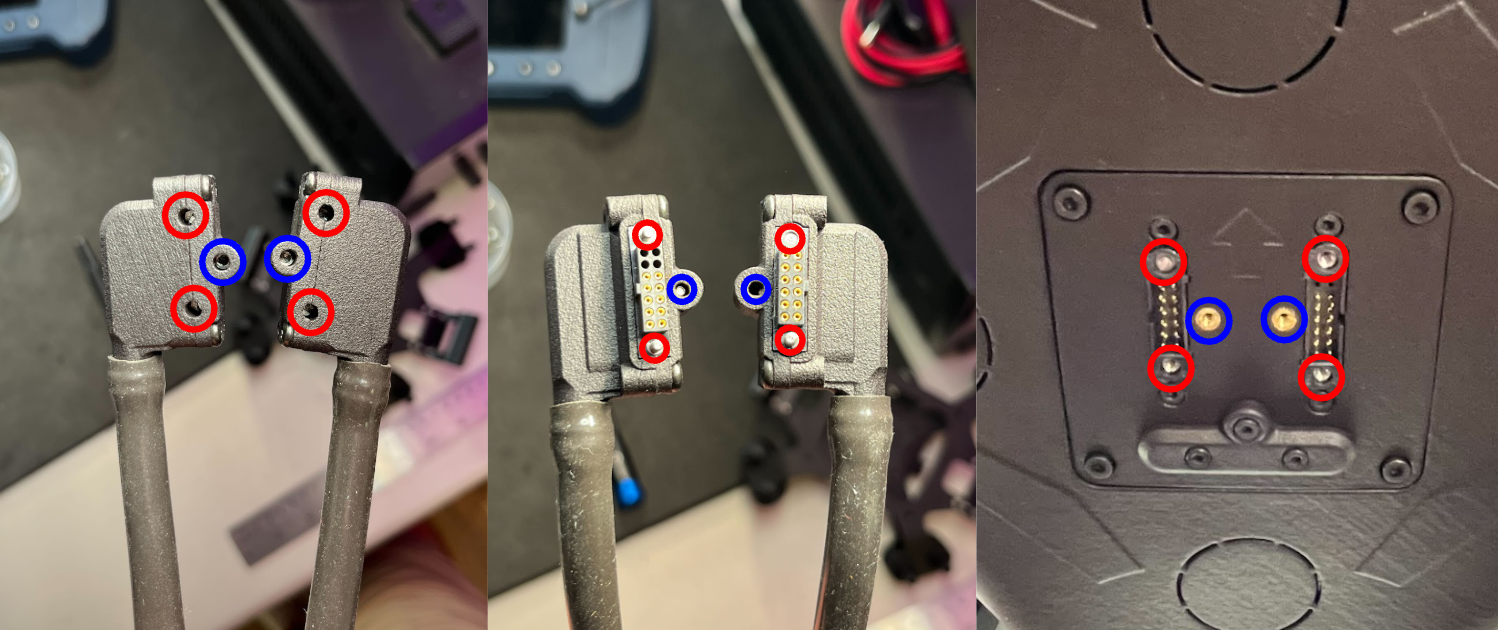
UPI 3.0
This connector applies to smart dovetail connectors supplied by Inspired Flight. Please see Inspired Flight’s documentation for full instructions.
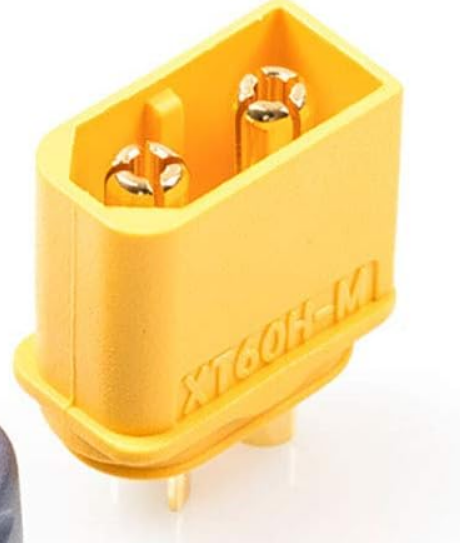
UPI 3.0 to XT60 adapter
The UPI 3.0 can be fitted with an adapter for a XT60 connector. Plug your payload adapter’s XT60 connector to this adapter.
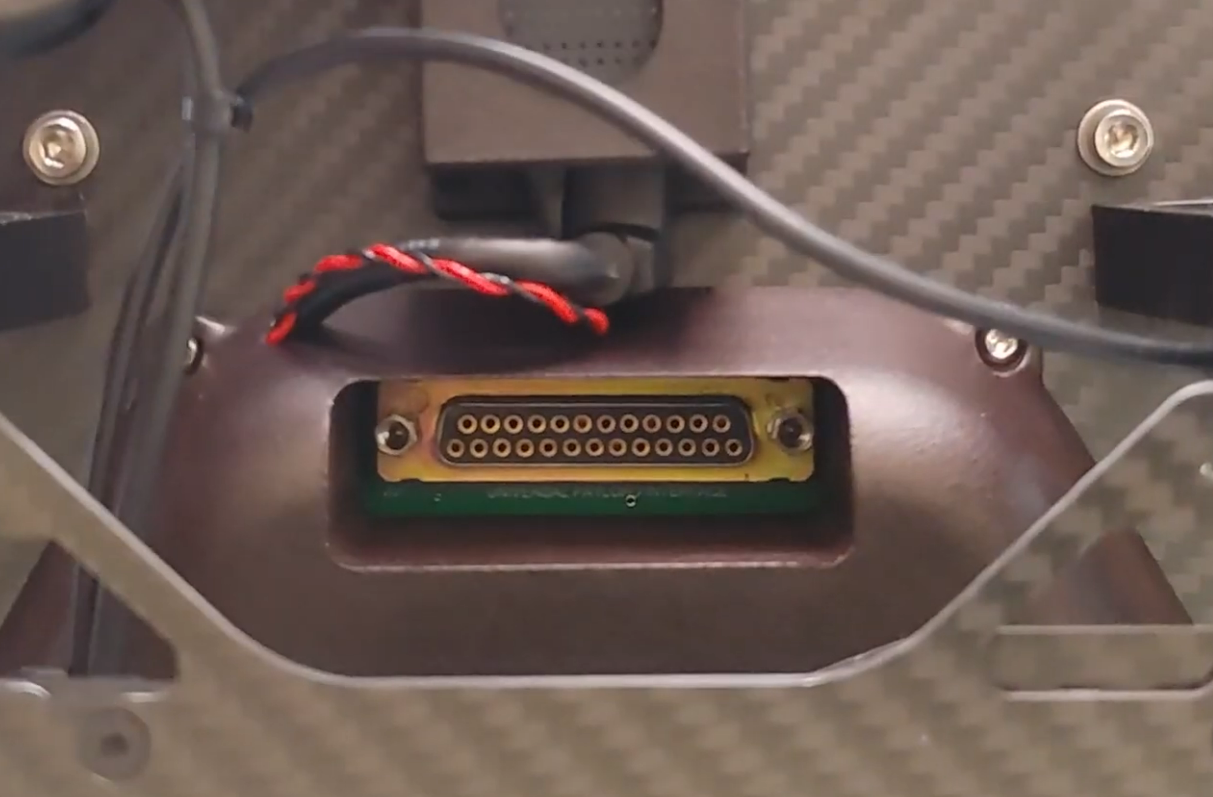
Universal Payload Connector 2.1 25-pin (OBSOLETE)
This connector can be found on older versions of the IF1200/IF1200A.
This connector may pose potential low power issues with TrueView payloads. If your adapter has this connector, please contact Geocue Support to get it replaced.
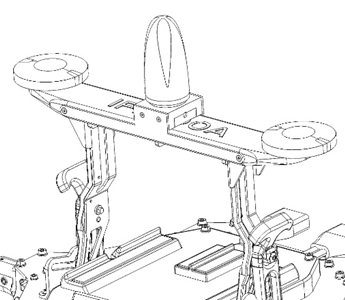
| Part number : ASY1000792A00T (This kit is required for smart dovetail adapters) |
1. Ensure the antenna cable exits toward the port side of the drone.
2. Use four M3x8 mm flat head screws to secure the antenna assembly to the drone body.
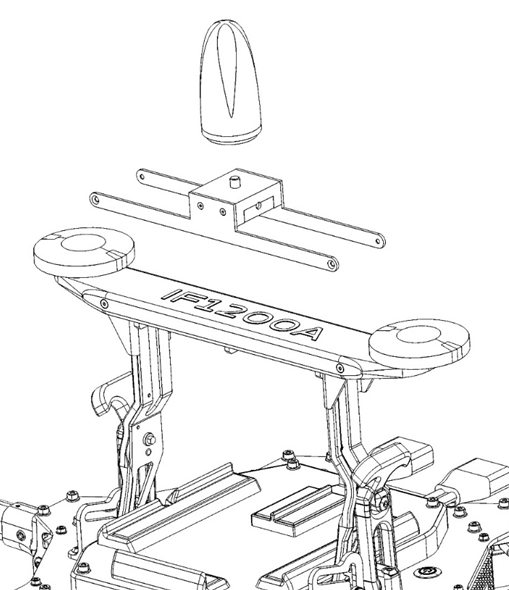
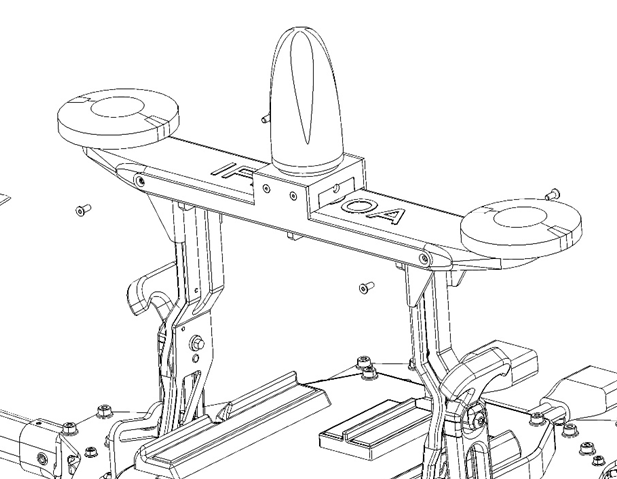
3. Route the antenna cable from the payload adapter to the antenna, following the detailed route in the guide.
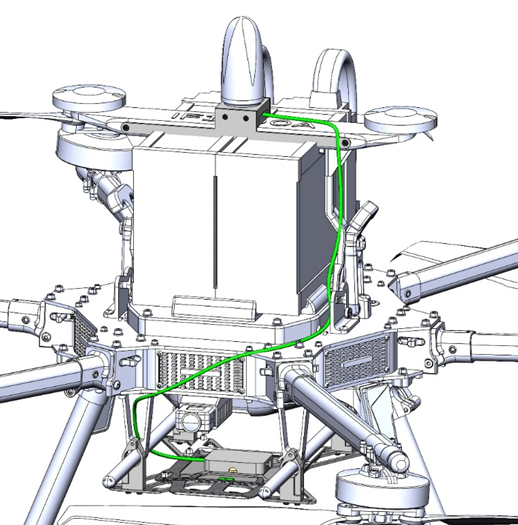
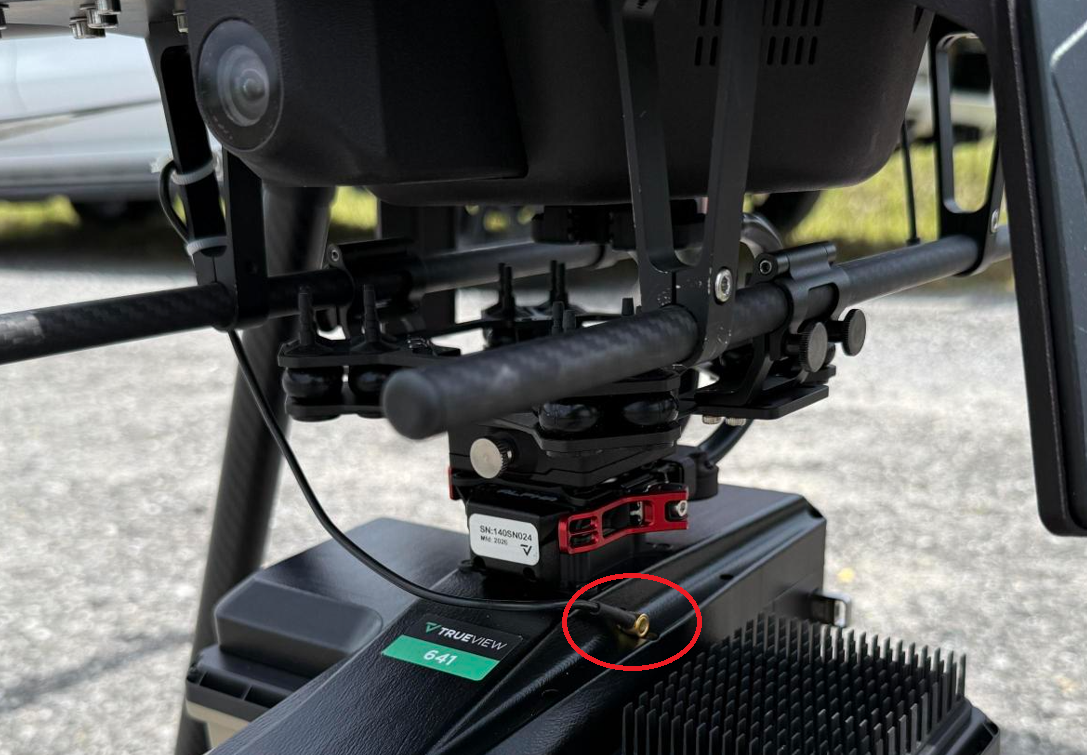
4. Attach the cable using zip-ties along the route.
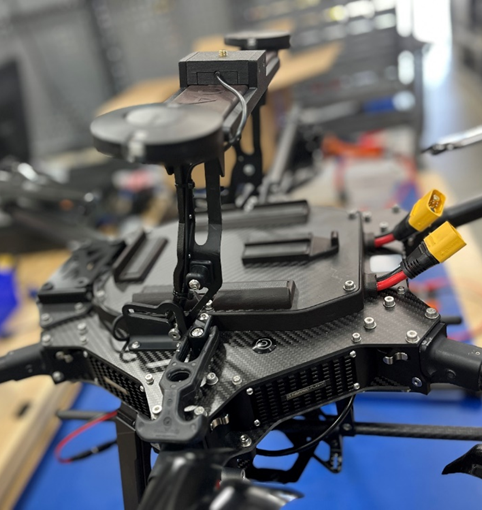
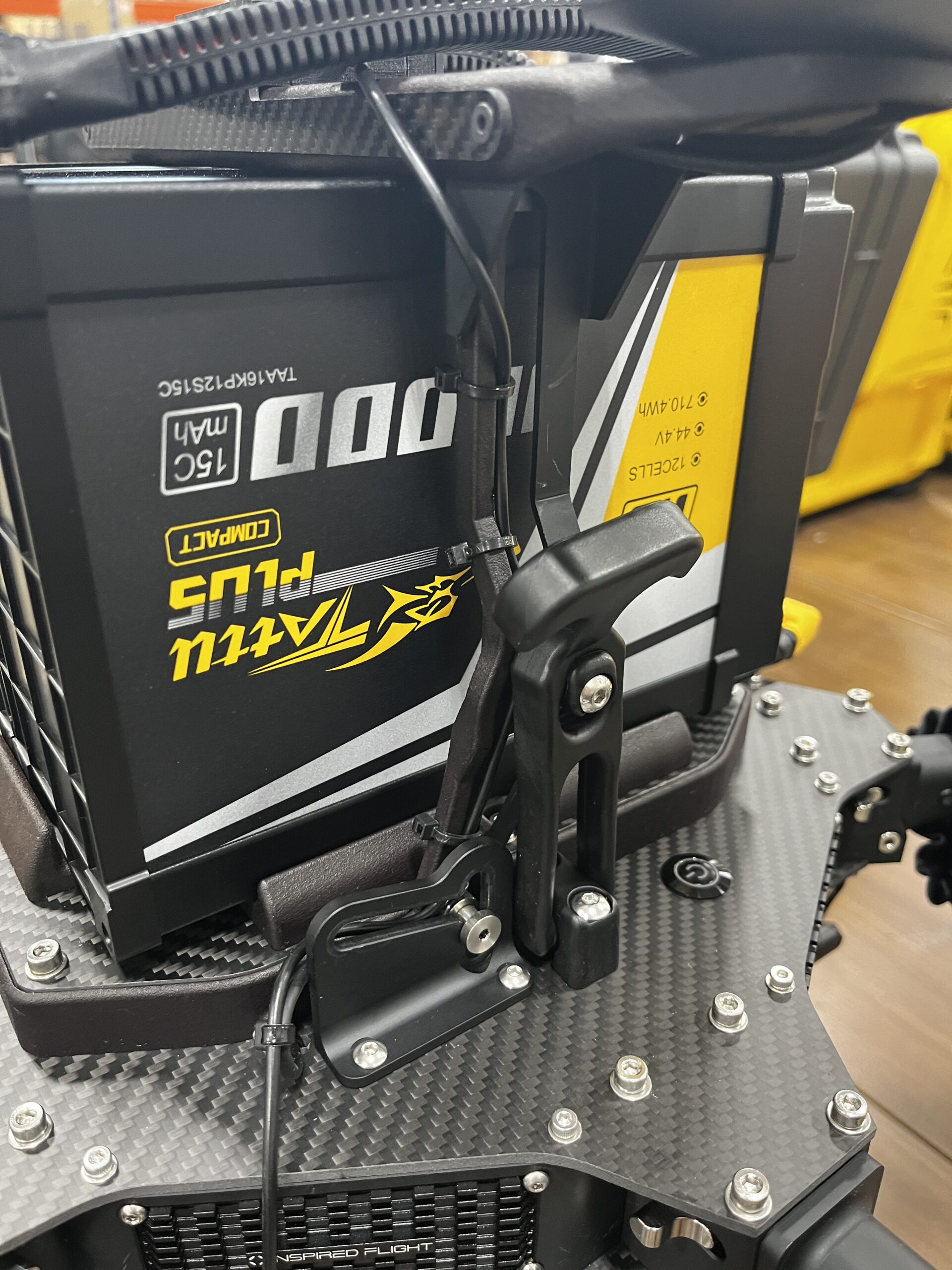
5. Install and tighten the antenna to the mount assembly.
References & Printable versions
Printable versions of this guide are available as PDF documents.
PLI Guides
Payload Profiles
For information on payload lever arms and profiles, please consult the following article :
Support
For troubleshooting how to mount your TrueView on an IF1200A, error messages, or additional workflow information, please Contact Support for assistance. Include your contact info, company name, product/version, and model/serial number for faster service.