
This article provides step-by-step instructions to mount TrueView sensors to the DJI Matrice 400 drone, including PLI and smart dovetail adapters. Follow these procedures for safe, secure, and optimal installation.
Single payload skyport adapter
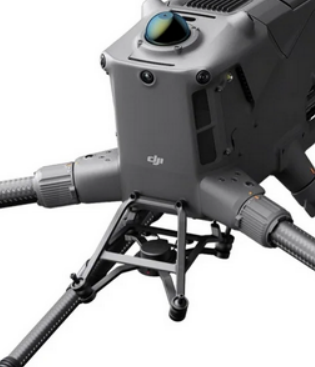
The single gimbal skyport adapter is the standard mount on the DJI M400.
Payload compatibility
Compatible with payloads
- TrueView 1
- TrueView 539/540 (requires shock absorbing balls replacement)
- TrueView 515/535 (requires payload upgrade & shock absorbing balls replacement)
The TrueView 1 / TrueView 1 Lite come with a Skyport-compatible adapter to mount on the M400.
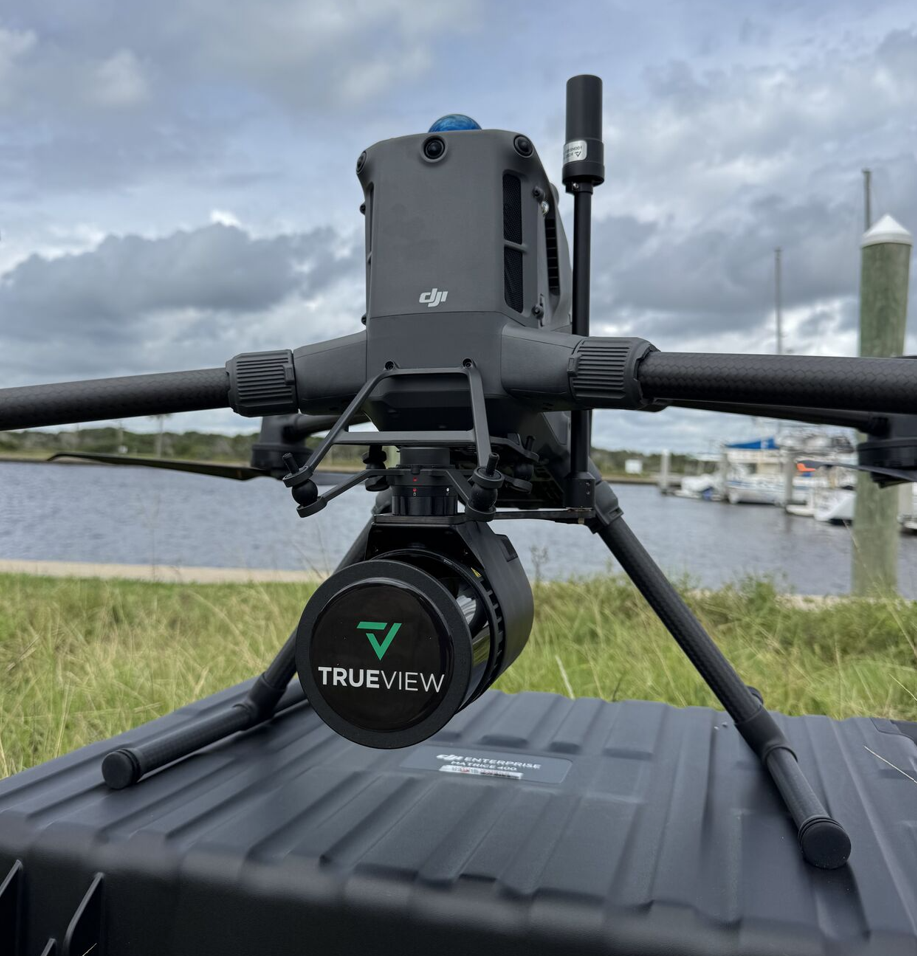
Please contact your vendor or Contact Support to obtain this adapter.
The TrueView 539/540 series payloads come with a Skyport-compatible adapter to mount on the M400.
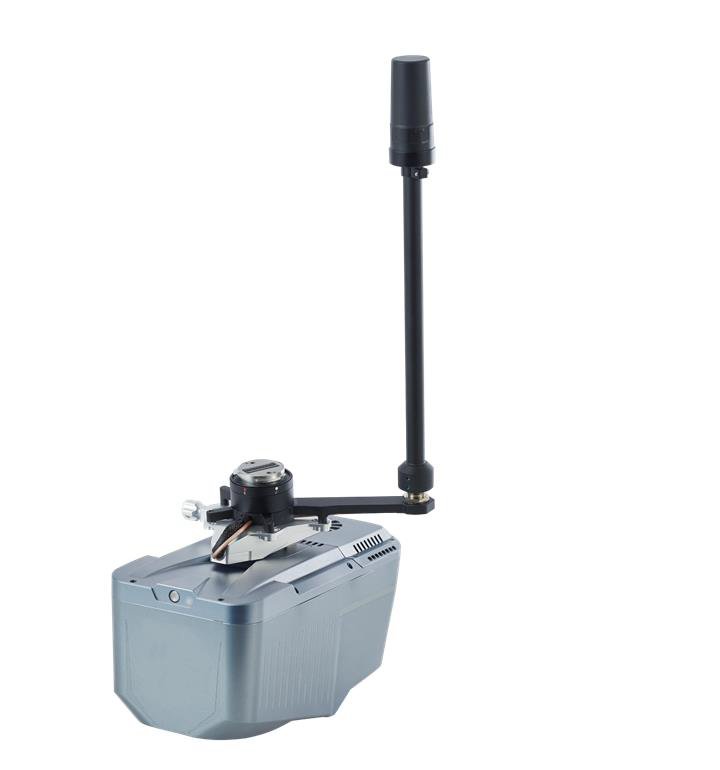
| Part number : MNT1002114A00T (Antenna mast included in this kit) |
Replace M400 Shock Absorbing Balls
Since the maximum load weight of the original shock-absorbing ball of the M400 is less than 1Kg, it is necessary to replace the original shock-absorbing ball to the new equipped balls.
1. Take out the shock-absorbing balls from the transport container (slot 4).
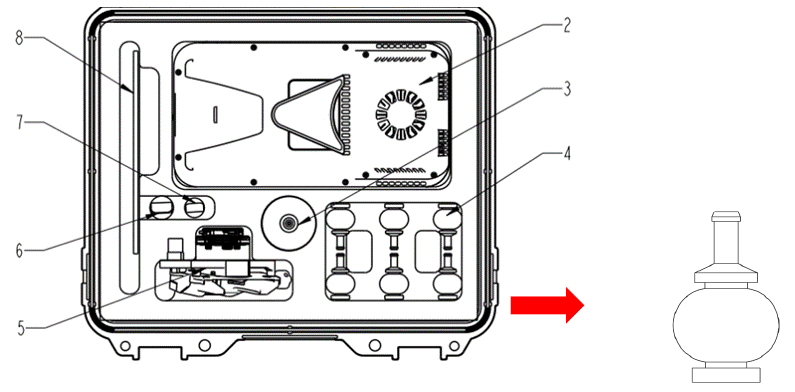
2. As shown in the following figure, remove 4 original shock-absorbing balls from M400 using M4 allen wrench (it is recommended to replace all the original shock-absorbing balls one by one). Push the shock-absorbing ball from the groove edge towards the center. Repeat this process a few times until it comes off. Avoid pulling or yanking with force, as it may cause damage to the shock-absorbing ball.
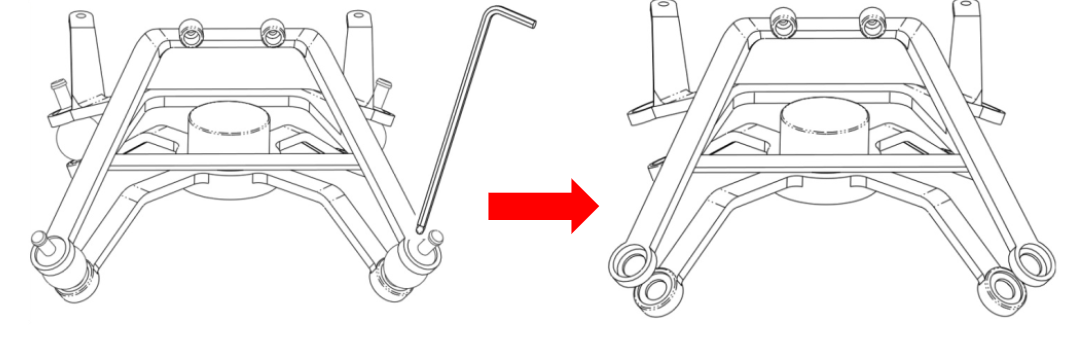
When removing the shock-absorbing ball, use the round end “1” to remove it. Do not use the right-angle end “2” to remove it, as it may damage the shock-absorbing balls.

3. Replace all the original shock-absorbing balls one by one. When installing the new shock-absorbing ball, insert the bottom rubber ring down first, then insert the top rubber column from the top bracket and pull the rubber column up.
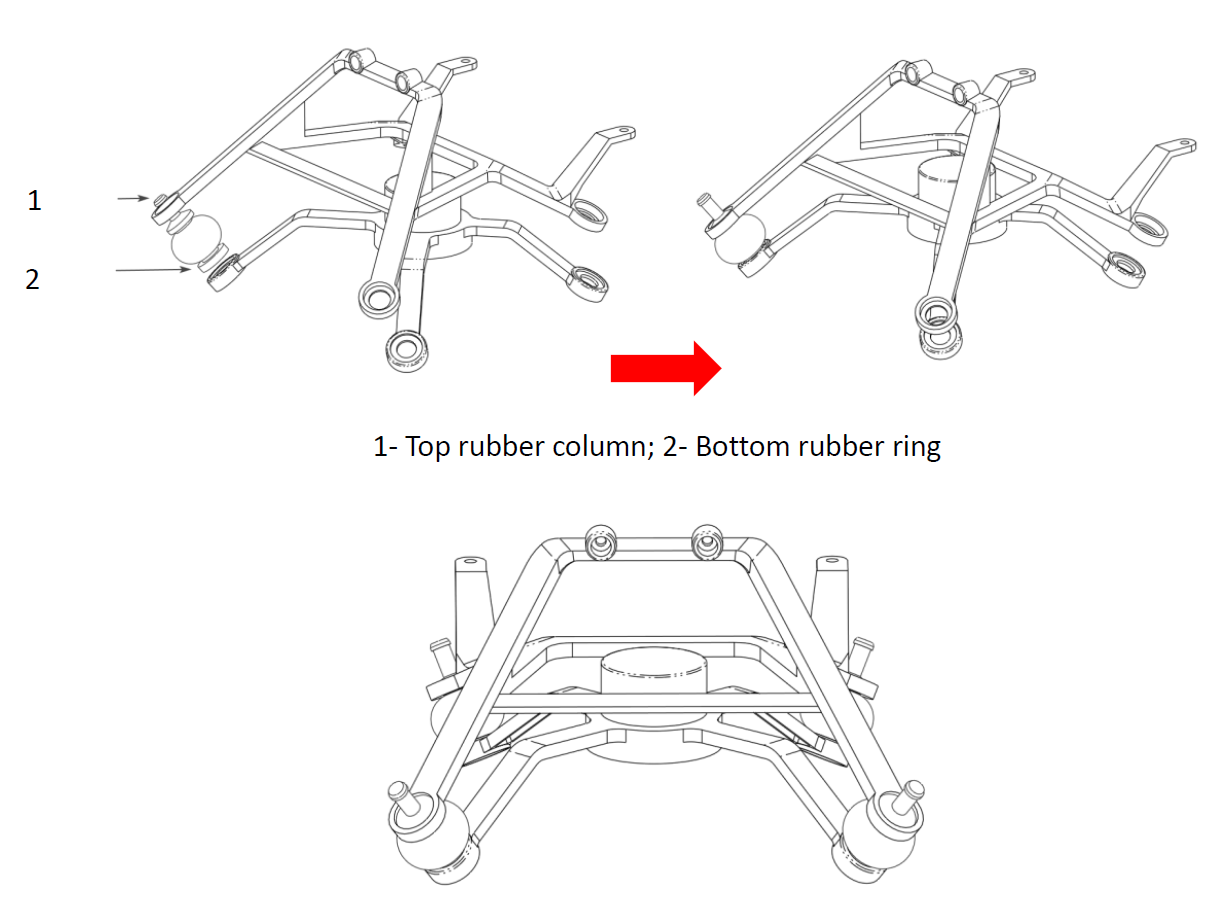
It is recommended to install a new shock-absorbing ball every time when user remove an original one to prevent the load plate from falling off or becoming misaligned.
M400 Installation Steps
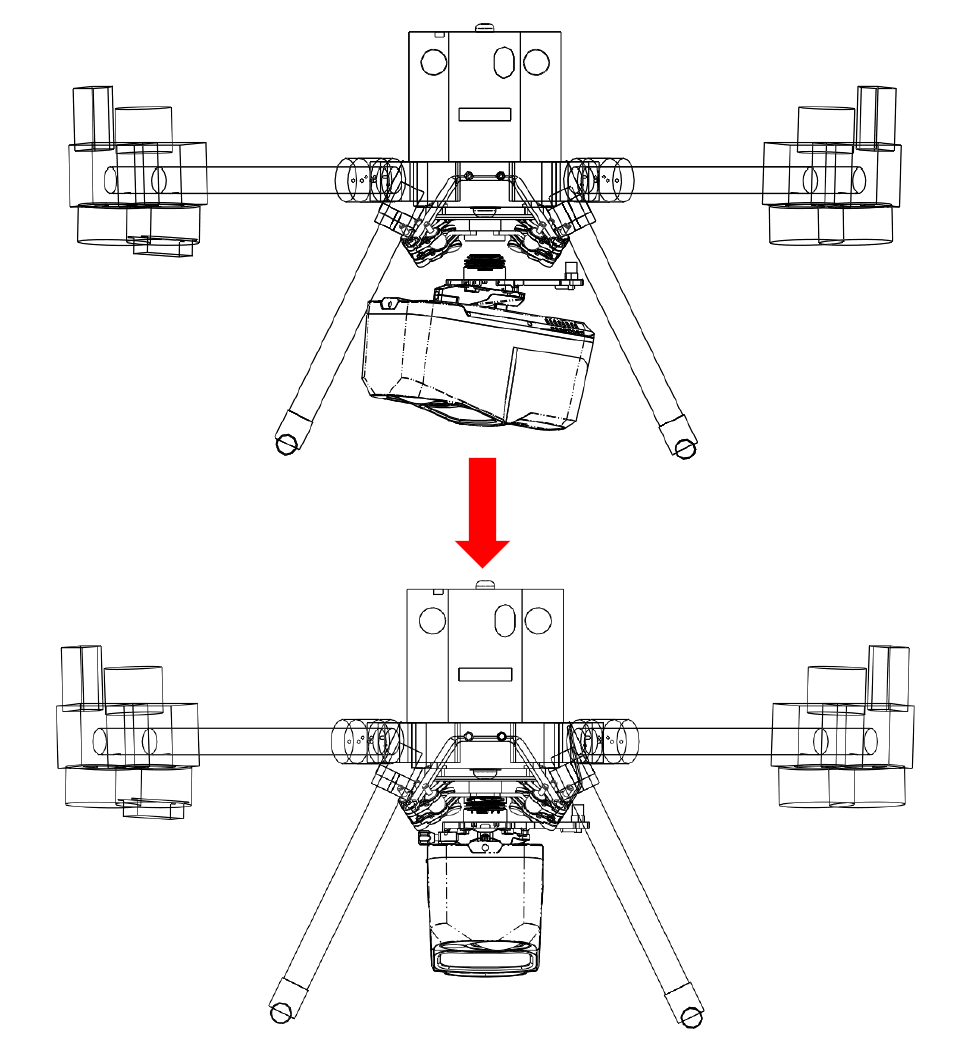
Push the “Alphaport” slider of scanner into the quick-release clamp which on the bottom of the airborne mounting platform in the direction of the arrow until hear a “click” sound.
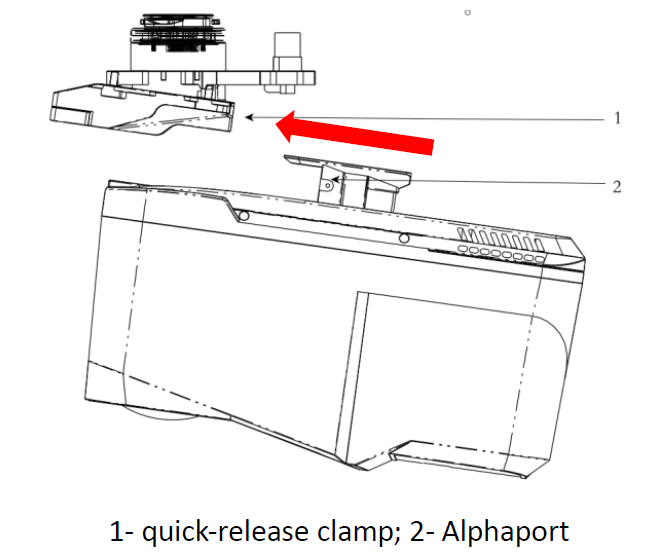
Tighten the side screw bolts to make it stable and finally finished the installation.
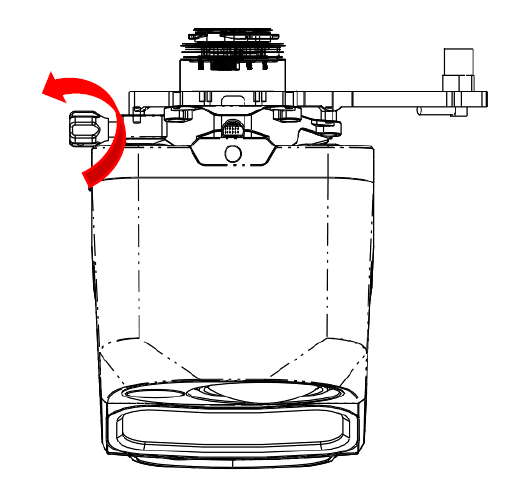
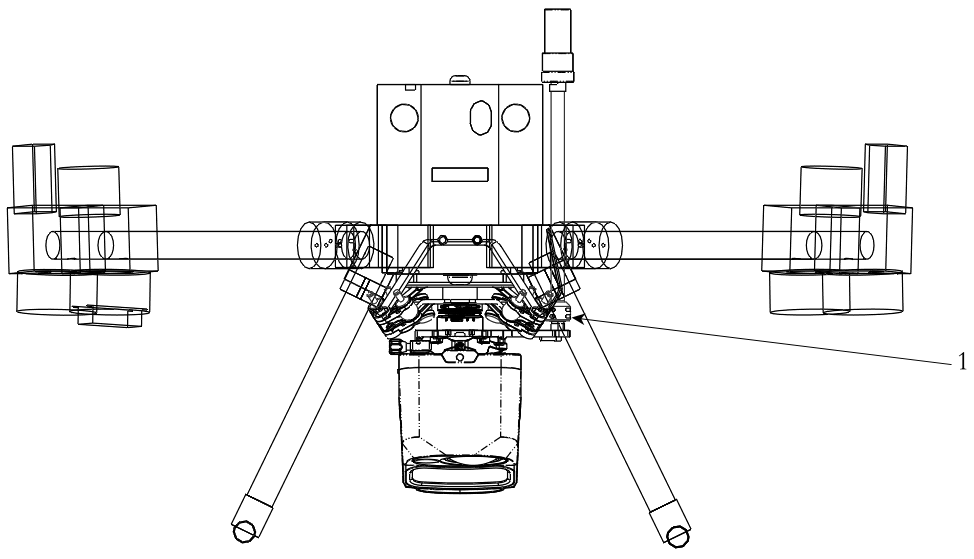
Align the white dot on the device Skyport interface with the red dot on the M400 interface and embed it in the installation location. Rotate the device SkyPort interface to the locked position (red dots align red dots) to be fixed.
Insert the rod antenna into the antenna mount and tighten it.
The TrueView 515/535 payloads can be upgraded to the DJI skyport adapter. This upgrade replaces the current adapter on the payload.
Note that for weight balancing issues, the position of the adapter is not the same for the TV515 or TV535.
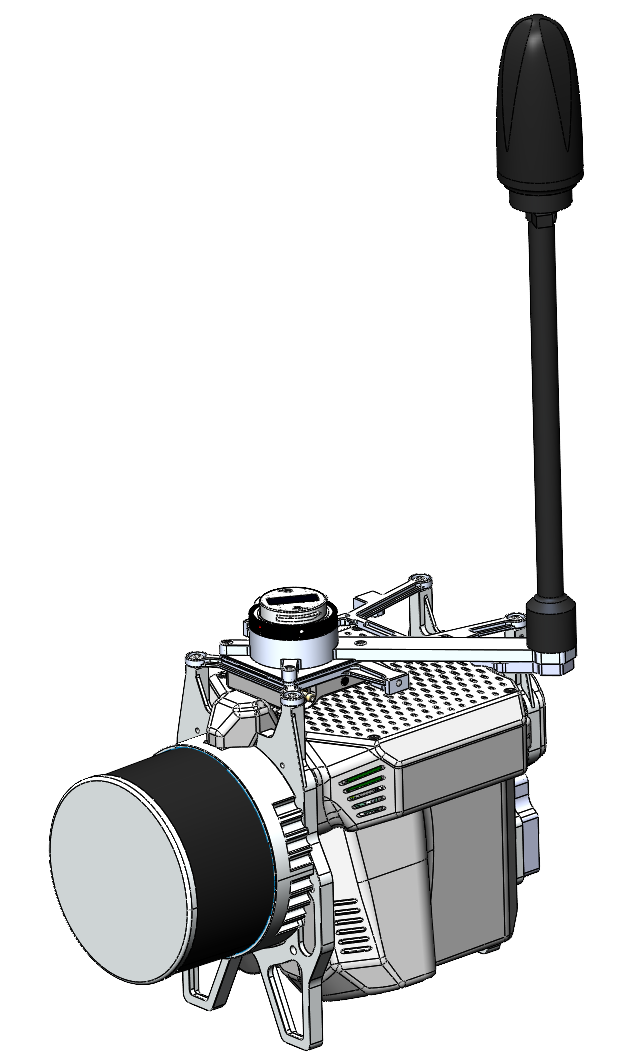
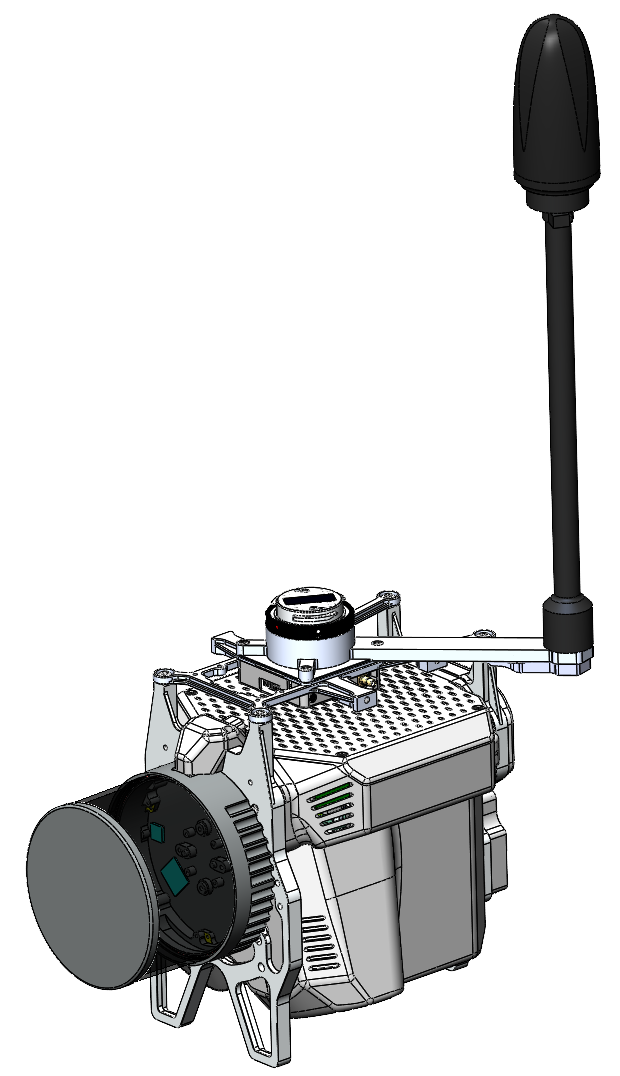
Depending on the generation of your payload, different upgrade options are available.
TrueView 515/535 vA
| Part number : SUP1002281A00T (Antenna mast included in this kit) |
If your payload has the dovetail or PLI adapters below, the 515/535 vA upgrade kit for M400 is required.
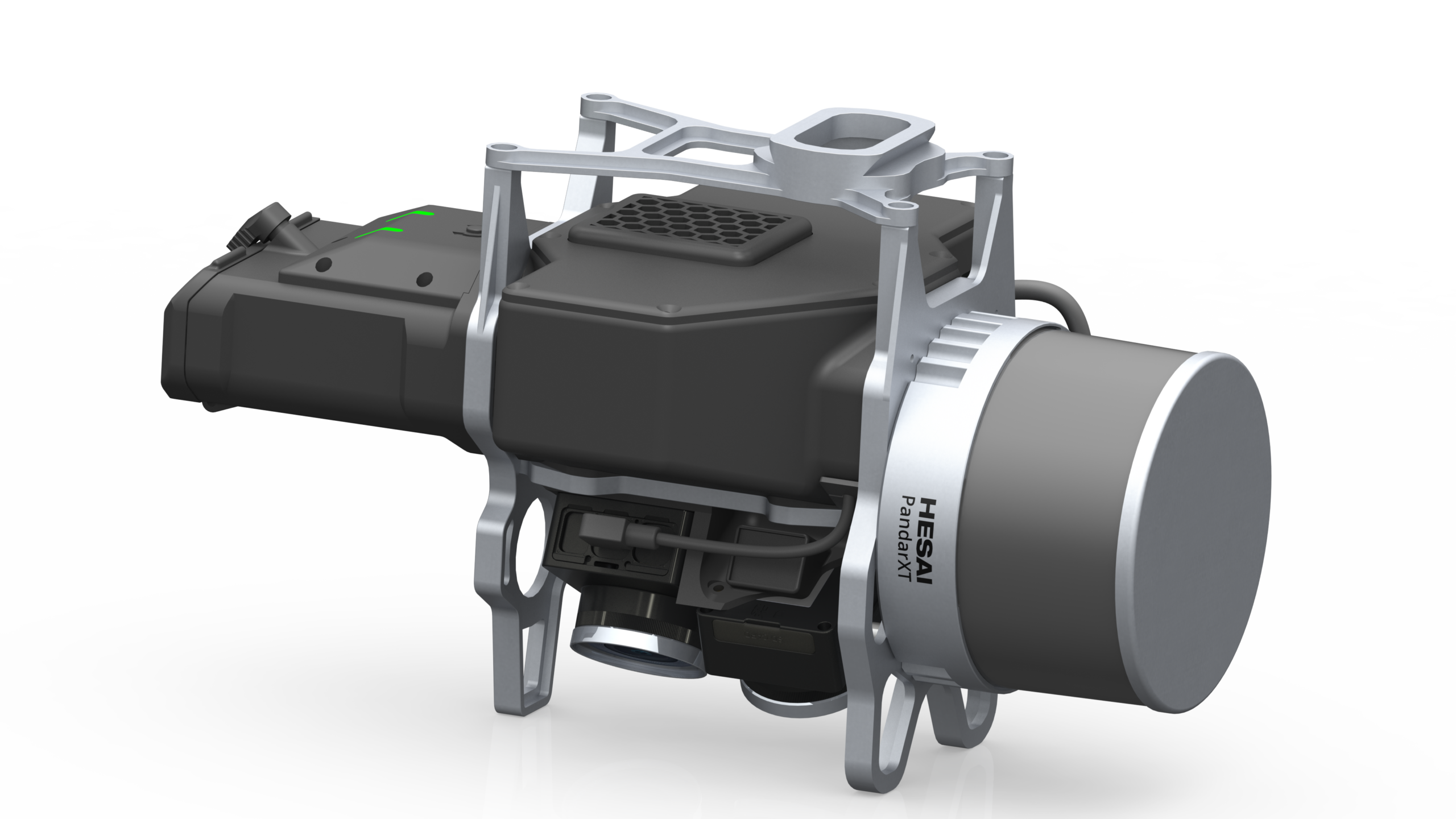
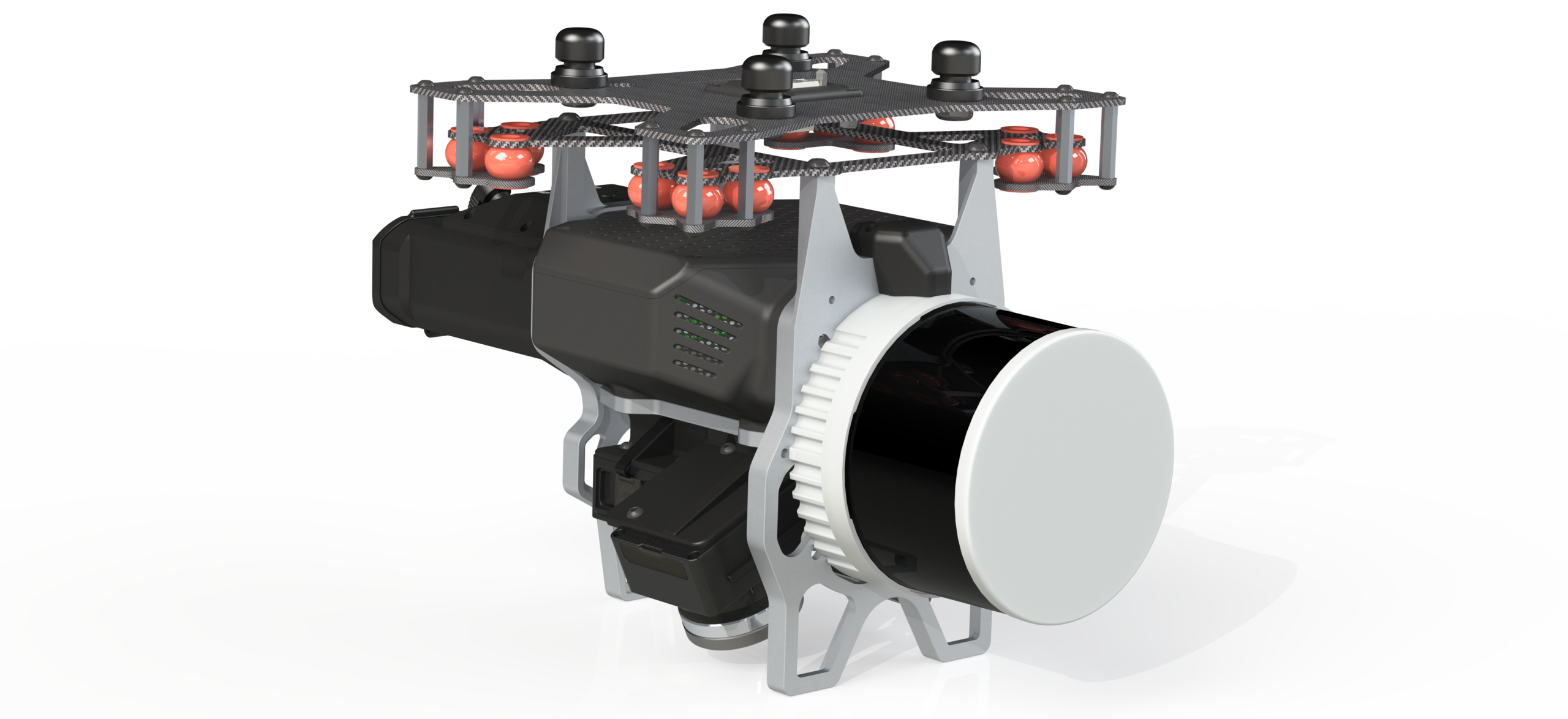
TrueView 515/535 vC
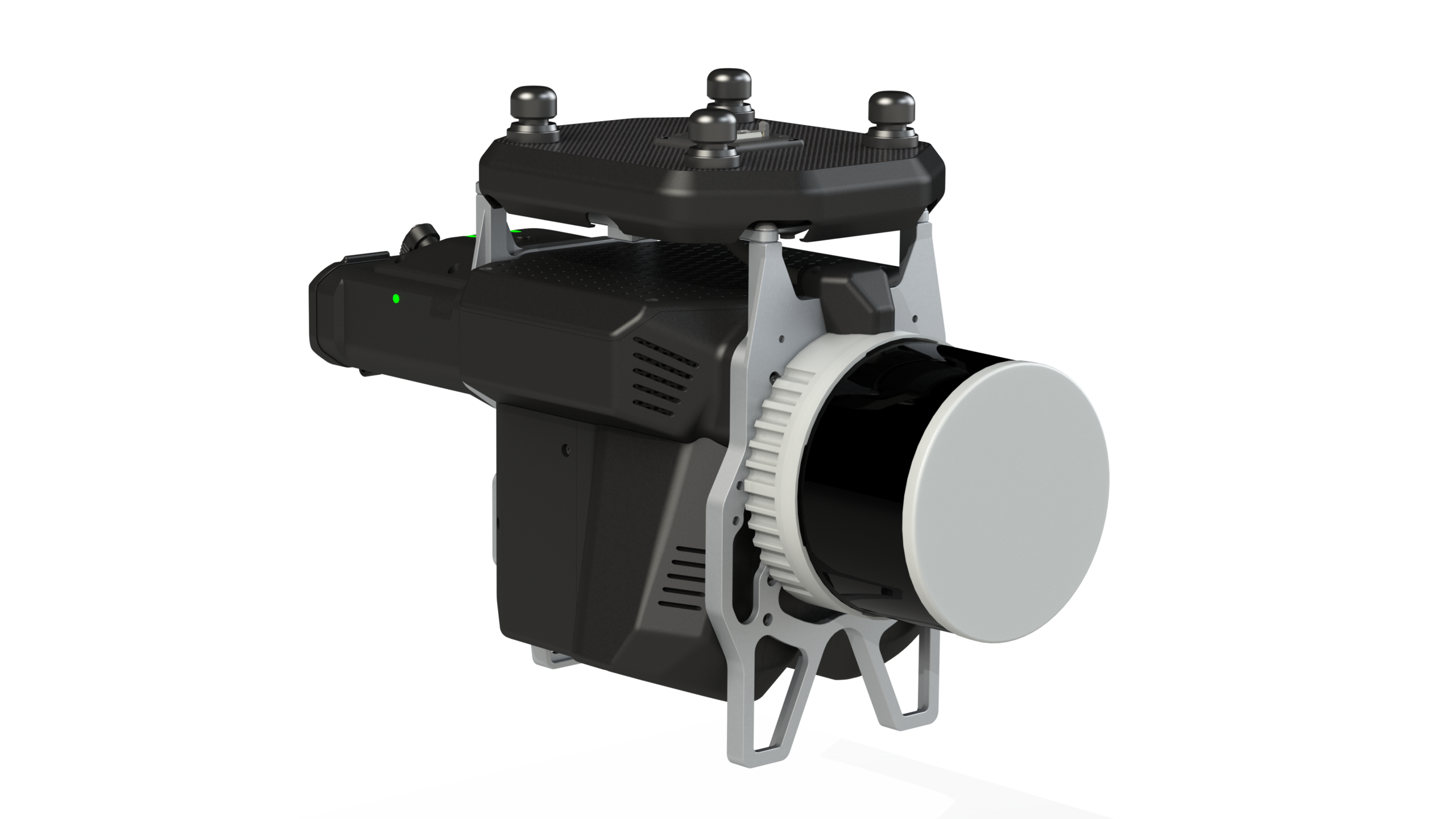
| Part number : SUP1002282A00T (Antenna mast included in this kit) |
If your payload has the PLI adapter below, the 515/535 vC upgrade kit for M400 is required.
TrueView 515/535 vD
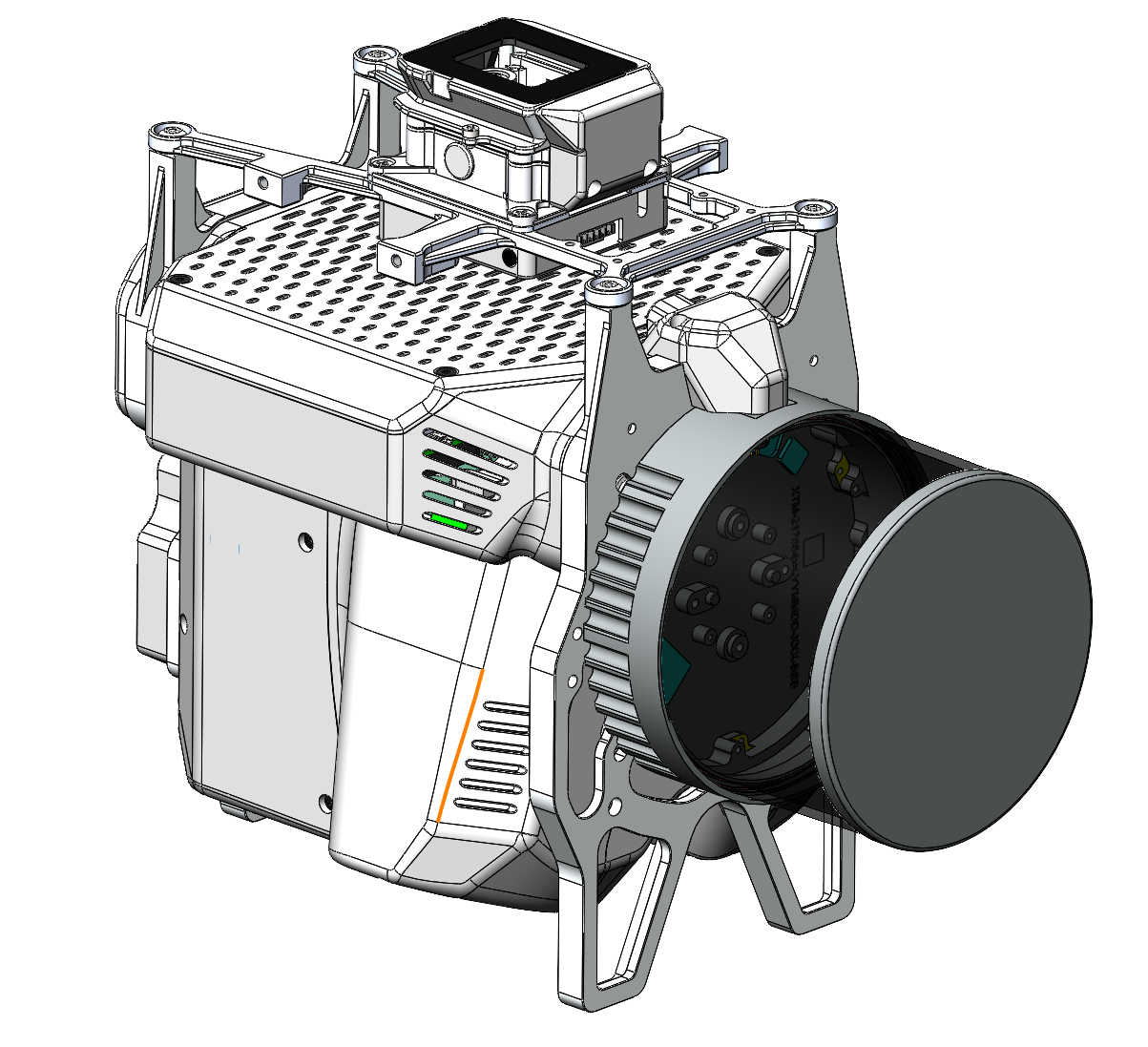
| Part number : SUP1002283A00T (Antenna mast included in this kit) |
If your payload has the smart dovetail below (or similar), the 515/535 vD upgrade kit for M400 is required.
Replace M400 Shock Absorbing Balls
Since the maximum load weight of the original shock-absorbing ball of the M400 is less than 1Kg, it is necessary to replace the original shock-absorbing ball to the new equipped balls.
1. Take out the shock-absorbing balls from the transport container (slot 4).
2. As shown in the following figure, remove 4 original shock-absorbing balls from M400 using M4 allen wrench (it is recommended to replace all the original shock-absorbing balls one by one). Push the shock-absorbing ball from the groove edge towards the center. Repeat this process a few times until it comes off. Avoid pulling or yanking with force, as it may cause damage to the shock-absorbing ball.
When removing the shock-absorbing ball, use the round end “1” to remove it. Do not use the right-angle end “2” to remove it, as it may damage the shock-absorbing balls.
3. Replace all the original shock-absorbing balls one by one. When installing the new shock-absorbing ball, insert the bottom rubber ring down first, then insert the top rubber column from the top bracket and pull the rubber column up.
It is recommended to install a new shock-absorbing ball every time when user remove an original one to prevent the load plate from falling off or becoming misaligned.
PLI Payload adapter
PLI adapter payloads (4 pegs) are not currently compatible with the DJI M400. Please Contact Support if you would like to request this integration.
Smart dovetail adapter
Smart dovetail adapters are not currently compatible with the DJI M400. However, payloads with smart dovetails can often be modified to fit the DJI Skyport adapter. Please Contact Support for assistance.
Payload Profiles
For information on payload lever arms and profiles, please consult the following article :
Support
For troubleshooting how to mount your TrueView on an M400, error messages, or additional workflow information, please Contact Support for assistance. Include your contact info, company name, product/version, and model/serial number for faster service.
