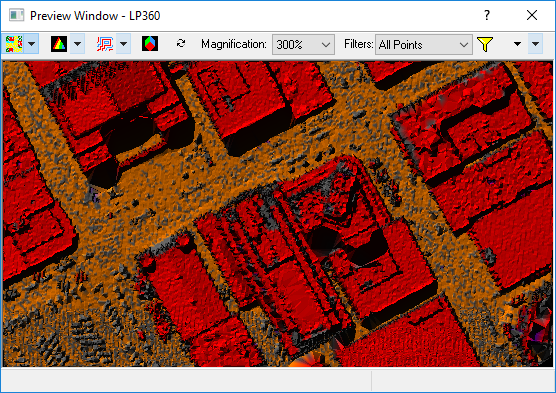
The Point Cloud Tasks Preview Window allows
users to execute tasks over small areas without affecting the real data.
The window is very useful for fine tuning the configuration of a task
before executing the task over an entire project.
The preview window facilitates the creativity of the user. For example,
a planar task could possibly be configured to extract any flat areas such
as parking lots or other impervious features. It is the ability to change
the task's properties, apply those changes, and execute the task in the
preview window that allows users to fine tune the execution of a task
to produce desired and positive results.
Regardless of the license level, the preview window can execute any of
the built-in point cloud tasks. Once a
task has been fine tuned for a project, the task may be executed on the
point data for real using the LP360 Point Cloud Task Toolbar.