About Z Values to Calculate for the Input Geometry
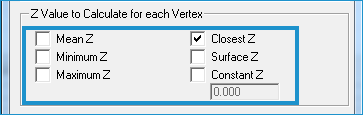
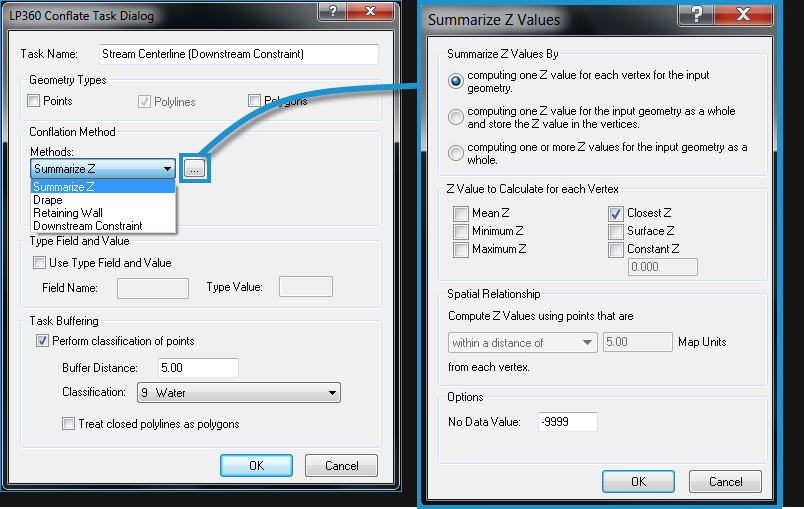
The Summarize Z Values dialog box allows you to customize how Z values are calculated for each geometry. It also allows you to define the type of Z value to store for the input geometry. The following are the Z value options that can be calculated for a feature or each vertex within a feature.- Mean - The Z value is summarized within a range.
- Minimum Z, Maximum Z, and Closest Z - All of the points within this distance are involved in the requisite computation on a per vertex basis.
Note Mean, Minimum, or Maximum values are defined by selecting a spatial relationship between the input geometry and the LAS points. Learn more about selecting a spatial relationship. - Surface Z - This is the TIN Surface elevation from the LAS points and is essentially a drape of the TIN.
- Constant Z - You can assign an elevation by keying in a specific value.
Calculating Different Z Values by Vertex
Calculating a Summarized Z Value Per Vertex for the Whole Input Geometry and Storing Z in each Vertex
Calculating a Summarized Z Value and Storing Z in the Attribute Table
If computing by feature, one or more of the listed values can be selected. However, if using the by vertex option, only one z value can be selected because only one z value can be stored for each vertex in a data set. The values computed in the by feature option are stored in the attribute table for the output data set.
How to Open the Summarize Z Values Dialog
The Calculate Z by Vertex option is selected on the Summarize Z Values dialog box. There are three situations in which you will encounter this dialog:
(1) When setting up an elevation conflation task, you begin by using the Elevation Conflation/Classify dialog box, opened using the  button on the LP360 Classify toolbar. Once you select the Layer or Data Set and then the features (in the Fields drop-down) to use in the conflation, you will select a Conflation Method for each listed feature in the Data Types table.
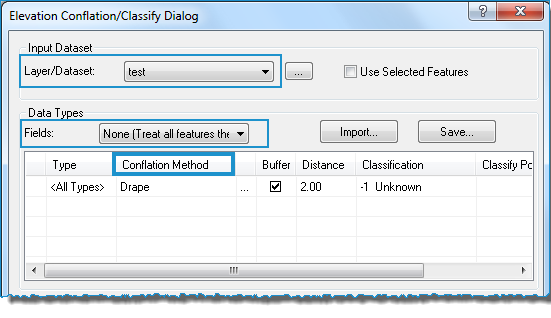
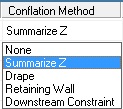
To select the conflation method, click on the cell under Conflation Method in the table next to one of the listed features. Another drop-down list will allow you to select a conflation method.

Select Summarize Z. The Summarize Z Values dialog will open.
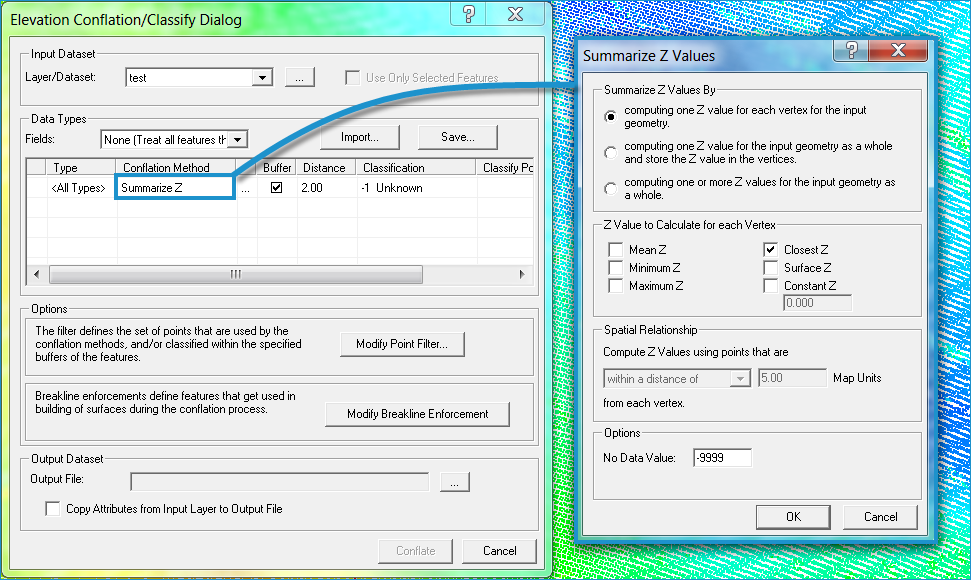
(2) When digitizing features in LP360, you will likely have the LP360 Digitize Breaklines toolbar open, and from this, you can manage conflation tasks using the Conflate Tasks Manager. (It opens using the  button on the LP360 Digitize Breaklines toolbar.)

When you select a task in the Conflate Tasks Manager dialog box and then click the Edit Task button, the LP360 Conflate Task dialog opens, allowing you to further define a conflation task, including the Conflation Method.
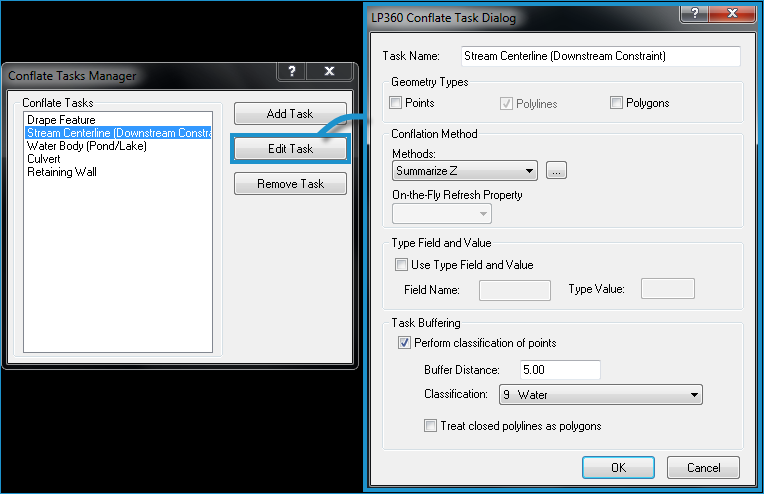
In the Conflation Method drop-down, select Summarize Z and then click the  button. The Summarize Z Values dialog will open.
(3) When selecting "Summarize Z Values" from the Conflation Method drop-down list in the Conflation Point Cloud Task property page.