
This guide provides step-by-step instructions to securely mount TrueView sensors to the Freefly Alta X Gen1 drone, including payload, damping, and antenna installation. Follow these steps to ensure optimal performance and safety.
Alta X landing gear overview
The Freefly Alta X comes with many options for landing gear. This will affect how to mount the different payload adapter options.
Compatible landing gears (with 12mm rails)
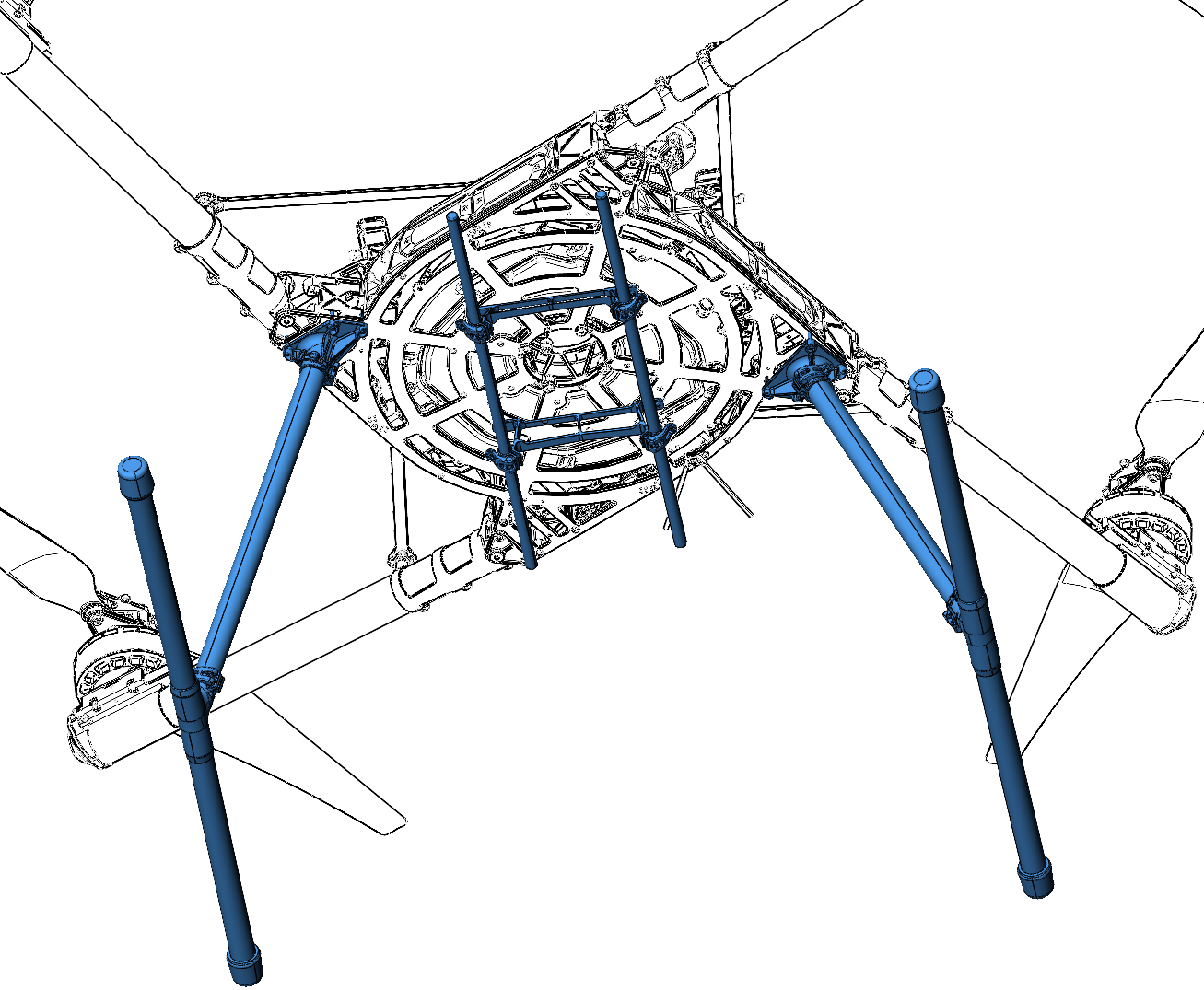
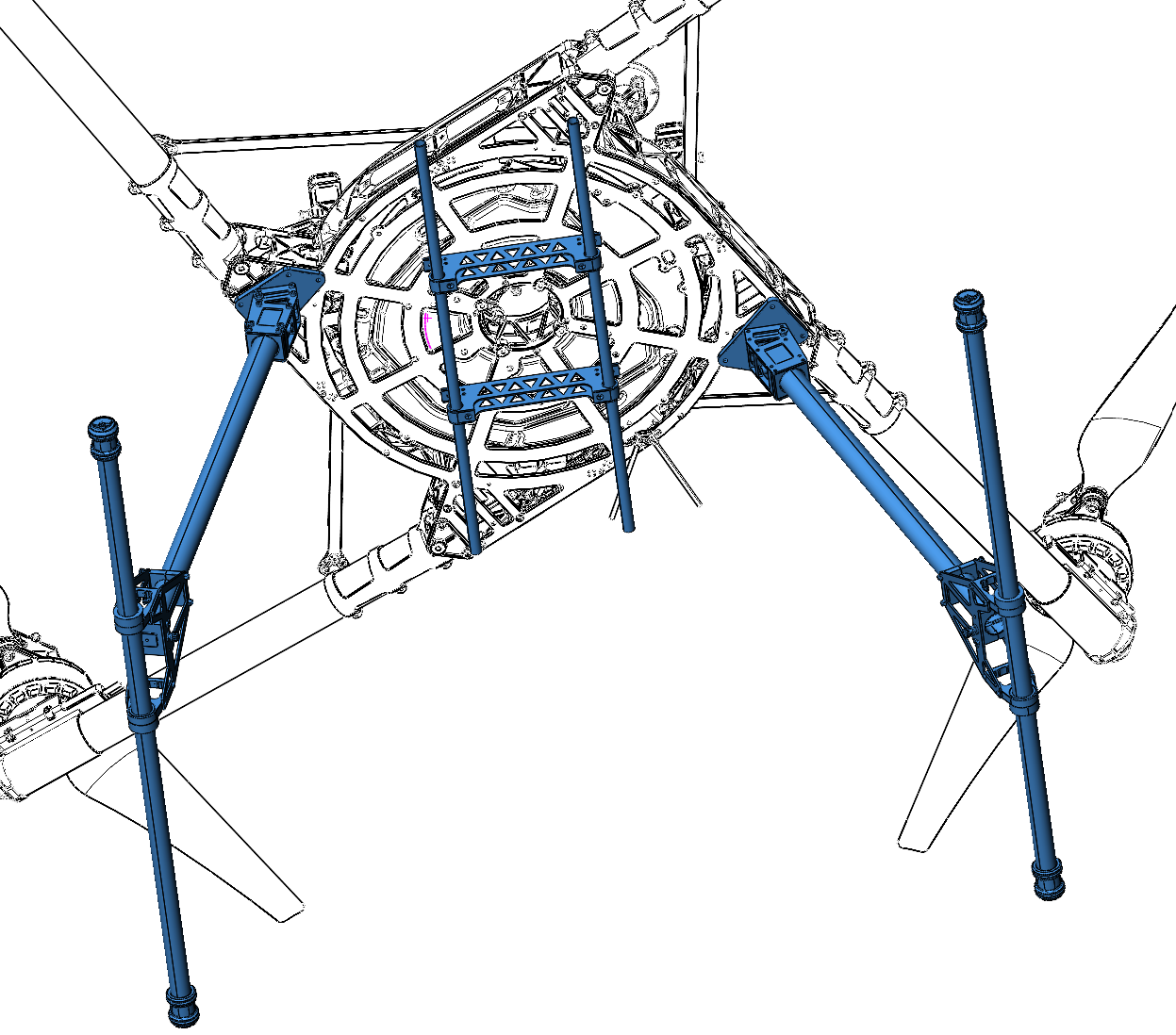
- Freefly skid landing gear can be purchased directly from Freefly.
- Drone Amplified landing gear was supplied by Geocue, on older Alta X drones.
Incompatible landing gears
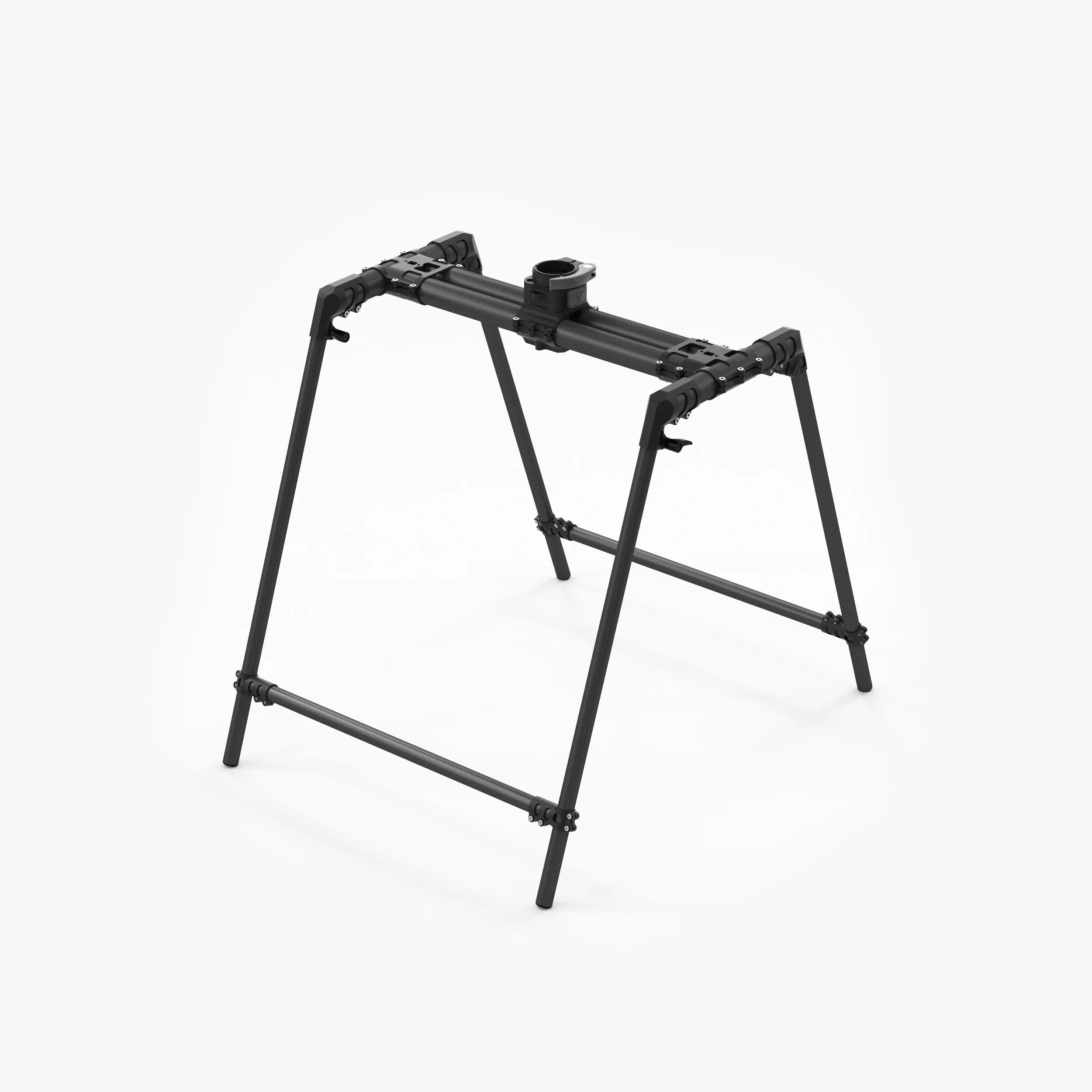
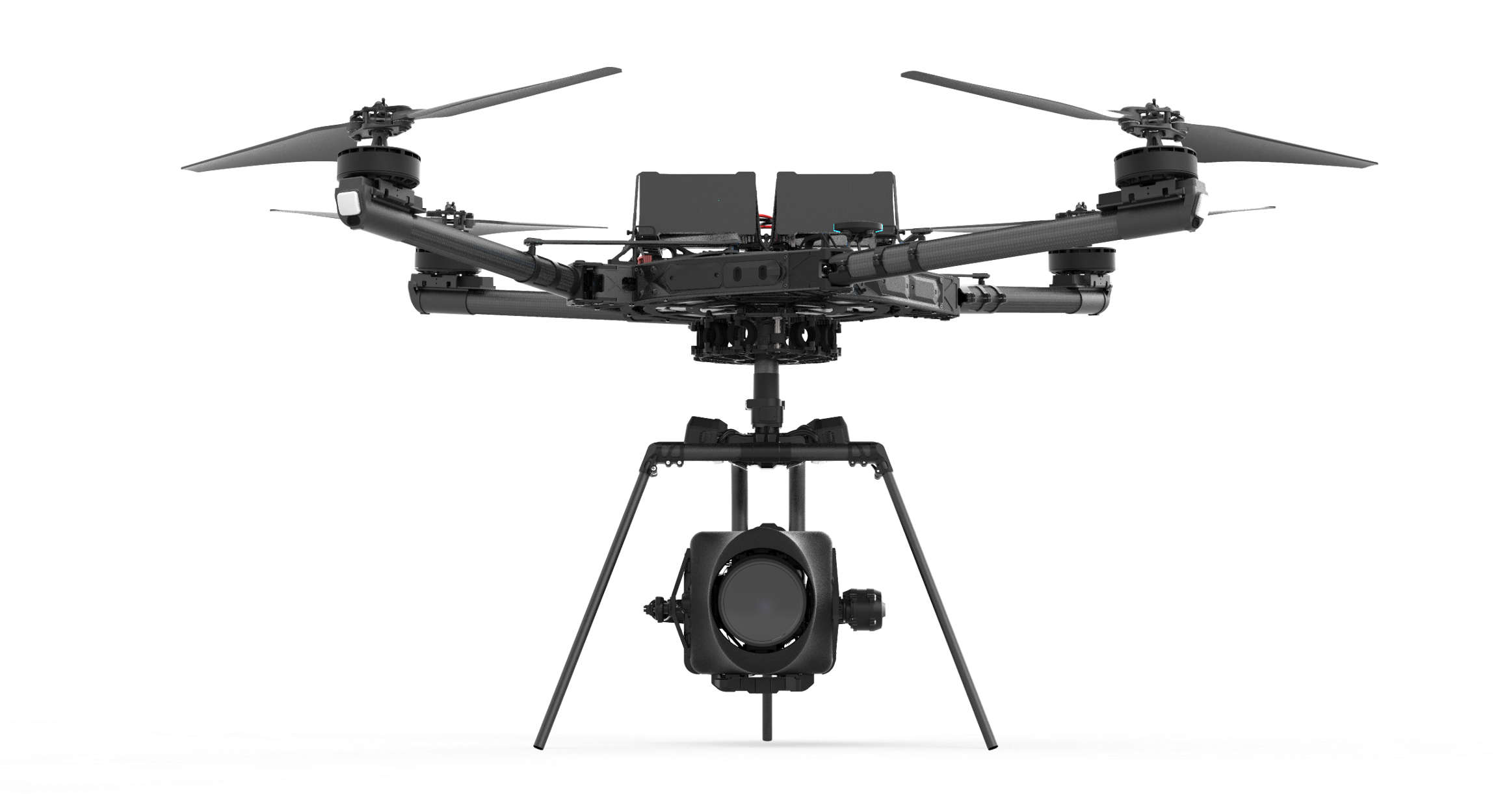
These landing gears are not compatible with TrueView Payloads, and will need to be replaced. (See Landing Gear Installation section below).
Smart dovetail adapter
The position of the smart dovetail adapter will vary depending on the landing gear type on your Alta X.
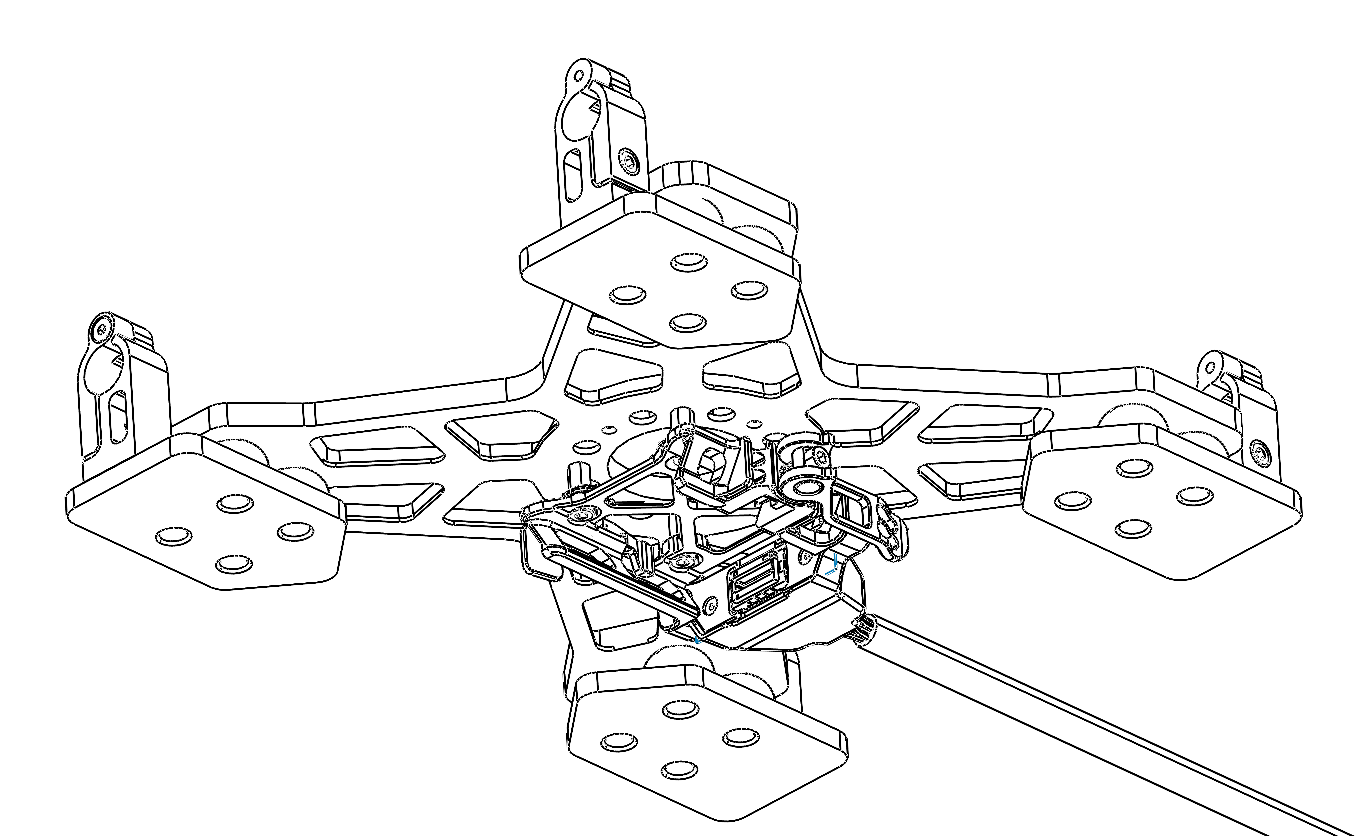
| Part number : MNT1002235A00T (Antenna mount included in this kit) |
Payload compatibility
The Trueview smart dovetail adapter is compatible with all TrueView payloads equipped with smart dovetail.
Included components
- Trueview smart dovetail adapter
- Alta X Antenna mount
- Antenna (included with payload)
- Alta X battery stopper (2)
- Coaxial cable SMB straight jack (female) to SMA straight Jack (female)
- M3 x 6mm button head screws (4)
Required tools
- 2.5mm hex screwdriver
- 243 Medium Strength Tread Locker (Loctite)
Adapter Installation
1. Slide the adapter onto the 12mm tubemounts on the Alta X.
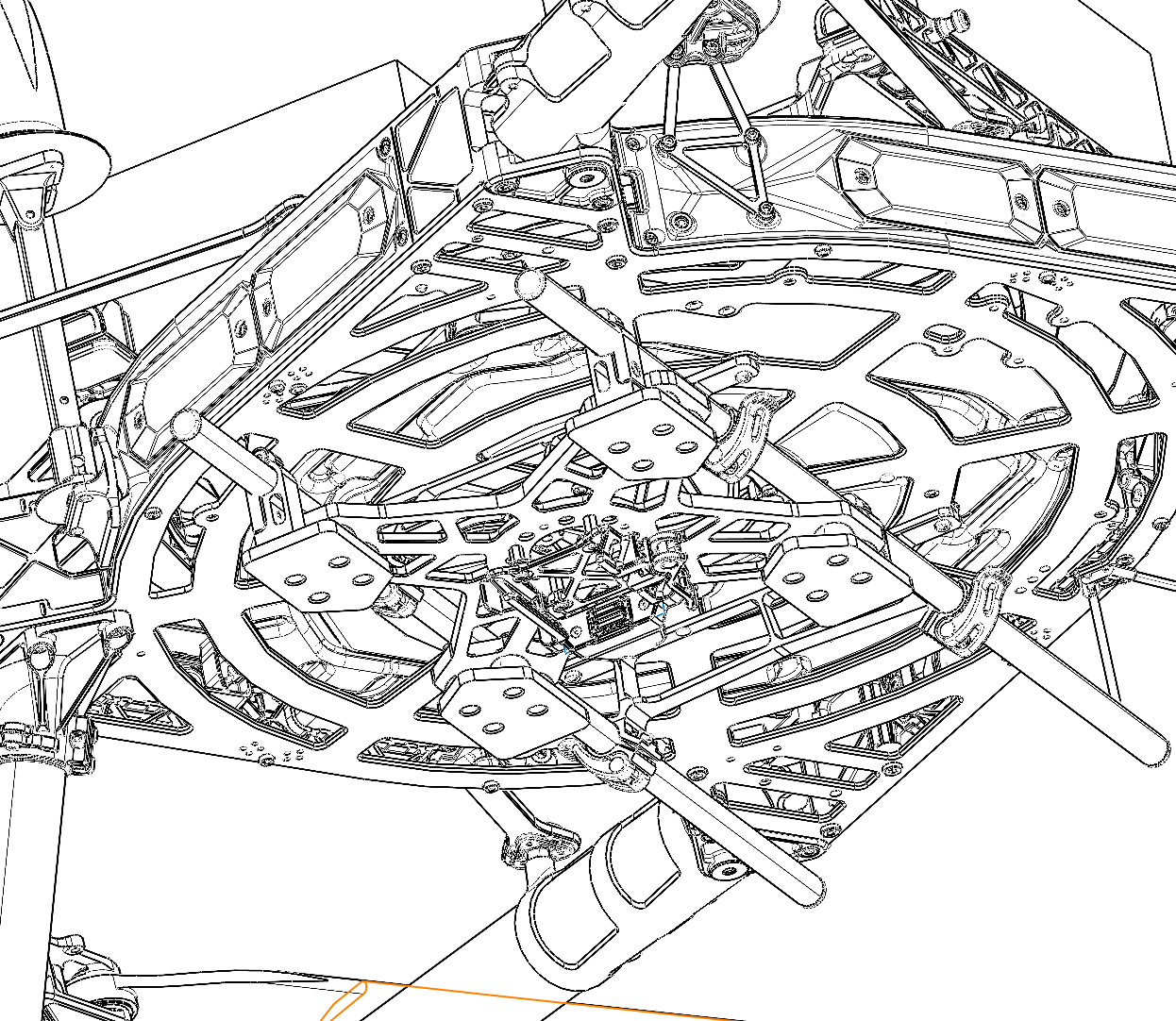
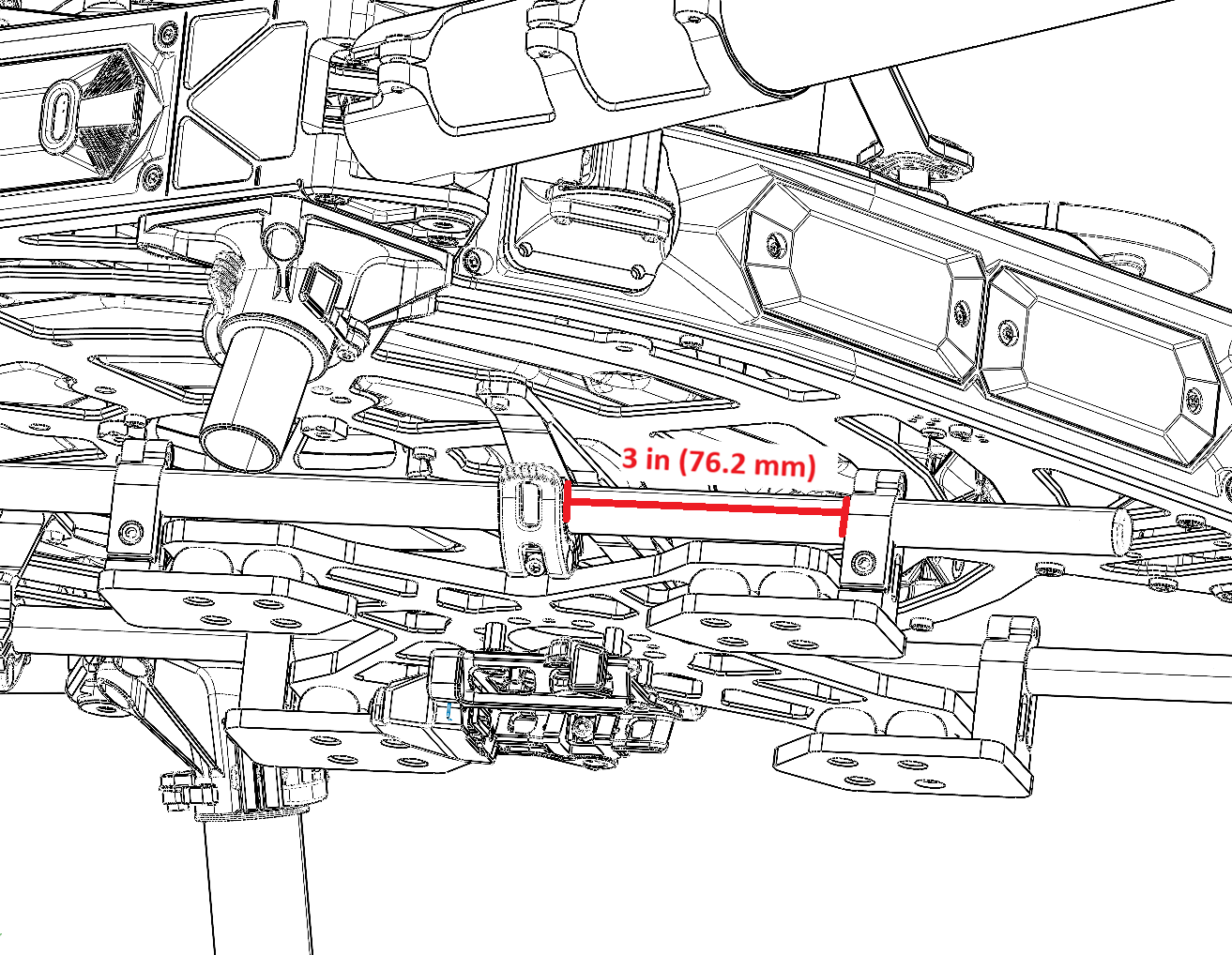
2. Position the adapter so the front two tube mount clamps are 3 inches (76.2mm) apart. Secures the screws with Loctite.
3. Plug the smart dovetail power cable (see Payload power section).
| Part number : MNT1002235A00T (Antenna mount included in this kit) |
Payload compatibility
The Trueview smart dovetail adapter is compatible with all TrueView payloads equipped with smart dovetail.
Included components
- Trueview smart dovetail adapter
- Alta X Antenna mount
- Antenna (included with payload)
- Alta X battery stopper (2)
- Coaxial cable SMB straight jack (female) to SMA straight Jack (female)
- M3 x 6mm button head screws (4)
Required tools
- 2.5mm hex screwdriver
- 243 Medium Strength Tread Locker (Loctite)
Adapter Installation
1. Slide the adapter onto the 12mm tubemounts on the Alta X.
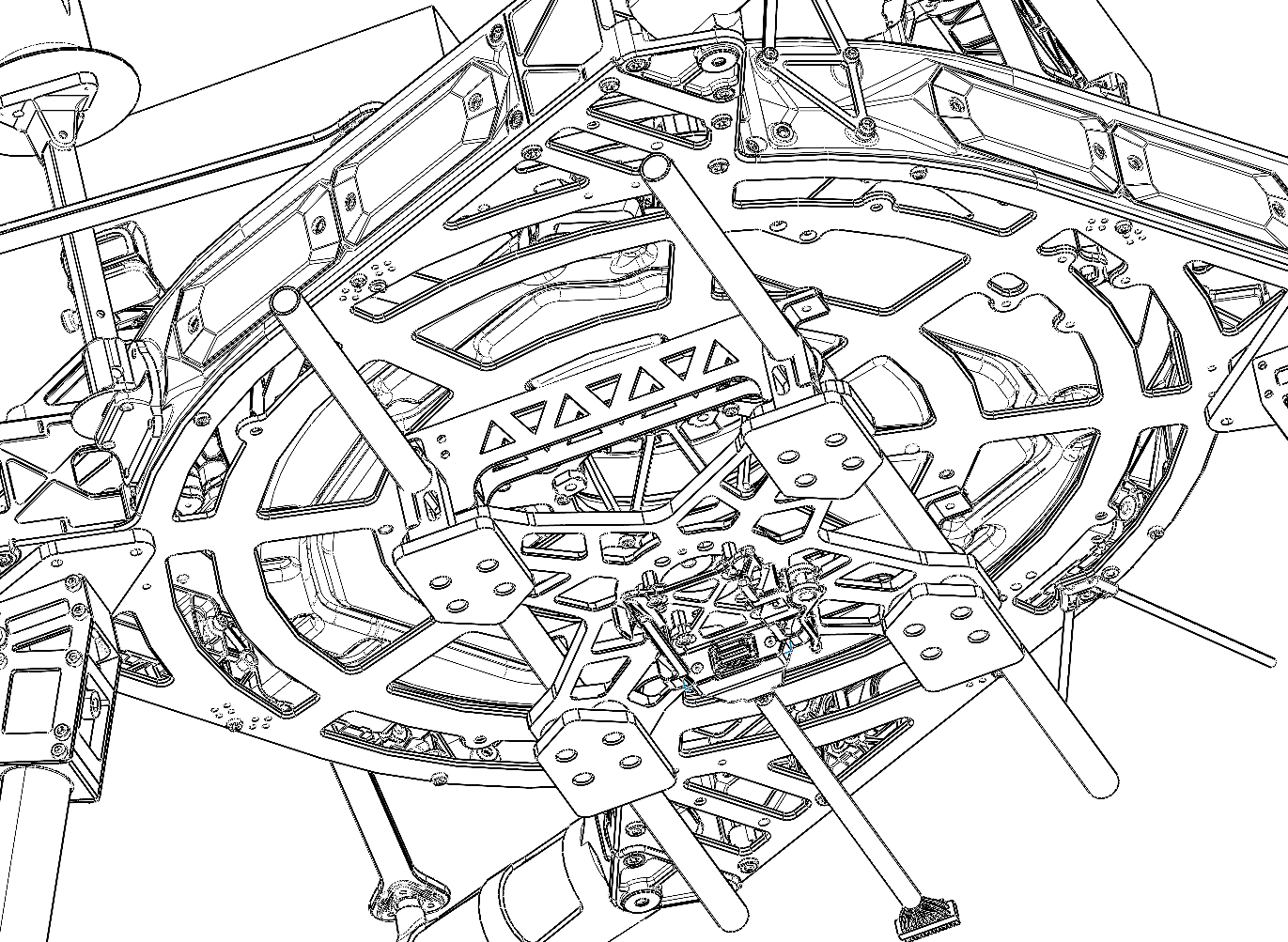
2. Position the adapter to be centered between the drone’s tube mounts (5.5mm on each side). Secures the screws with Loctite.
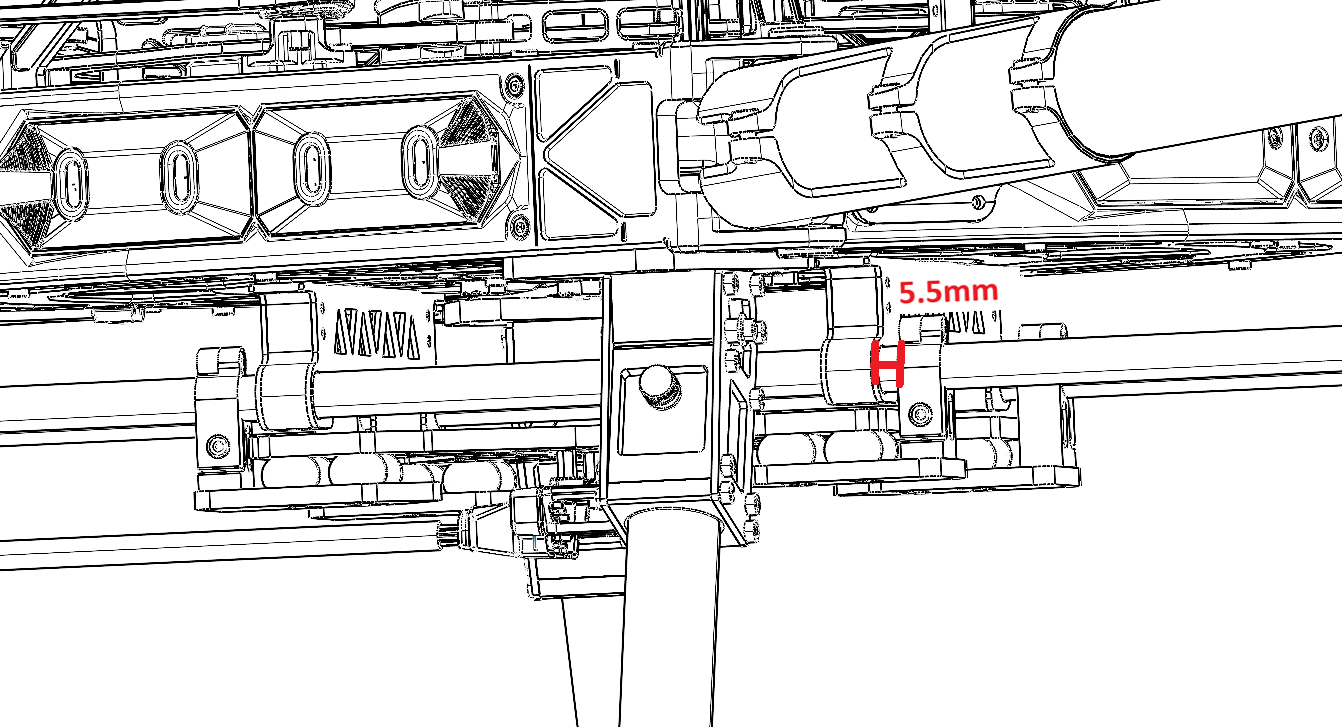
3. Plug the smart dovetail power cable (see Payload power section).
PLI Payload adapter
The position of the PLI-type adapter (4 pegs) will vary depending on the landing gear type on your Alta X Gen 1.
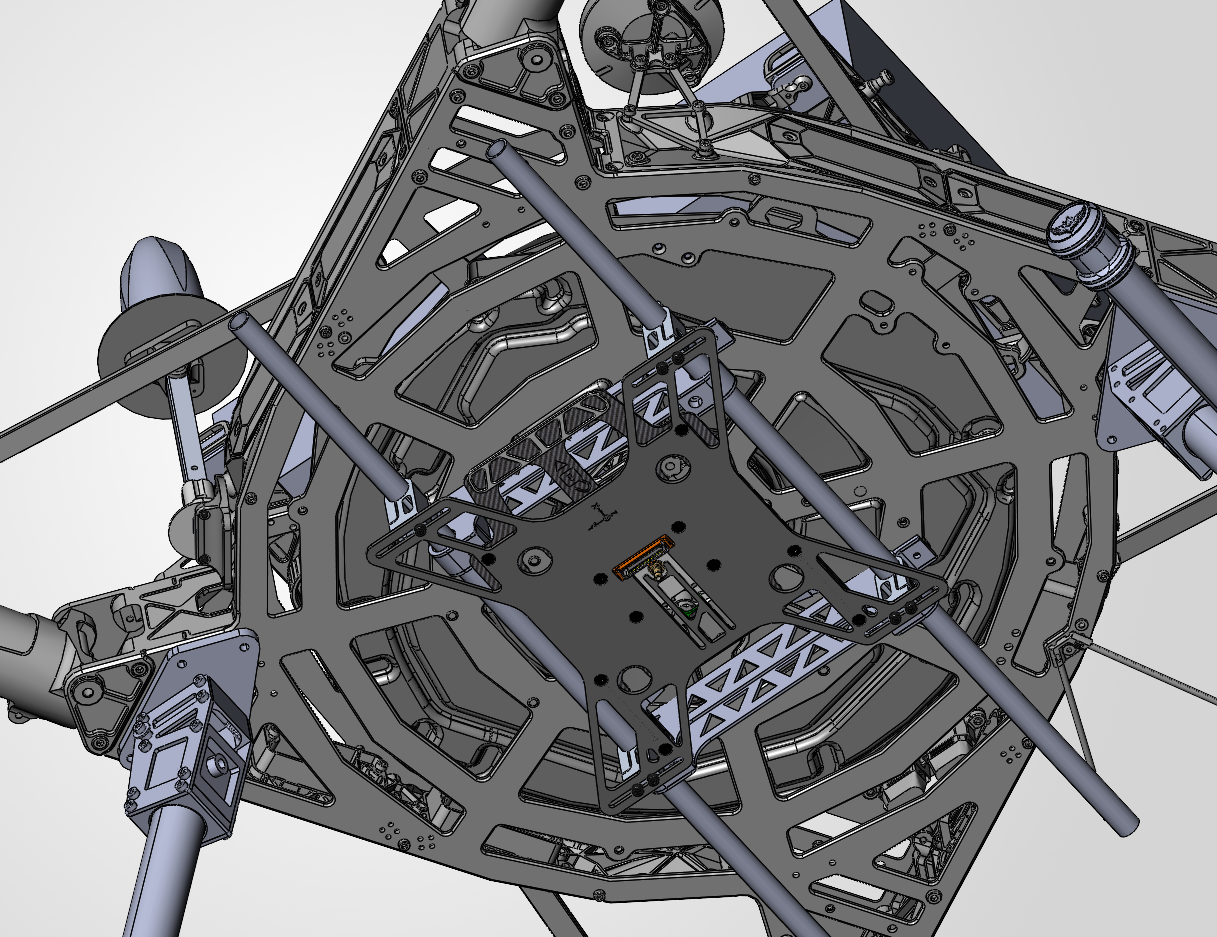
| Part number : FTV1001744A00T (Antenna mount included in this kit) |
Payload compatibility
All Trueview payloads equipped with a PLI-type adapter (4 pegs).
Included components
- Front Handle Payload Interface (PLI) mount
- Alta X Antenna mount
- Antenna (included with payload)
- SMB connector mount for back rail clamp
- Coaxial cable SMB straight jack (female) to SMA straight Jack (female)
- Alta X battery stopper (2)
- M3 x 6mm button head screws (4)
Required tools
- 2.5mm hex screwdriver
- 243 Medium Strength Tread Locker (Loctite)
Installing the Payload Adapter
1 . Open the rail clips on the Front-handle PLI mount.
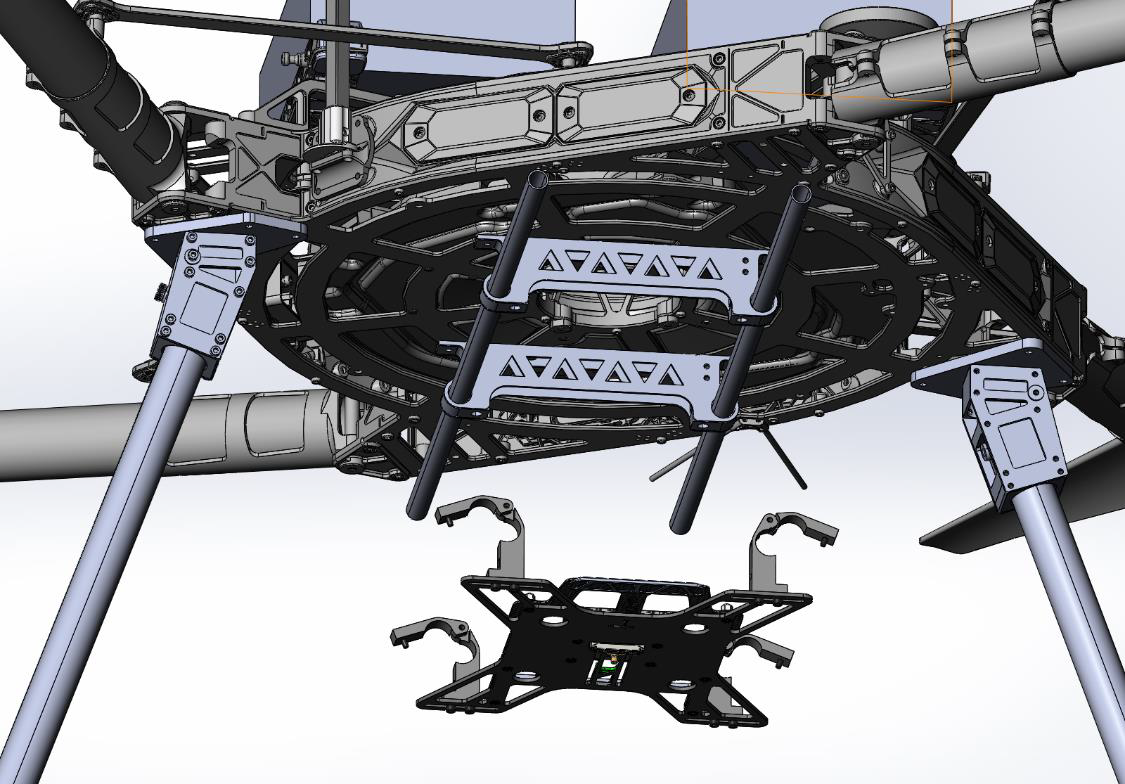
2. Close the rail clips on the 12mm parallel rails. Secure the 4x M3 screw with one drop of 243 medium strength thread locker. The handle must face towards the front of the drone.
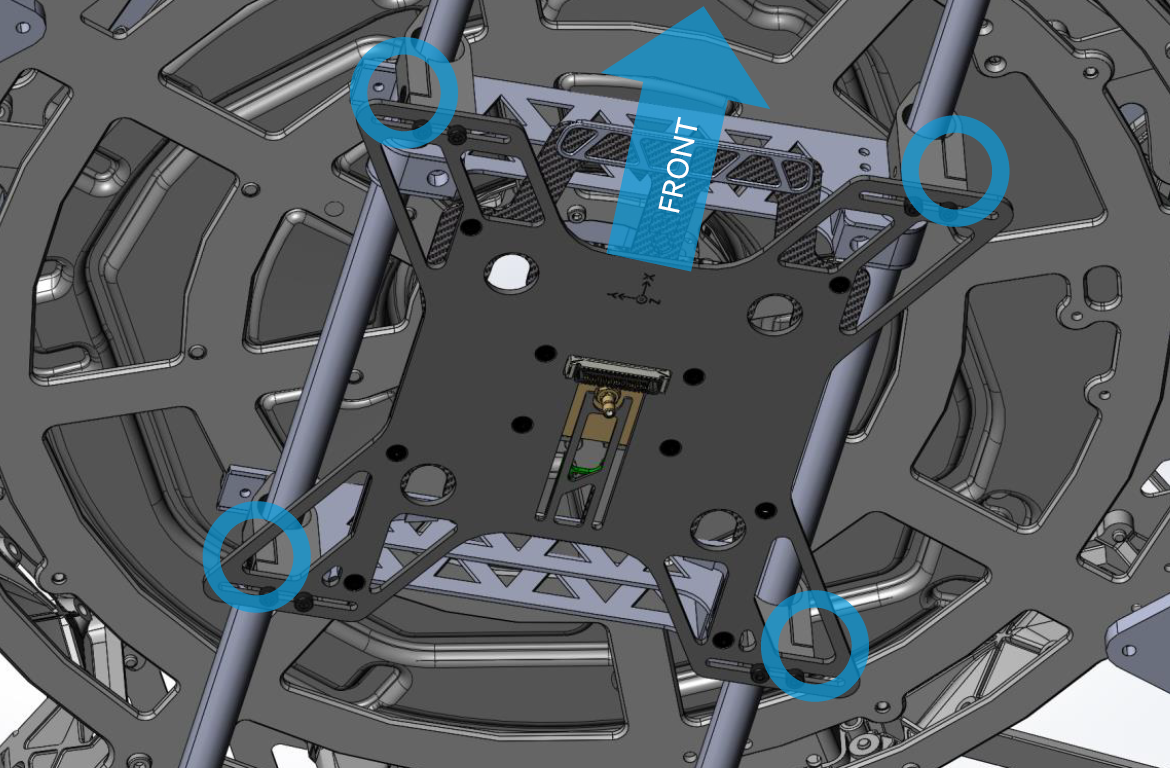
The back clips must be aligned with the back rail clamps, as illustrated below.
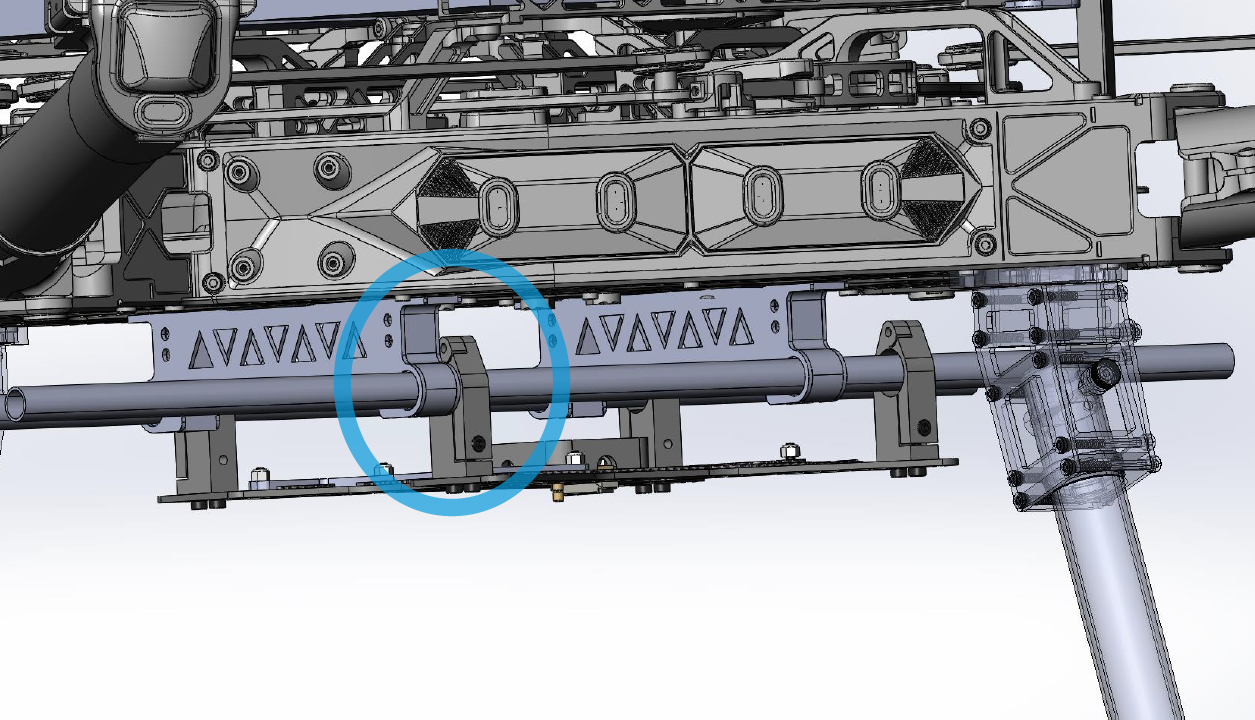
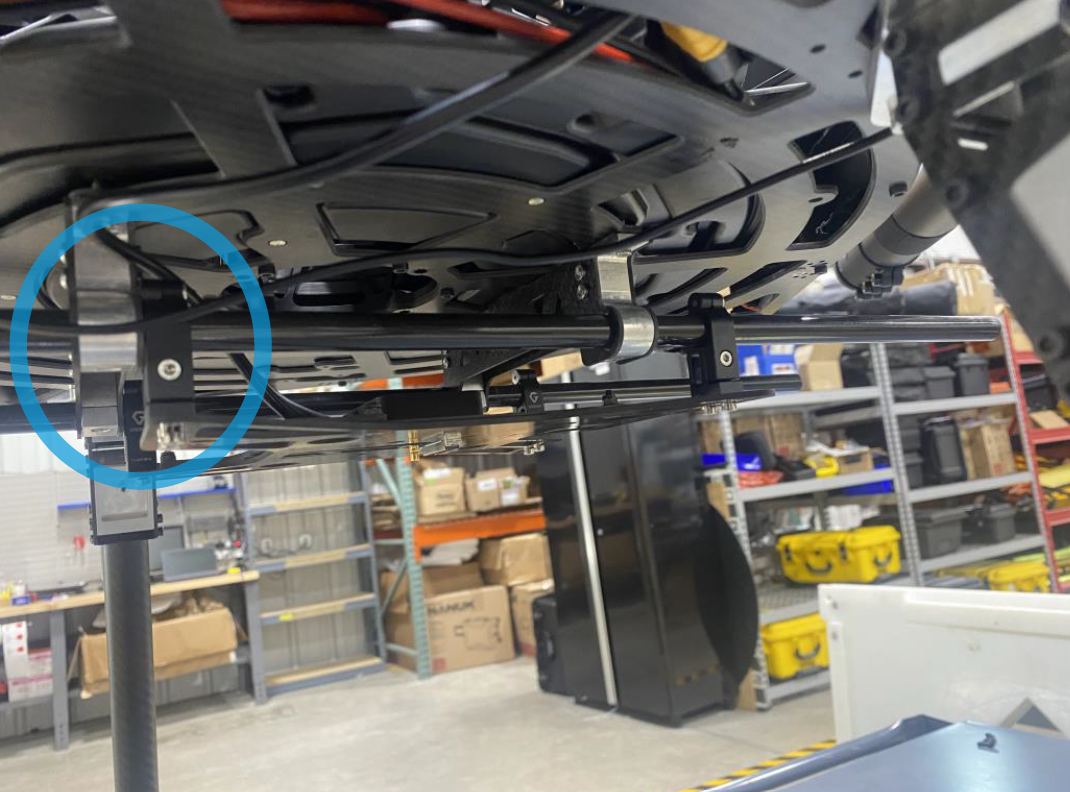
3. Install the coaxial antenna cable clip though the back rail clamp mount using the provided SMB connector mount.
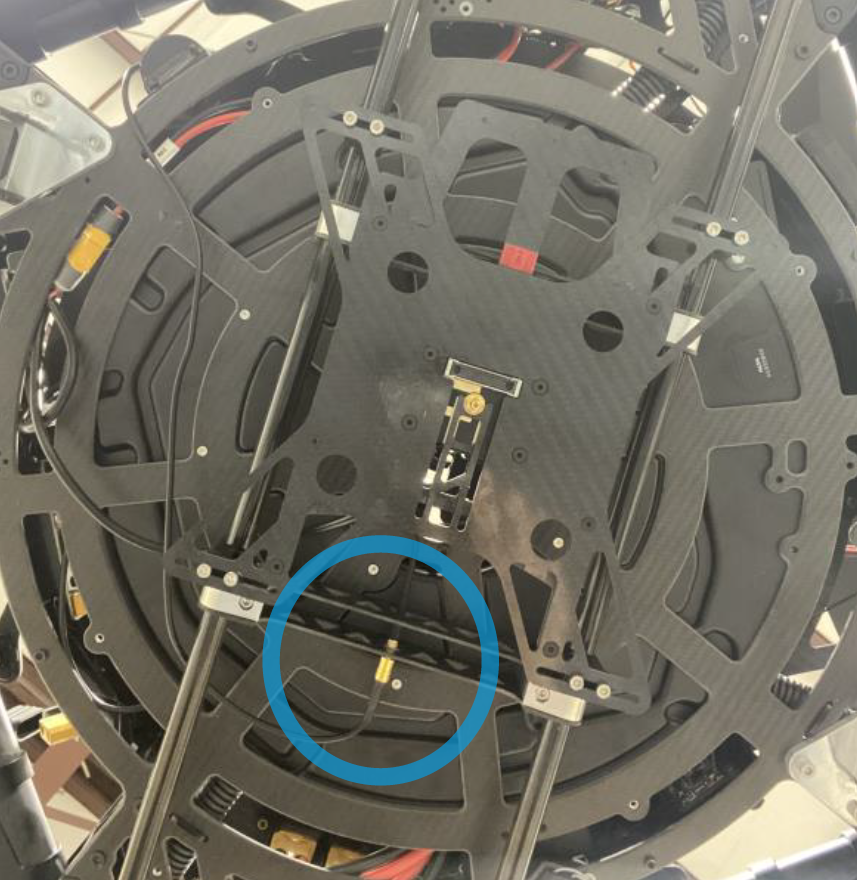
4. Route the coaxial antenna cable from the antenna to the PLI’s coaxial SMB connector (see image above).
5. Connect the payload power (see Power connection section)
6. Insert the payload into the PLI adapter. Lock the sliding handle on the 4 pegs.
| Part number : FTV1001744A00T (Antenna mount included in this kit) |
Payload compatibility
All Trueview payloads equipped with a PLI-type adapter (4 pegs).
Included components
- Front Handle Payload Interface (PLI) mount
- Alta X Antenna mount
- Antenna (included with payload)
- Coaxial cable SMB straight jack (female) to SMA straight Jack (female)
- Alta X battery stopper (2)
- M3 x 6mm button head screws (4)
Required tools
- 2.5mm hex screwdriver
- 243 Medium Strength Tread Locker (Loctite)
Installing the Payload Adapter
1 . Open the rail clips on the Front-handle PLI mount.
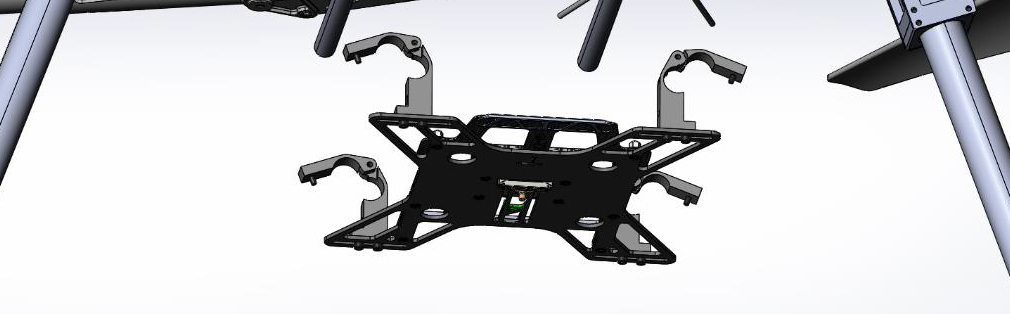
2. Close the rail clips on the 12mm parallel rails. Secure the 4x M3 screw with one drop of 243 medium strength thread locker. The handle must face towards the front of the drone.
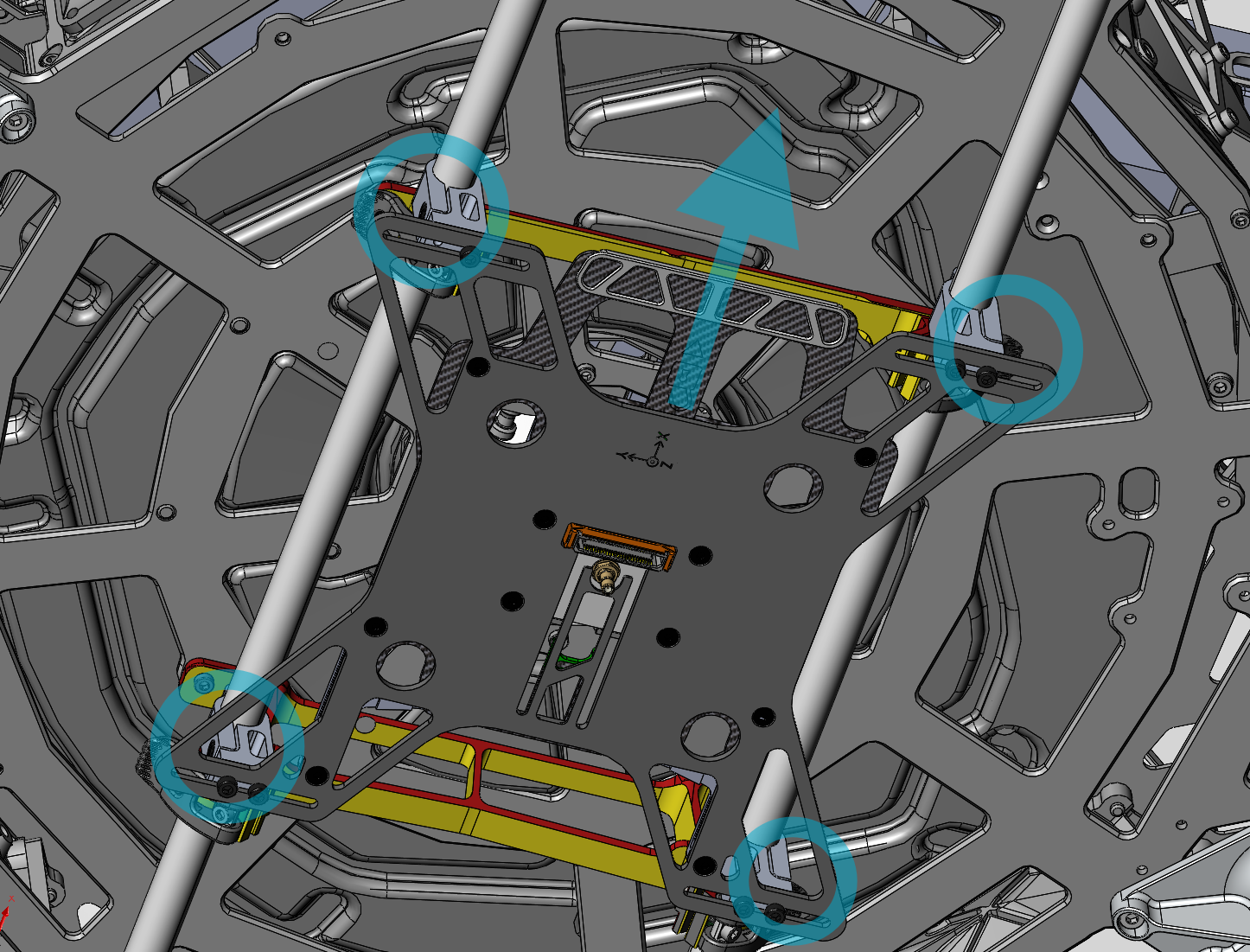
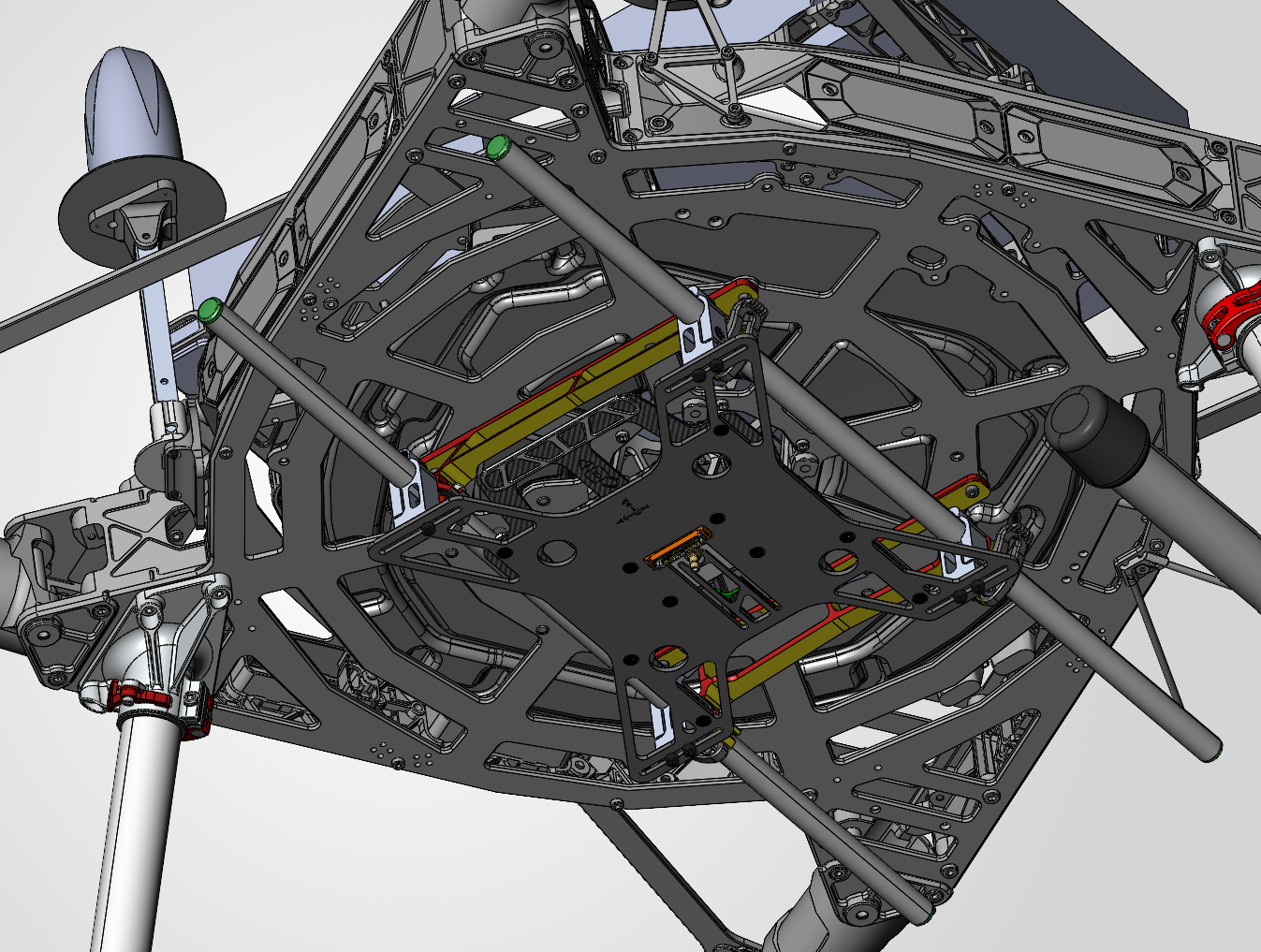
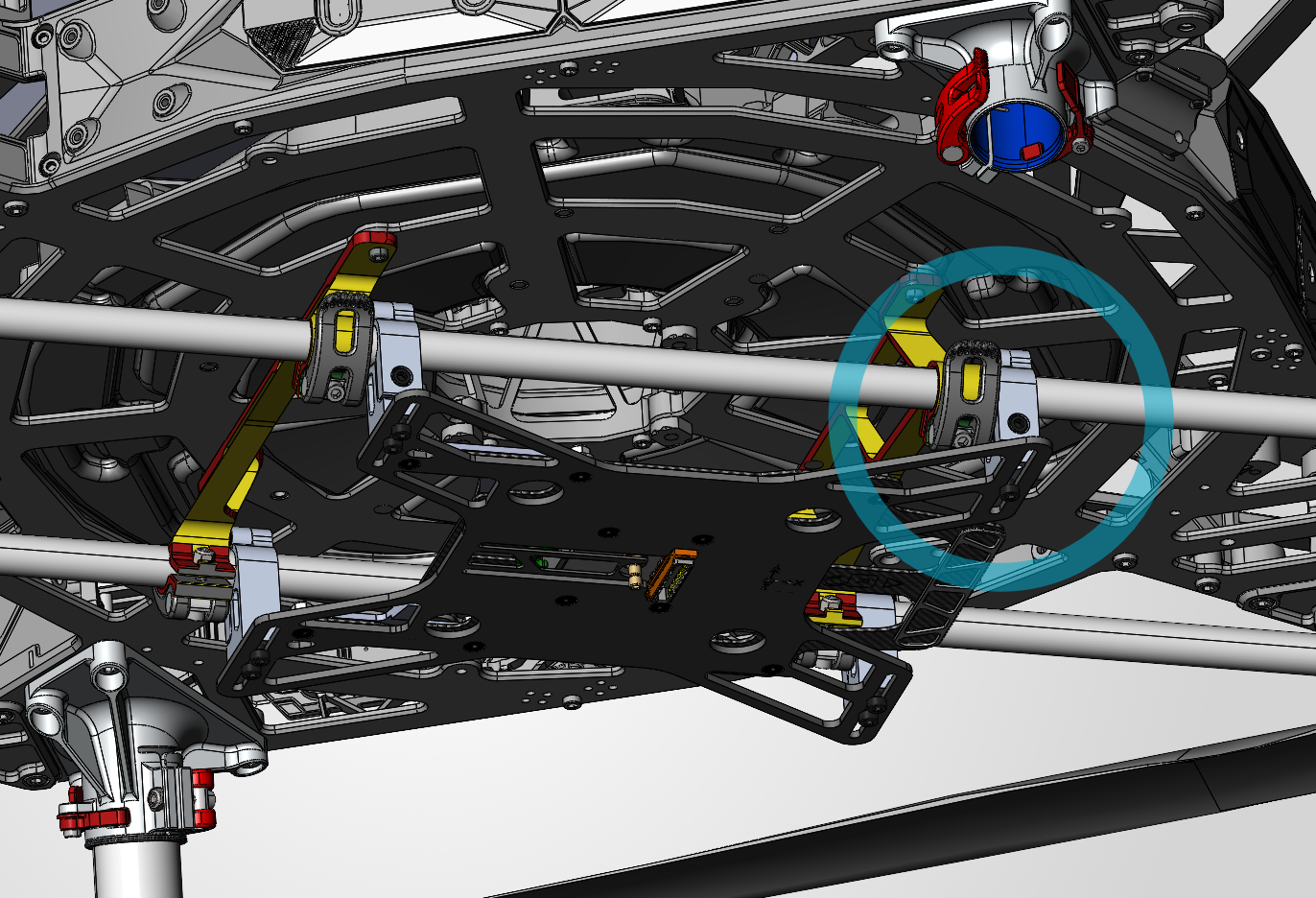
The front clips must be aligned with the front rail clamps, as illustrated below.
3. Route the coaxial antenna cable from the antenna to the PLI’s coaxial SMB connector pigtail. Connect the coaxial antenna cable to the PLI’s SMB connector cable.
4. Connect the payload power (see Power connection section).
5. Insert the payload into the PLI adapter. Lock the sliding handle on the 4 pegs..
Payload power connection
On the Alta X, power delivery from the drone to the payload adapter is done through two DC to DC regulators, converting from battery power to 24V DC.
⚠️ WARNING ⚠️
DO NOT PLUG PAYLOADS DIRECTLY INTO THE DRONE’S BATTERY VOLTAGE OUTPUT (XT30-M CONNECTORS). THE HIGH VOLTAGE (44-50V) CAN DAMAGE YOUR PAYLOAD.
Parts needed
- Two 12V DC to DC Regulator for Alta X (Available from FreeFly, SKU : 910-00423)
(https://store.freeflysystems.com/products/12v-dc-to-dc-regulator-for-alta-x )

Installation instructions
1. The two 12V DC regulators install into any two unused closeout on the side on the drone. Please see Freefly’s knowledge base for the full installation instructions.
https://docs.freeflysystems.com/products/products/alta-x/untitled-5/5v-12v-dc-dc-converters
2. Connect the XT30 connector to the drone-side battery.
3. Connect the XT60 payload side connectors in series to obtain 24V DC.
4. Connect the 24v DC line to the PLI mount’s connector.

Antenna Mount Installation
| Part number : MNT1002271A00T (Only required if your adapter kit does not already have an antenna mount) |
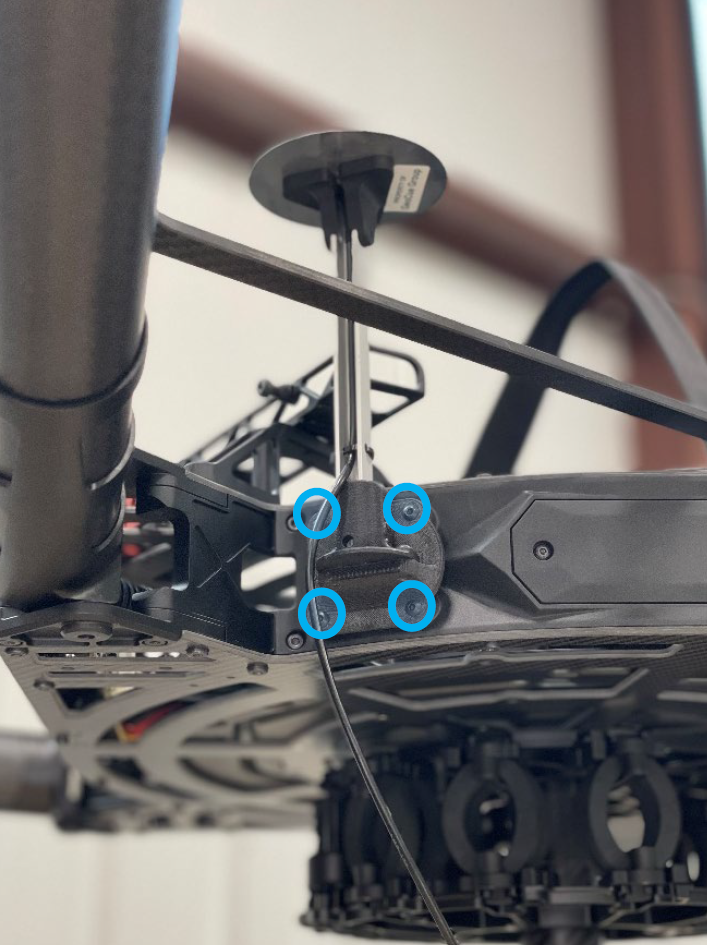
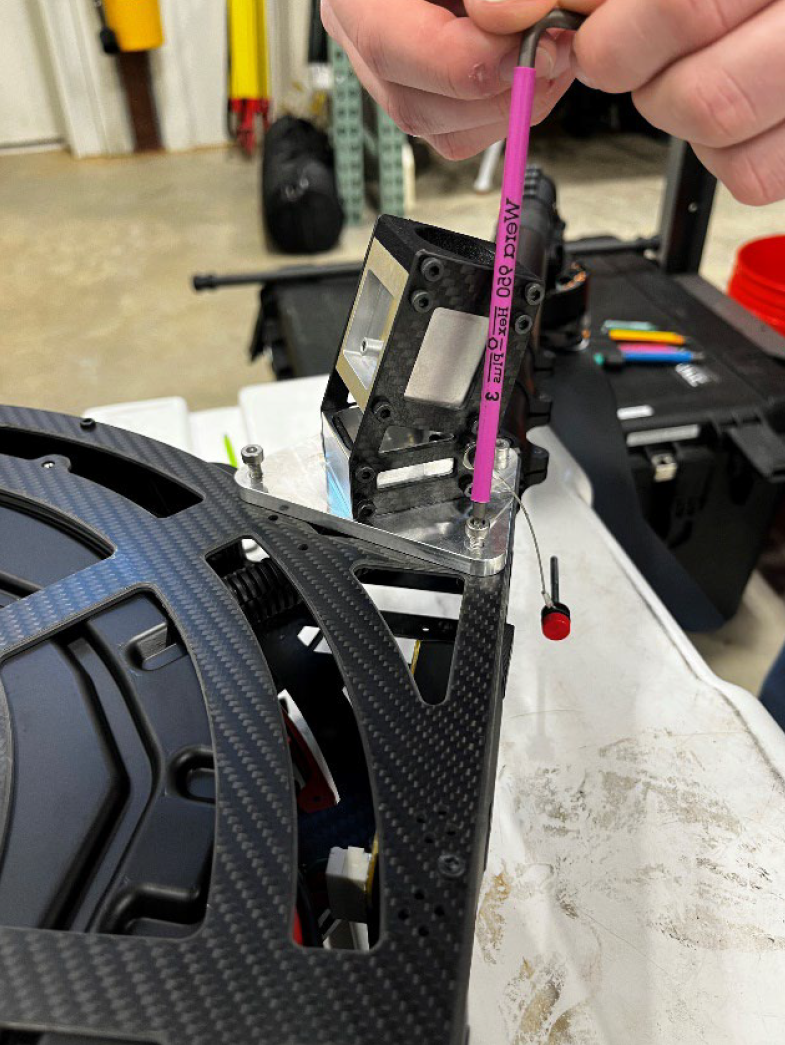
1. Install the Alta X GNSS Mast body mount with four M3 x 10mm button head screws to the forward starboard corner of the airframe, opposite the airframe’s antenna.
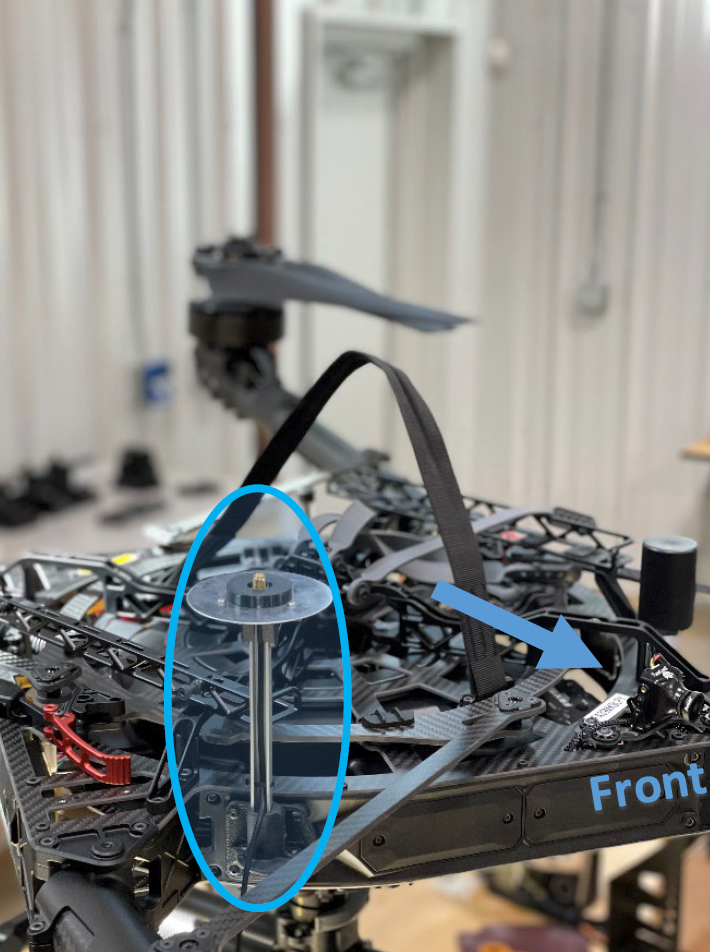
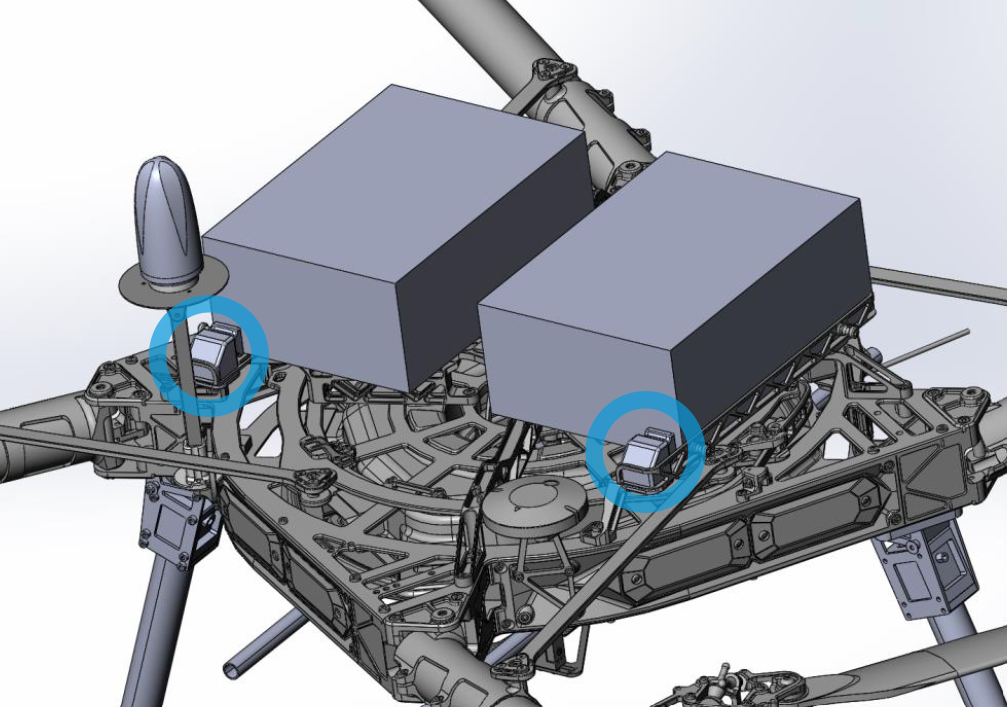
To prevent accidental damage to the payload’s GNSS antenna mast, GeoCue provides a battery shim preventing movement of the Alta X’s battery during flight.
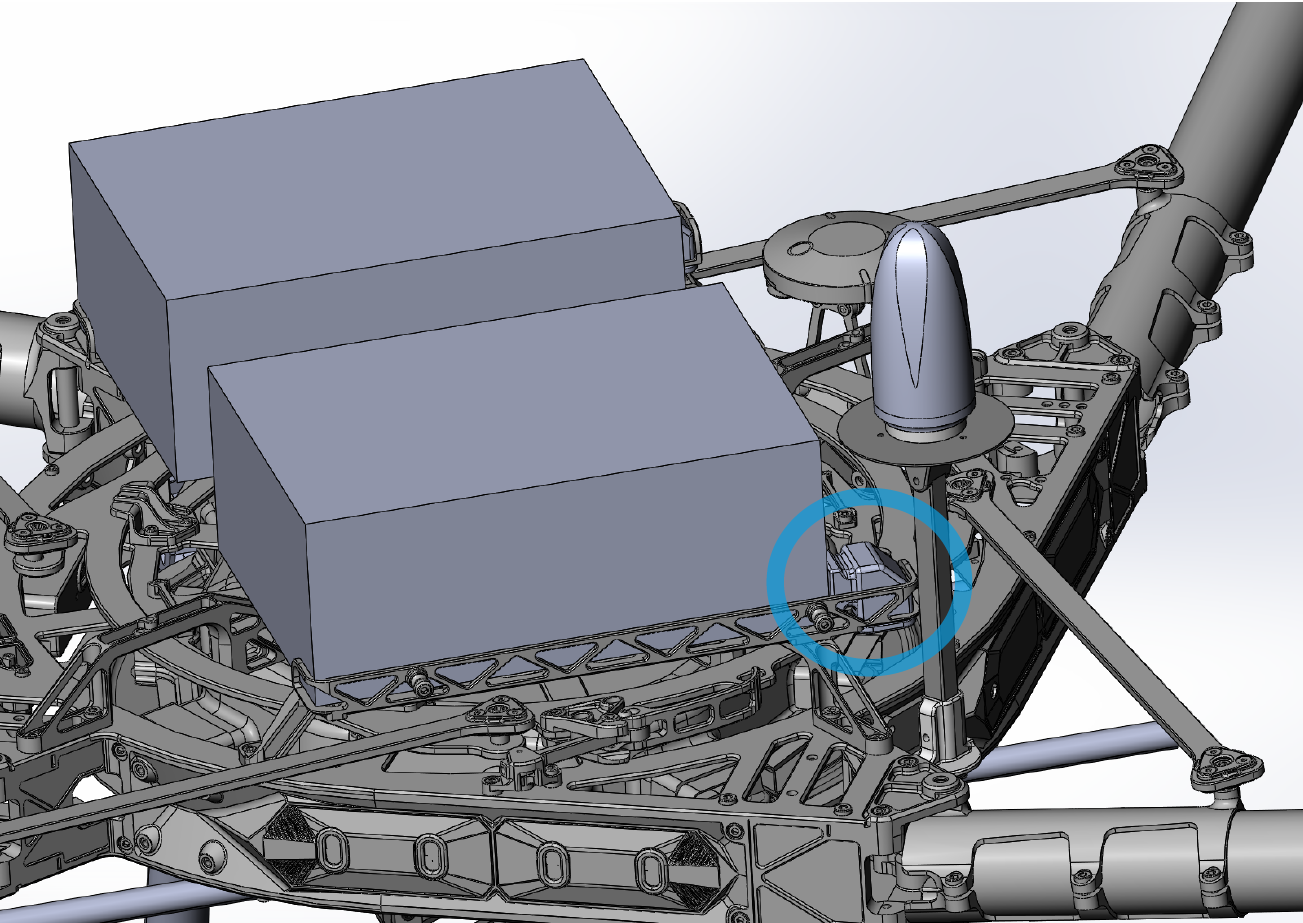
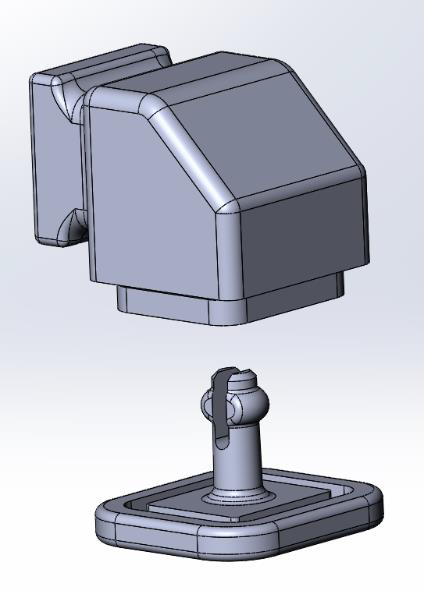
1. The battery shim comes with a top and bottom portion.
2. Install the top portion in the battery rack, behind the GNSS antenna.
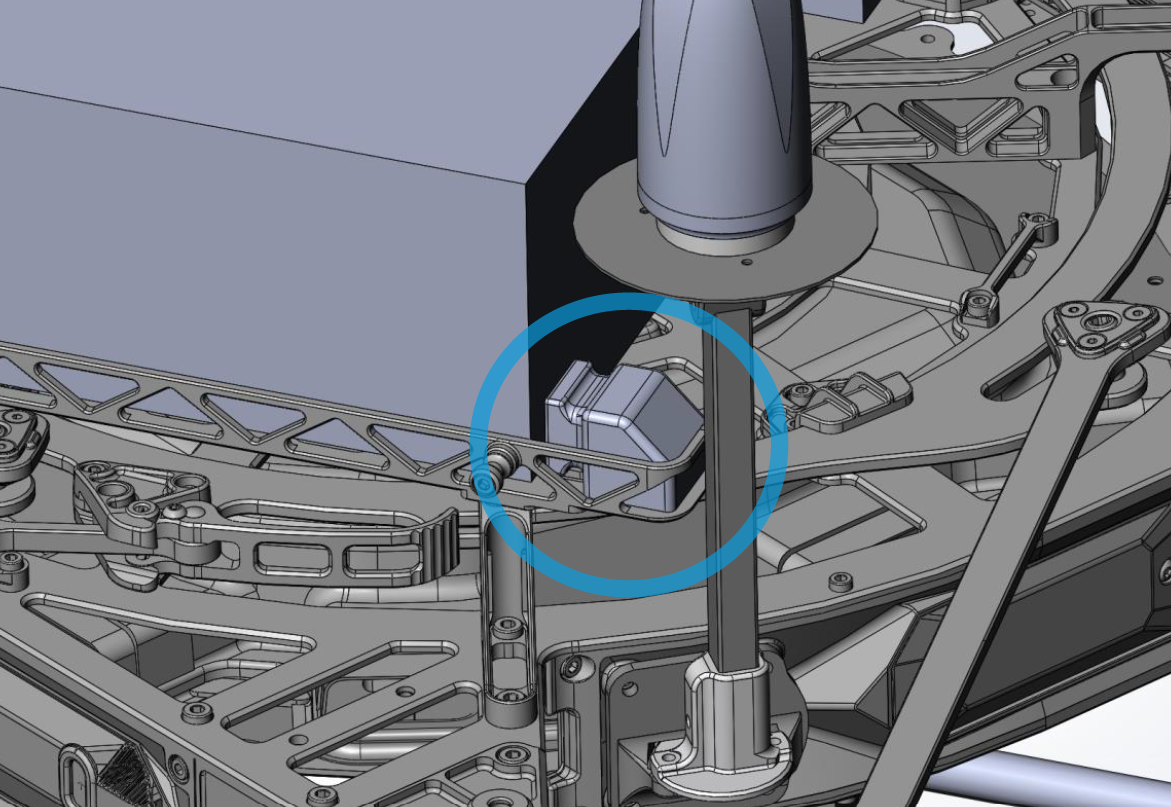
3. Push in the bottom portion from underneath the battery rack.
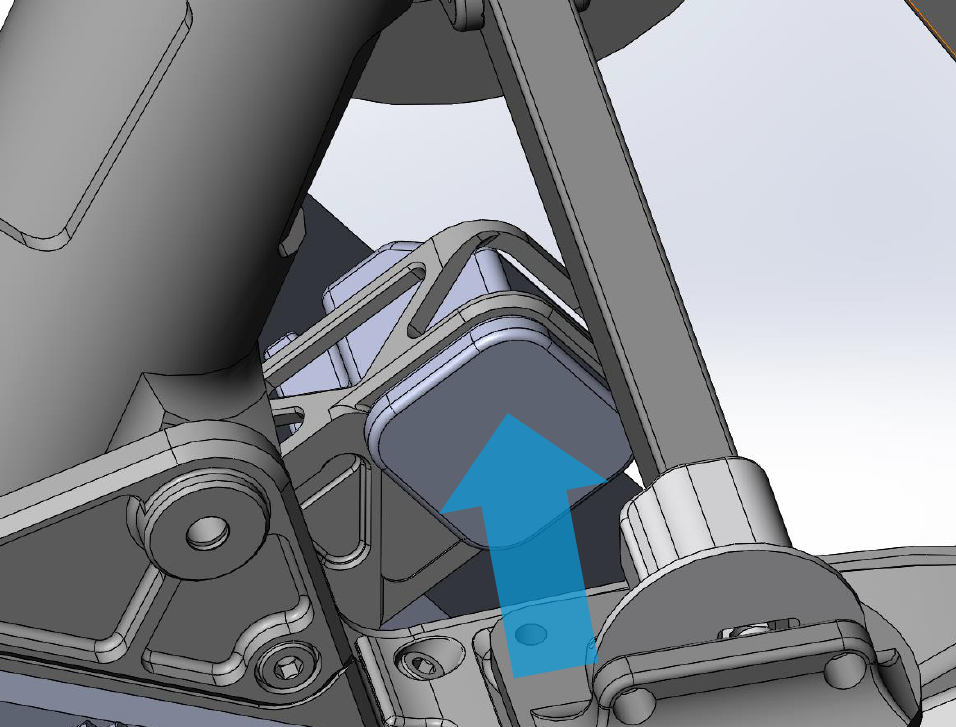
4. Repeat the same steps for the other side of the battery rack.
Landing gear installation
If your Alta X has an incompatible landing gear, you will be required to replace the landing gear with one of the options below. Request an adapter kit with the landing gear included from your vendor or Geocue Support.
The skid landing gear is Freefly’s option for the Alta X. The 12mm rail kit is also required to install TrueView payloads.
The two kits below includes the adapter and landing gear. It replaced the adapter kit without landing gear.
For PLI payload adapters:
| Part number : FTV1001165A00T (Landing gear and antenna mount included in this kit) |
For smart dovetail adapters:
| Part number : MNT1002234A00T (Landing gear and antenna mount included in this kit) |
Installation
The installation instructions can be found on Freefly’s knowledge base: https://docs.freeflysystems.com/products/products/alta-x/untitled-5/skid-landing-gear
The installation instructions for the 12mm rail kit are found here: https://docs.freeflysystems.com/products/products/alta-x/untitled-5/12mm-rails-kit
The Drone Amplified landing gear was supplied by Geocue, on older Alta X model.
| Part number : DEPRECATED (This landing gear is no longer offered by Geocue) |
Installation
Tools required
- 2.5mm hex screwdriver
- 3mm hex screwdriver
- 10mm open end wrench
- 243 Medium Strength Tread Locker (Loctite)
** One drop of 243 thread locker on all metal to metal fasteners. **
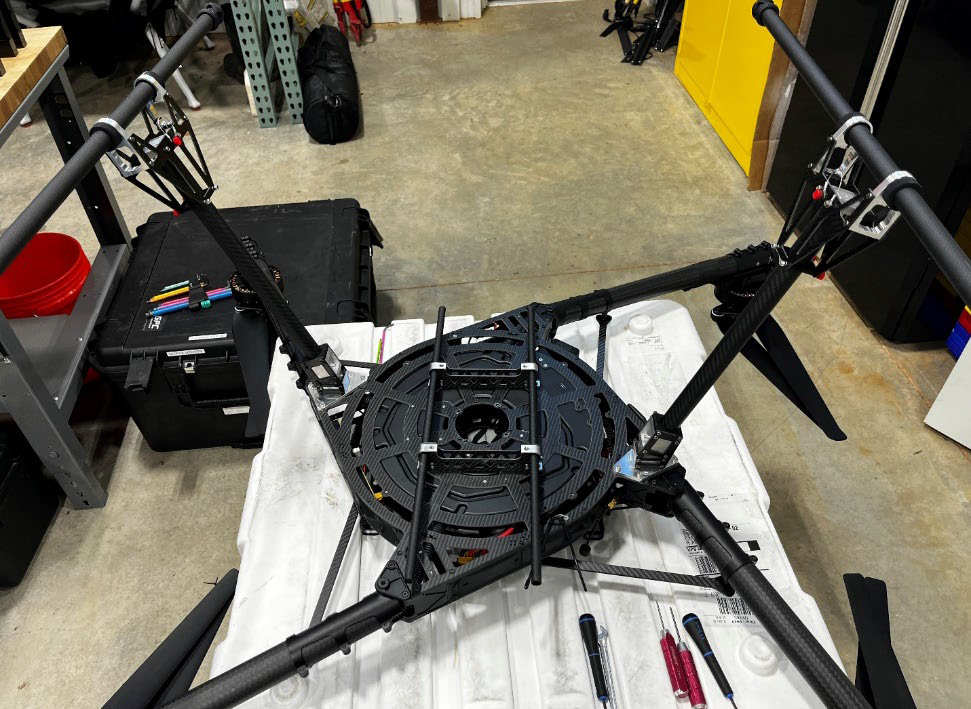
It is best to have the Alta X upside down for the first part of this installation of the payload rails and legs. Please find a stable box or the carrying case to place the top of the drone body on. DO NOT rest the drone on the props or motors, this may damage the Alta X.
Assembly of Payload rail Components
1. Locate four M3 screws holding the vibration damping ring on the Alta X.
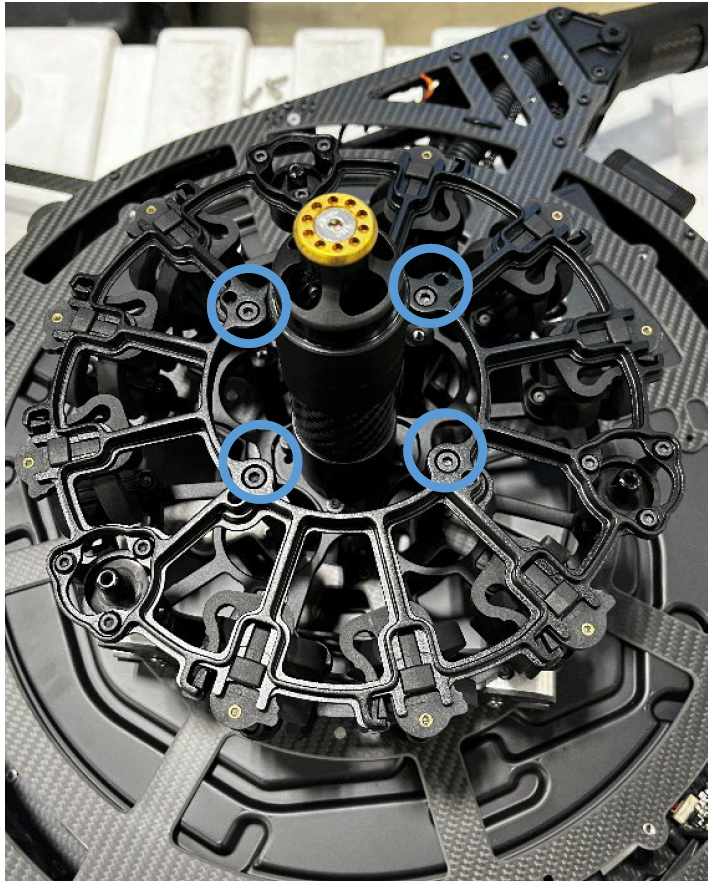
2. Remove the four M3 screws holding the standoff with a 10mm wrench.
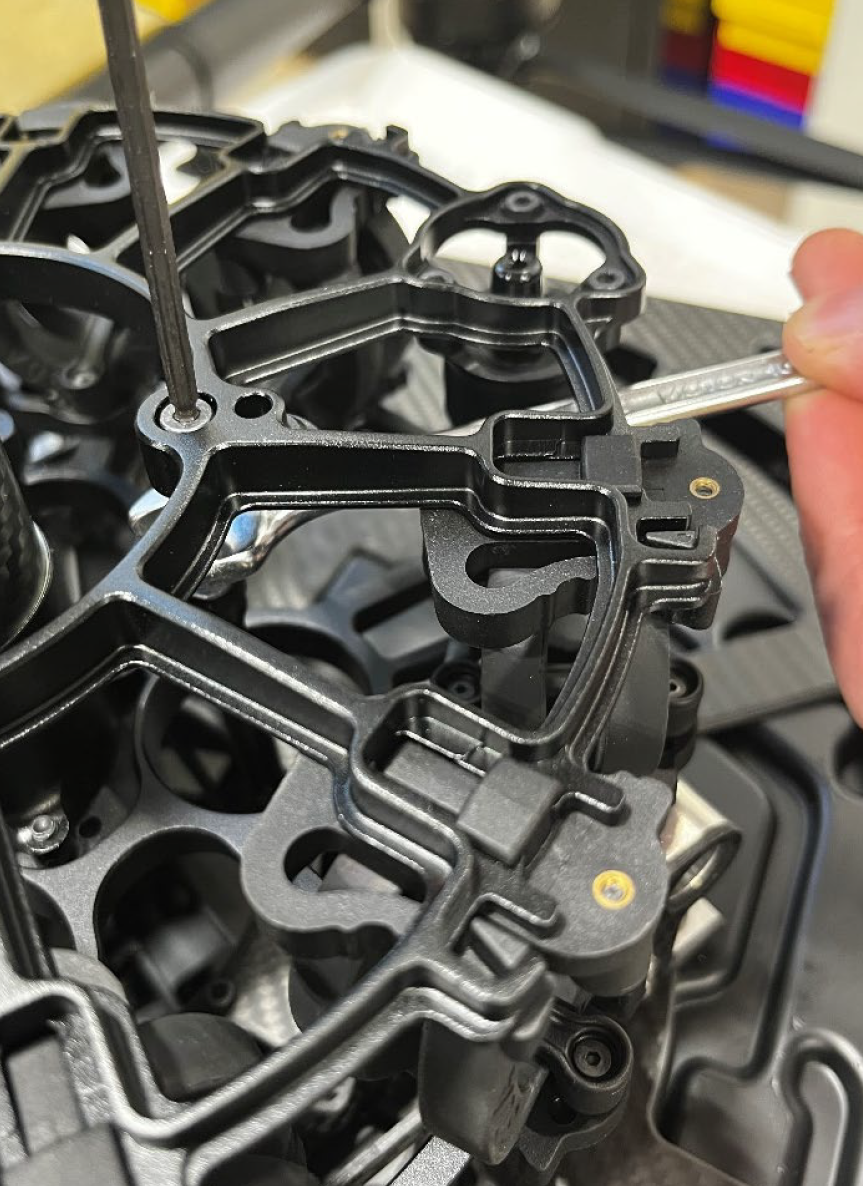
3. Attach the four M2.5 screws with washers holding the payload clamps in place. Please use medium strength thread locker.
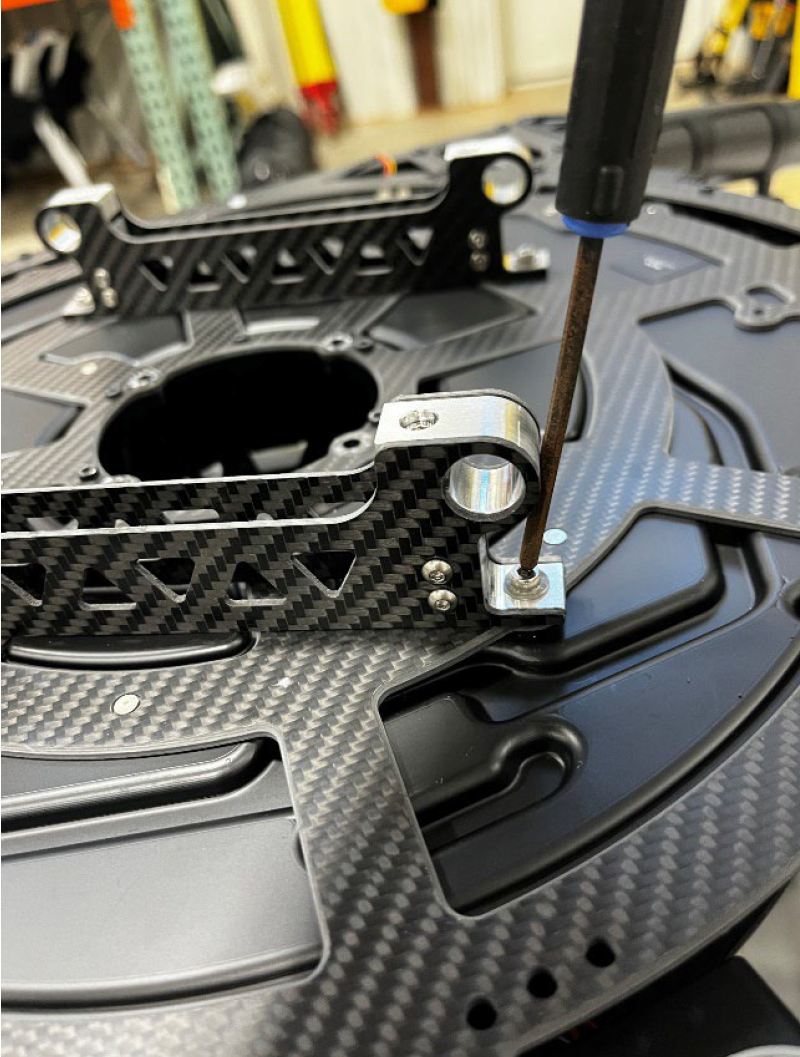
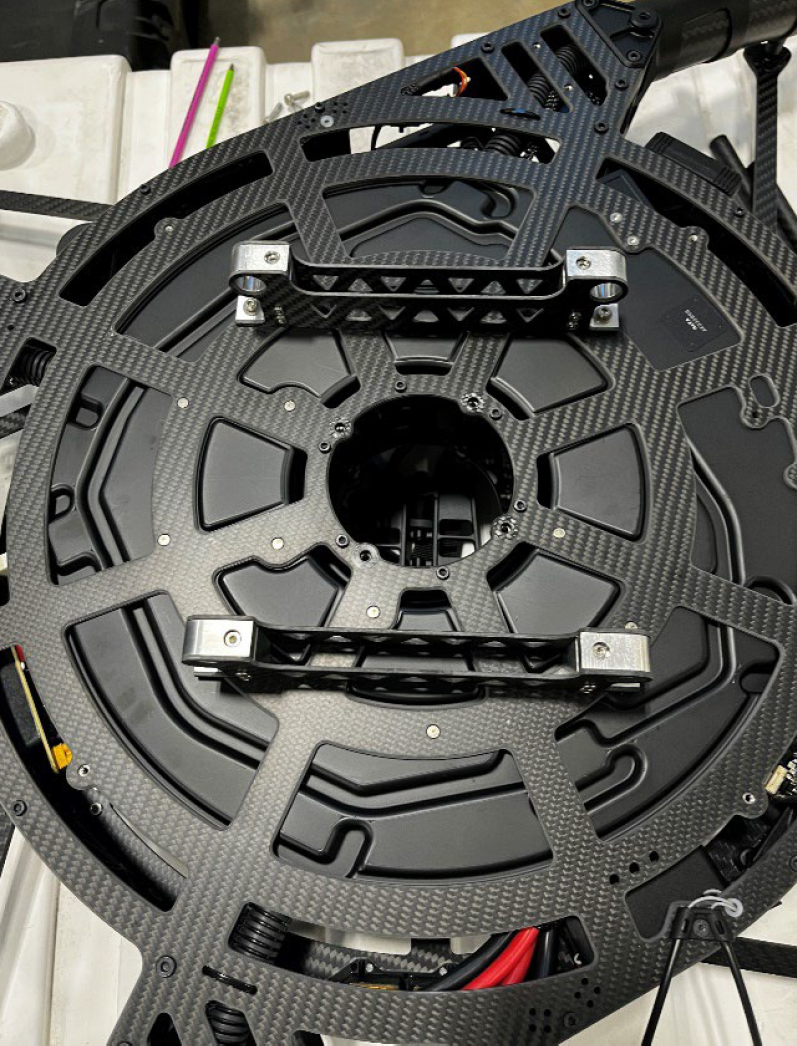
4. Add the two payload rails through the four rail clamp through holes and secure with four screws.
Landing gear legs
1. Remove the four M3 screws at the are near the arm joint.
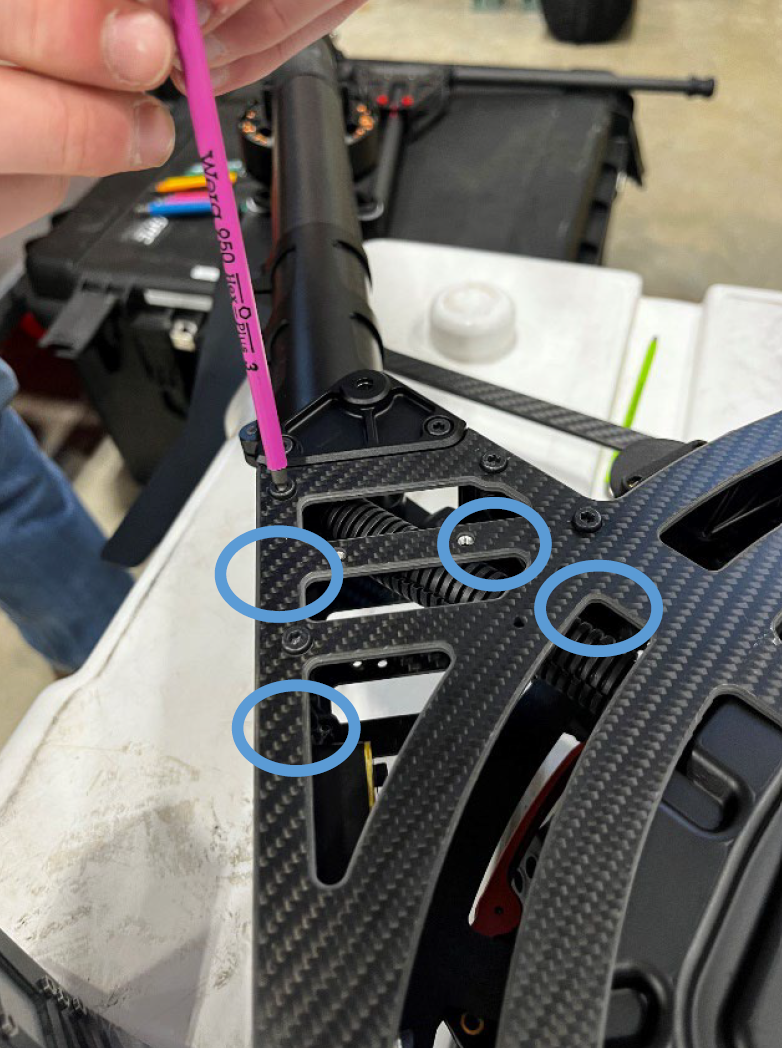
2. Attach the leg base with the supplied M3 screws. Please use medium strength thread locker.
Repeat the same for the opposite side.
References & Printable versions
Printable versions of this guide are available as PDF documents.
Payload Profiles
For information on payload lever arms and profiles, please consult the following article :
Support
For troubleshooting how to mount your TrueView on an Alta X, error messages, or additional workflow information, please Contact Support for assistance. Include your contact info, company name, product/version, and model/serial number for faster service.
