
This guide provides step-by-step instructions to securely mount TrueView sensors to the Freefly Astro Max drone, including payload, damping, and antenna installation. Follow these steps to ensure optimal performance and safety.
Smart dovetail adapter
The Astro Max drone has many options with different weight limits for the smart dovetail adapter. Please select the appropriate one for your payload.
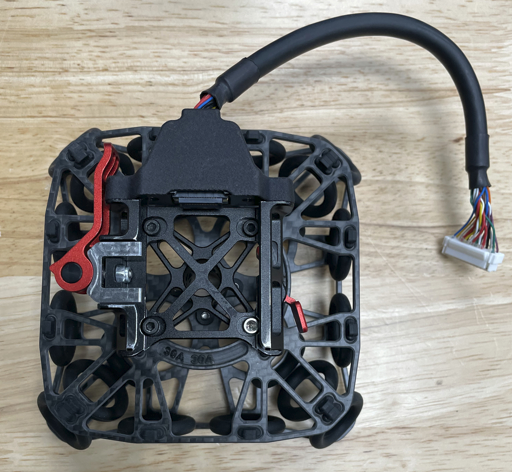
Payload compatibility
The Astro Max Isolator is provided by Freefly for the Astro Max drone.
Please contact Freefly to obtain this adapter : https://store.freeflysystems.com/collections/astro/products/astro-max-isolator
- Compatible with TrueView payloads with smart dovetail
- Weight limit is 3.0kg
Different isolator cartridges are required depending on payload weight.
| Payload type | Vibration isolator cartridge |
| TrueView 1 series | 30A |
| TrueView 539 / 540 | 50A |
| TrueView 515 / 535 vD | 50A |
| TrueView 641 / 651 | 70A |
| TrueView 655 / 660 vB | 70A |
This adapter requires a Trueview antenna mount (see Antenna section).
An extended landing gear may be required for your payload (see Landing Gear section).
Installation
Installation documentation for this mount is available on Freefly’s knowledge base.
https://docs.freeflysystems.com/astro/other-user-manuals/ecosystem/components/vibration-isolators
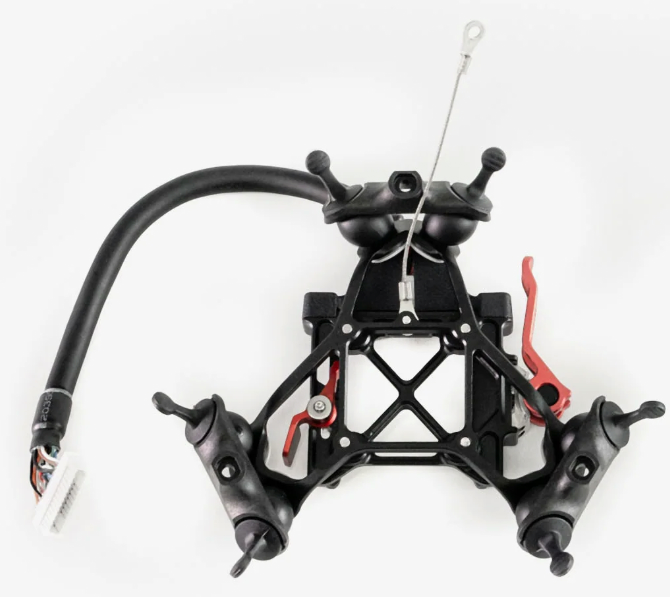
Payload compatibility
The Astro Isolator is the standard isolator for the Astro Max drone.
Please contact Freefly to obtain this adapter : https://store.freeflysystems.com/collections/astro/products/astro-isolator
- Compatible with TrueView payloads with smart dovetail
- Weight limit is 1.5kg
This adapter requires a Trueview antenna mount (see Antenna section).
Installation
Installation documentation for this mount is available on Freefly’s knowledge base.
https://docs.freeflysystems.com/astro/other-user-manuals/ecosystem/components/vibration-isolators
PLI Payload adapter
Payloads with the PLI-type adapter (4 pegs) require an adapter to be installed on the Astro Max.
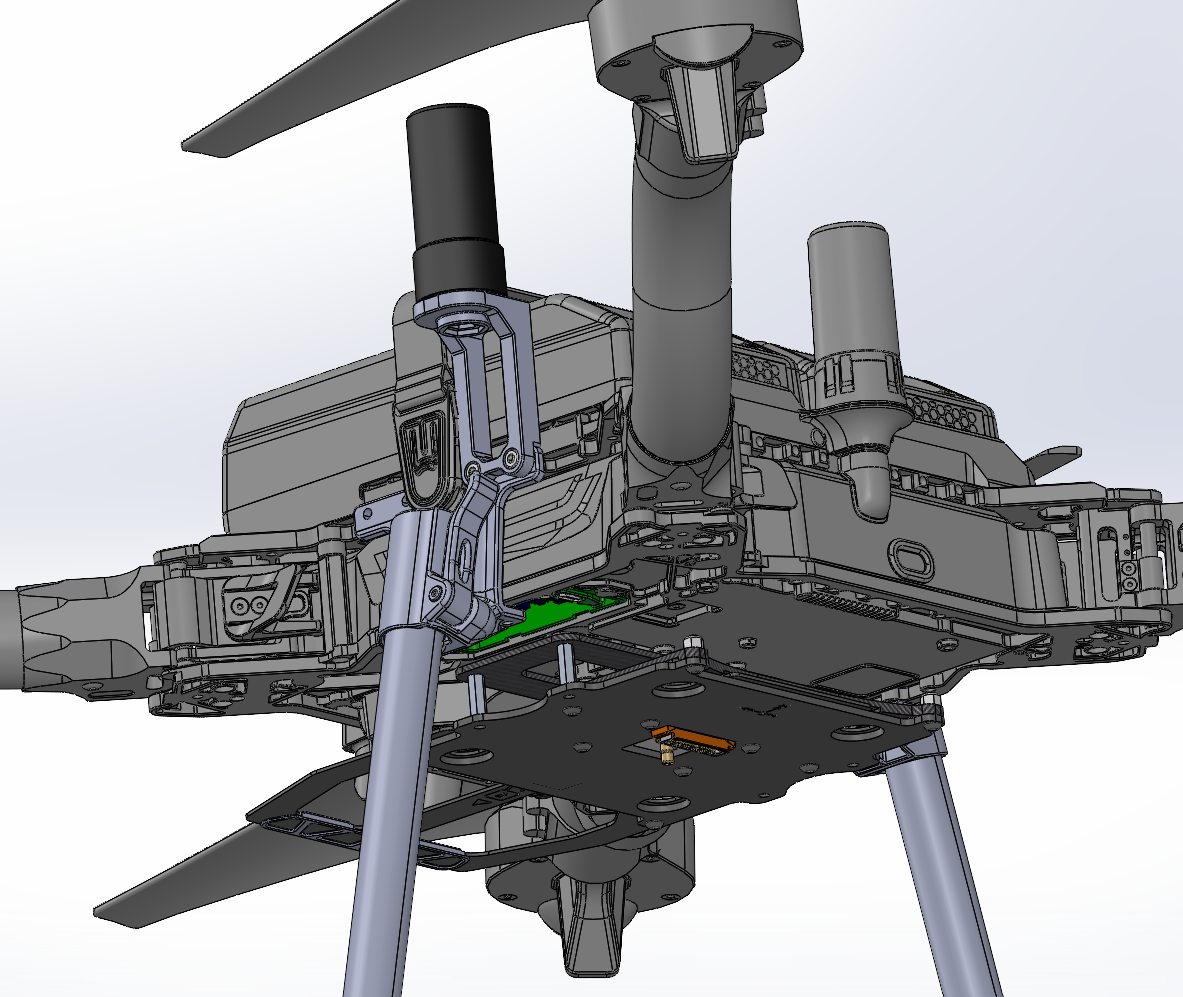
| Part number : FTV1002012A00T (Antenna mount included in this kit) |
Payload compatibility
All Trueview payloads equipped with a PLI-type adapter (4 pegs), up to 3.0kg.
An extended landing gear may be required for your payload (see Landing Gear section).
Included components
PLI adapter for Freefly Astro Max
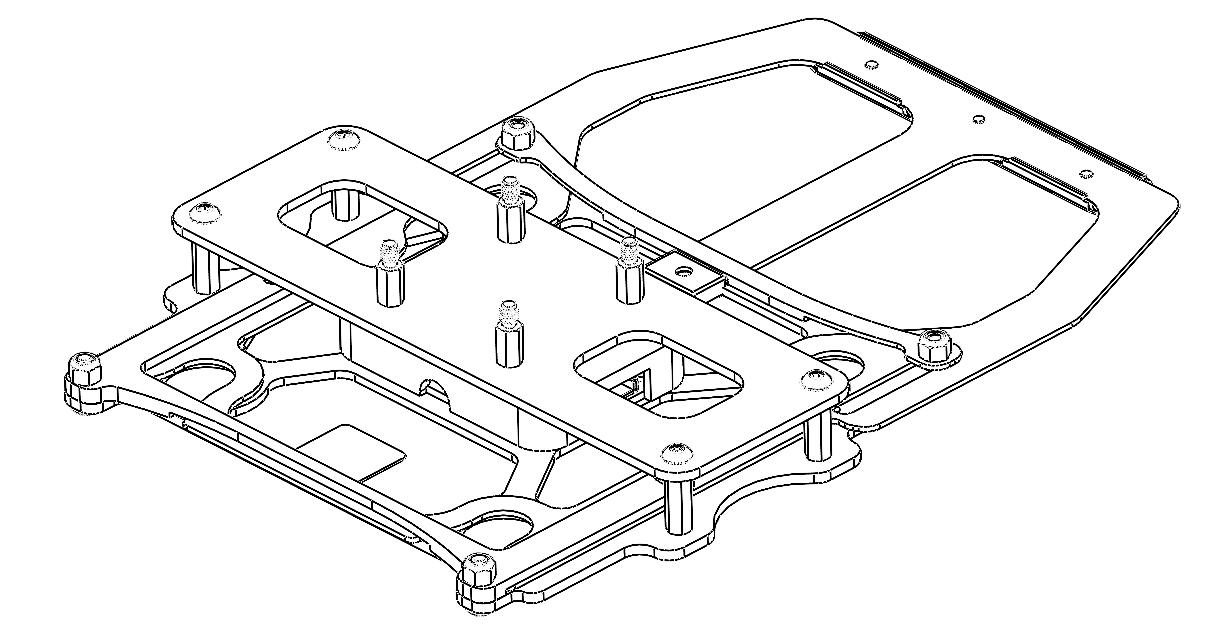
- M3 x 8mm MF hex standoffs (4)
- M3 x 6mm flat head screws (4)
- M3 x 8mm button head screws (4)
Required tools
- 2mm hex screwdriver
- 4.5mm hex nutdriver
- 243 Medium Strength Tread Locker (Loctite)
Installing the Payload Adapter
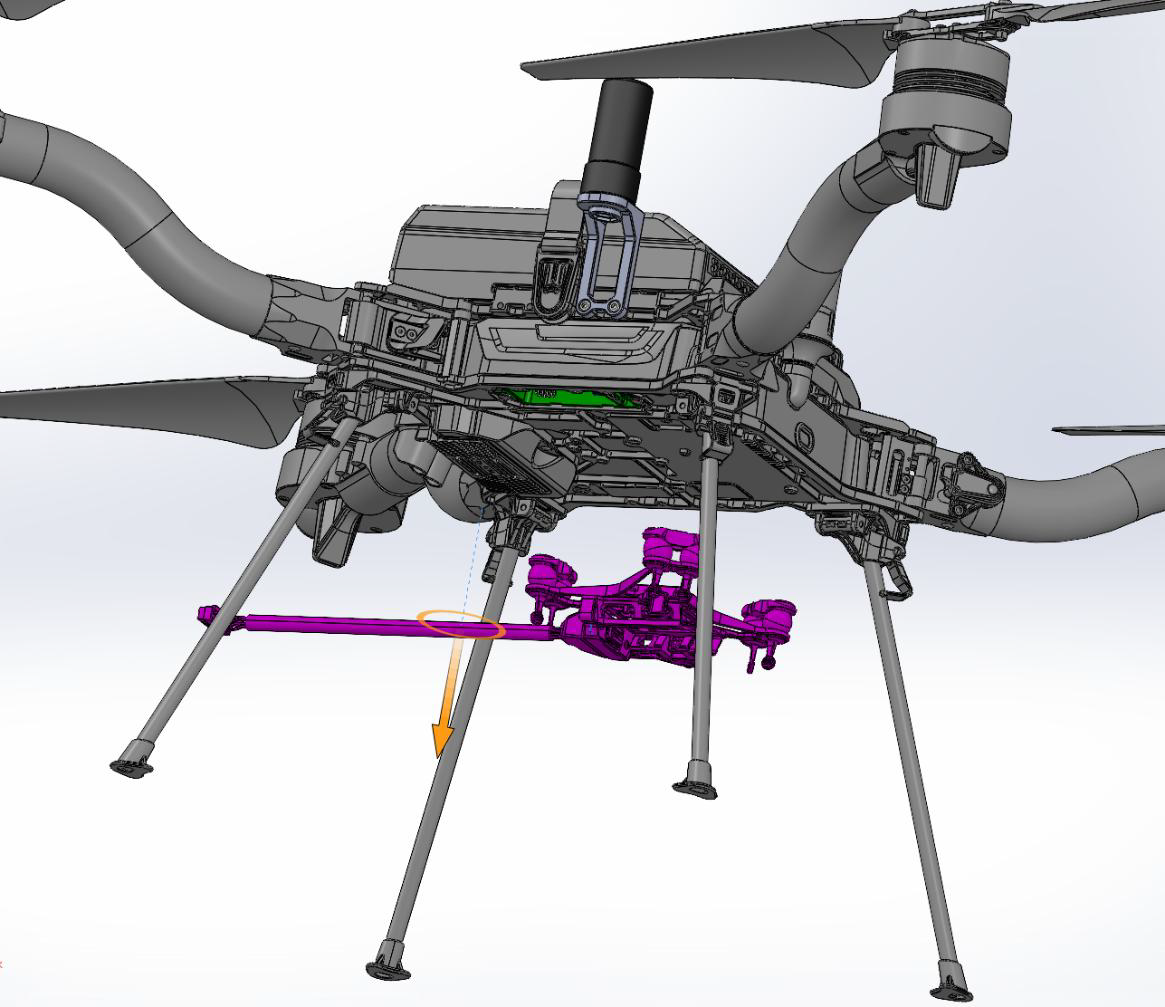
1 . Removed the existing smart dovetail adapter from the Astro Max.
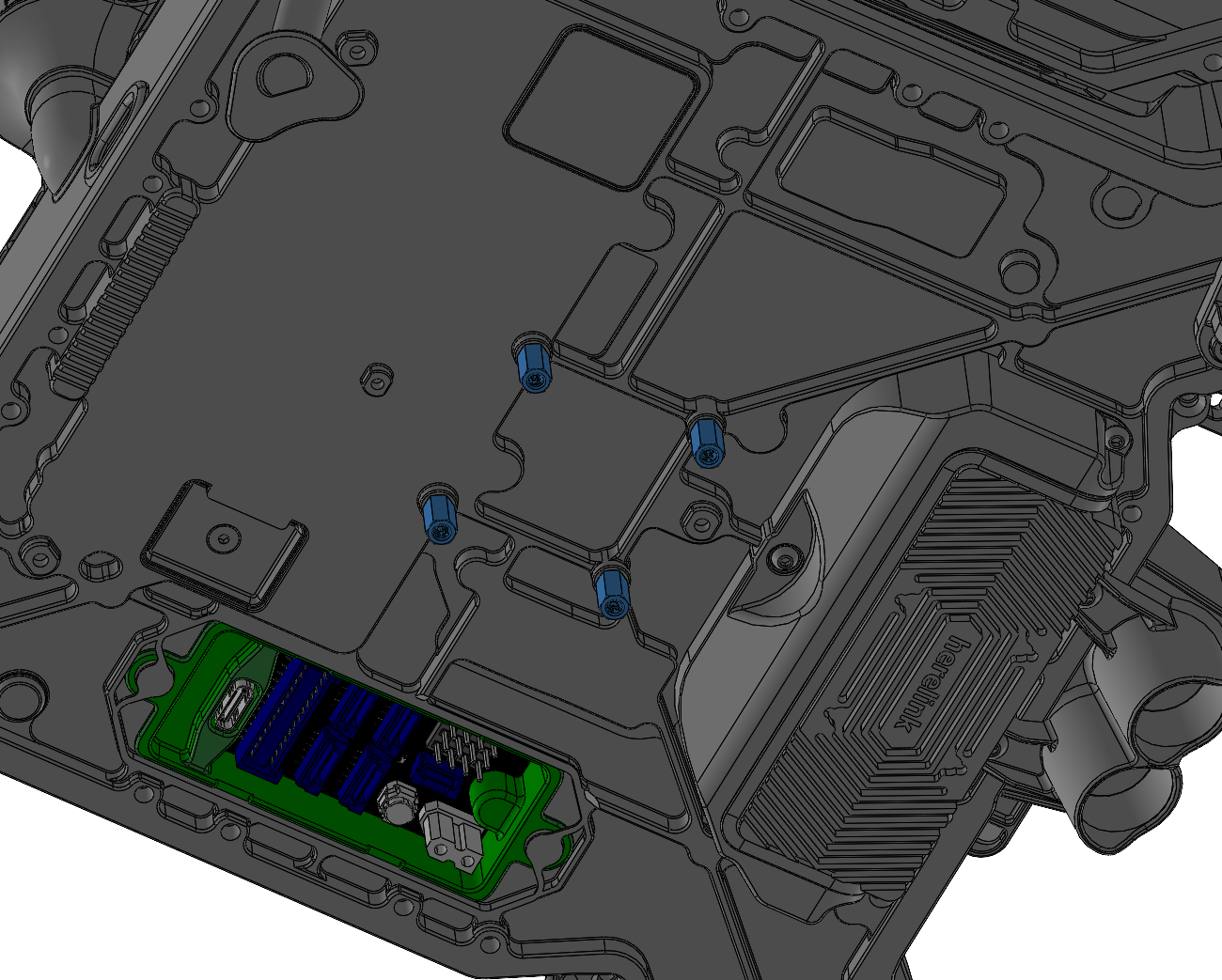
2. Install 4 M3 x 8mm male-female hex standoffs in the mounting holes.
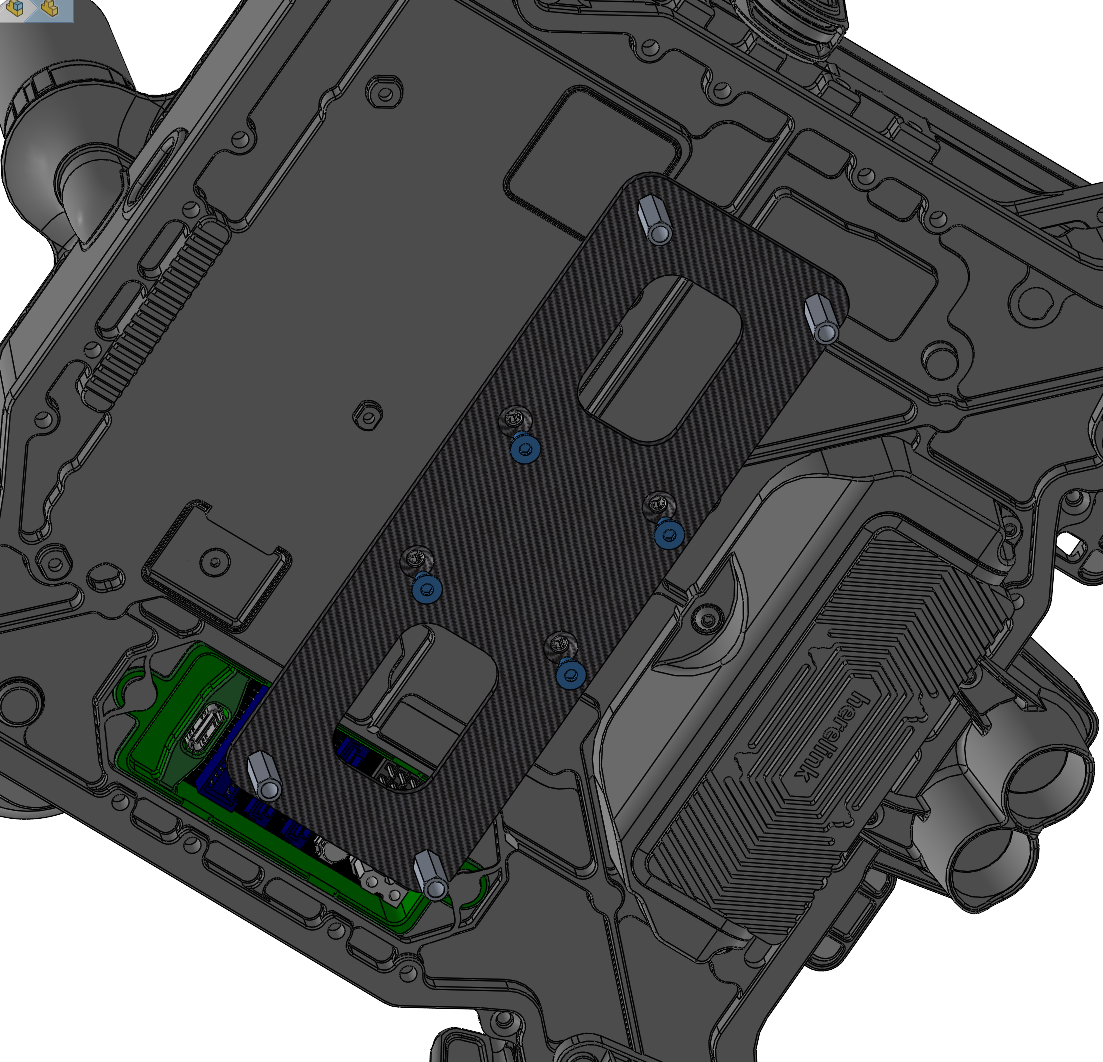
3. Install the PLI mounting plate with 4 M3 x 6mm flat head screws.
4. Install the PLI adapter with 4 M3 x 8mm button head screws.
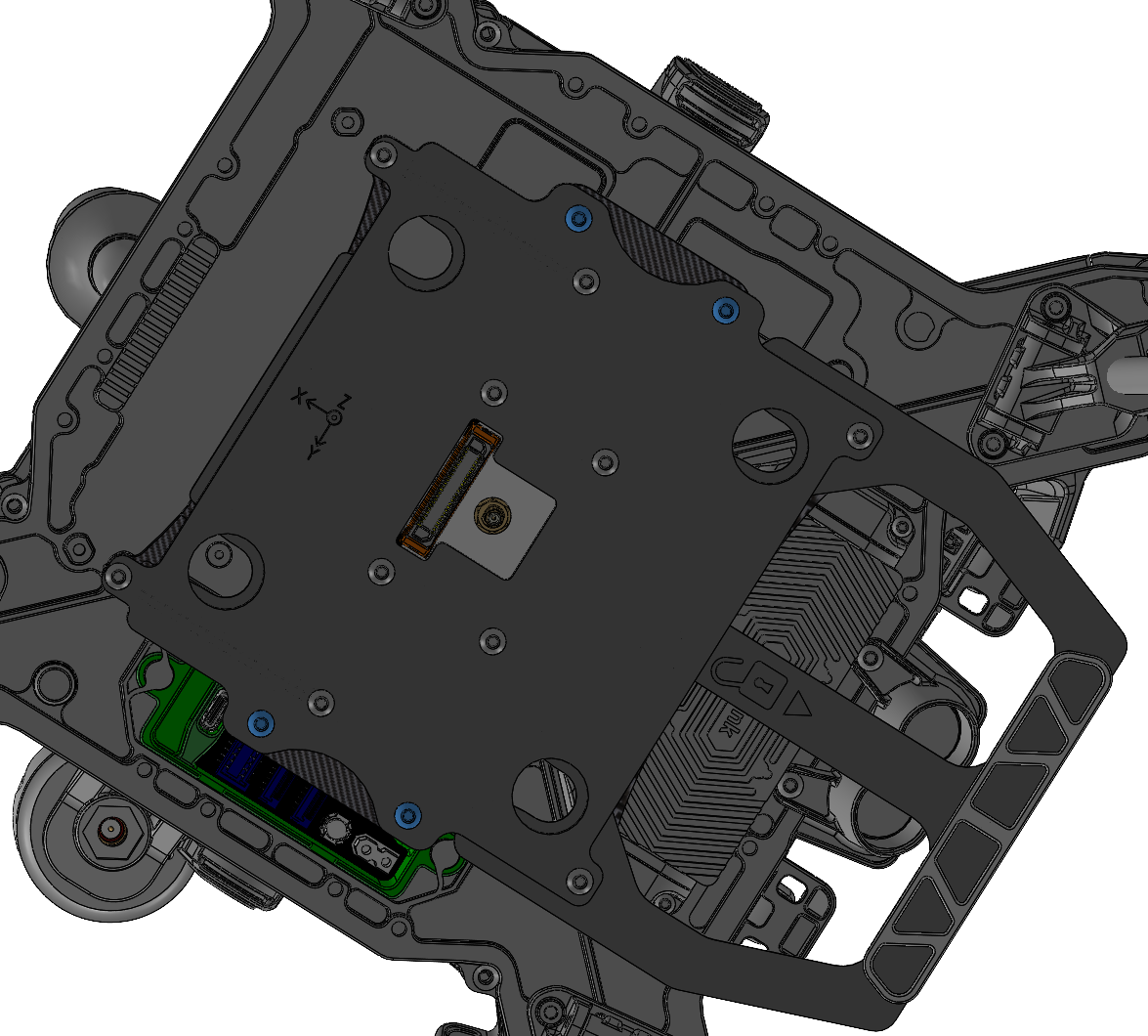
Make sure the XYZ coordinate axis symbol is pointing towards the front of the drone.
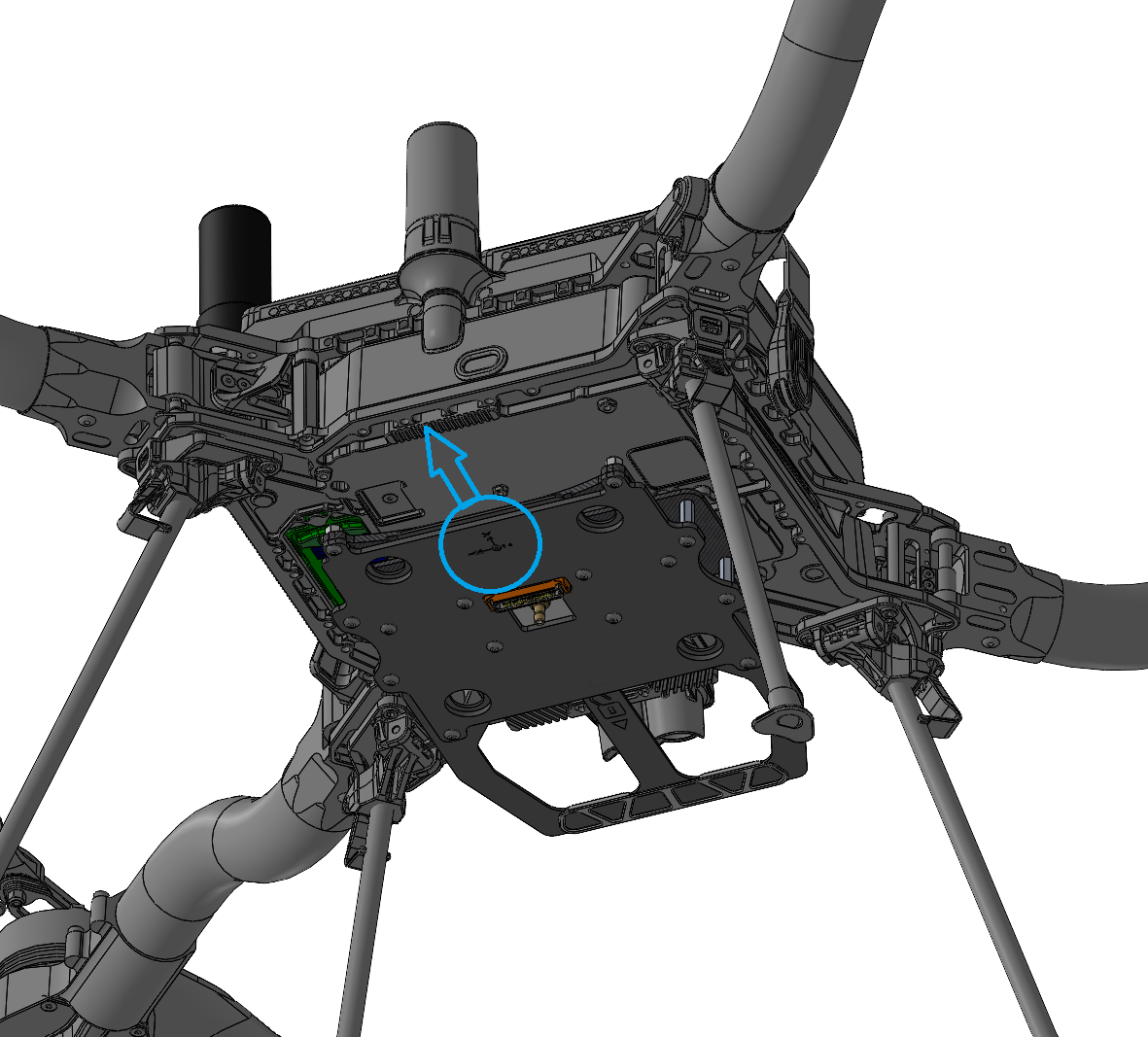
5. Connect the payload power (see Power connection section)
6. Insert the payload into the PLI adapter. Lock the sliding handle on the 4 pegs.
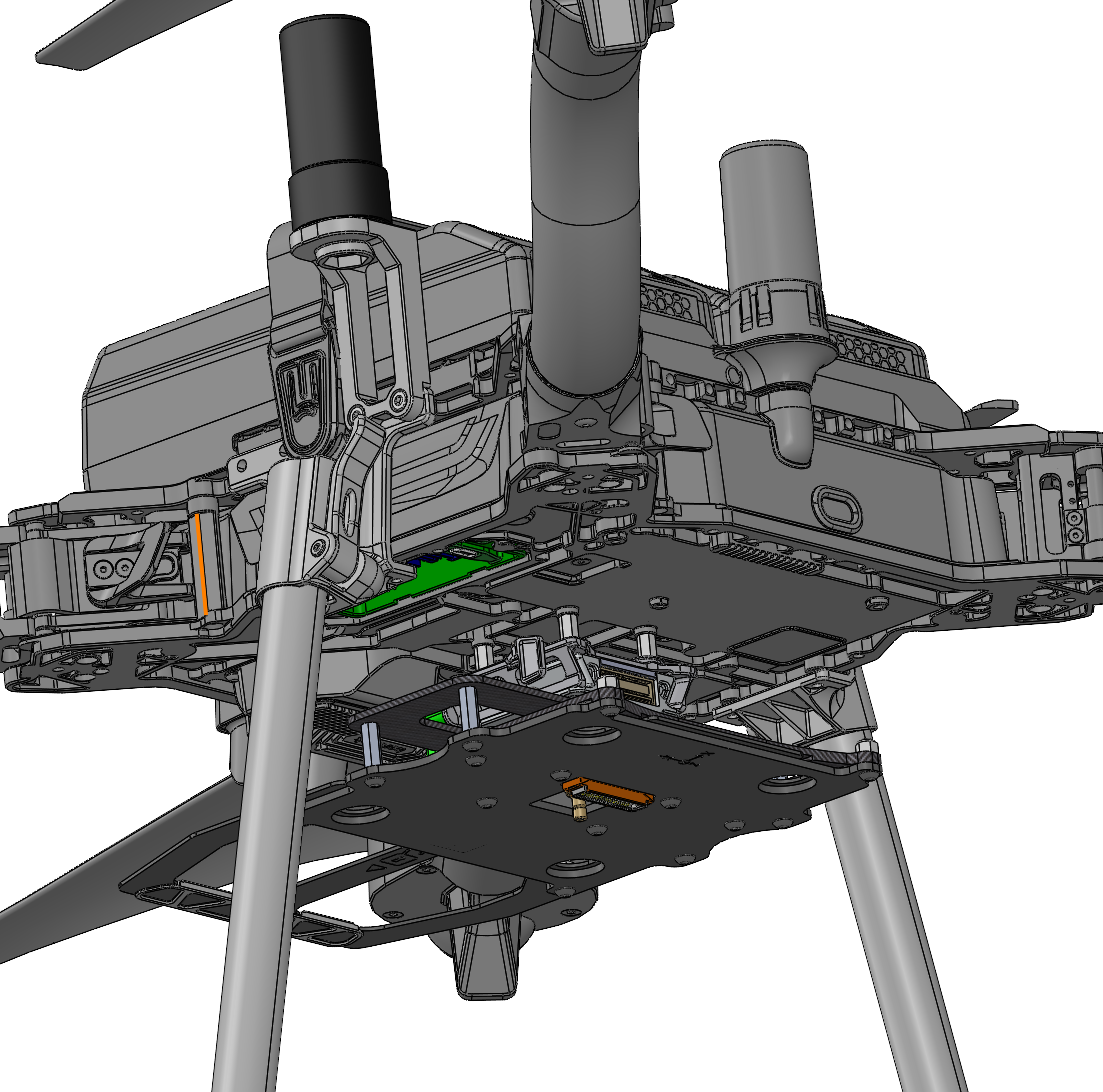
| Part number : DEPRECATED (Antenna mount included in this kit) |
Payload compatibility
All Trueview payloads equipped with a PLI-type adapter (4 pegs), up to 3.0kg.
An extended landing gear may be required for your payload (see Landing Gear section).
Included components
Smart dovetail to PLI adapter
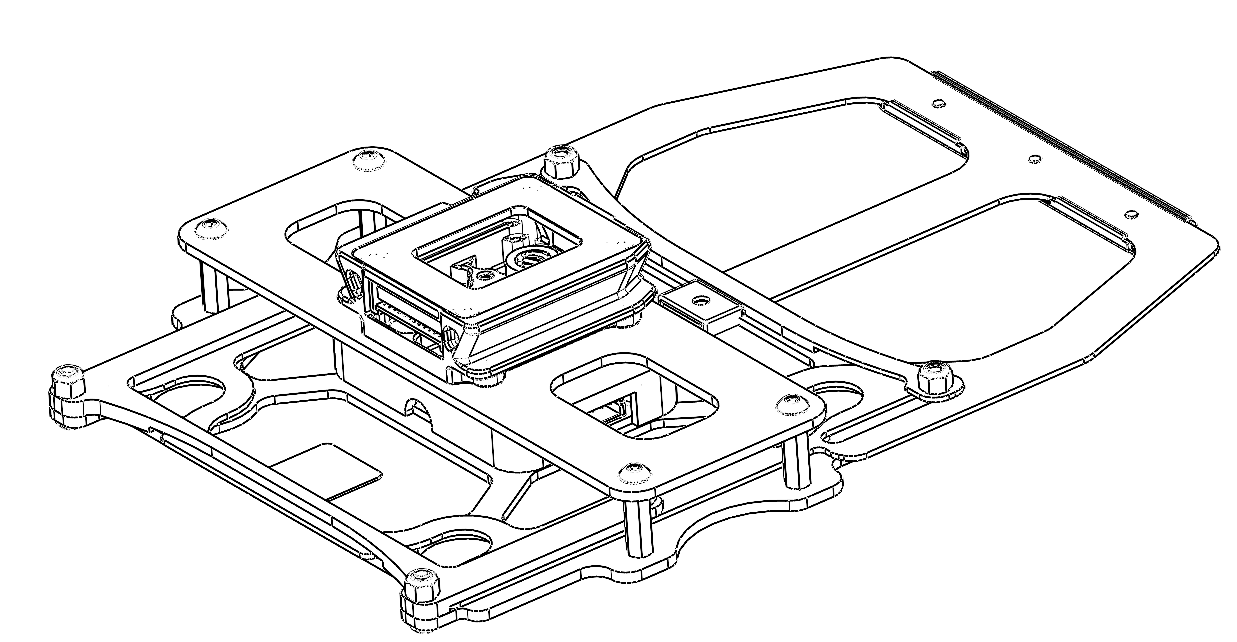
- M3 x 8mm MF hex standoffs (4)
- M3 x 8mm socket head screws (4)
Required tools
- 2.5mm hex screwdriver
- 4.5mm hex nutdriver
- 243 Medium Strength Tread Locker (Loctite)
Installing the Payload Adapter
1 . On the Astro Max drone, remove the existing Astro Isolator ball damper mount.
Unscrew the smart dovetail from the ball damper assembly. Keep the smart dovetail’s cable connected to the drone.
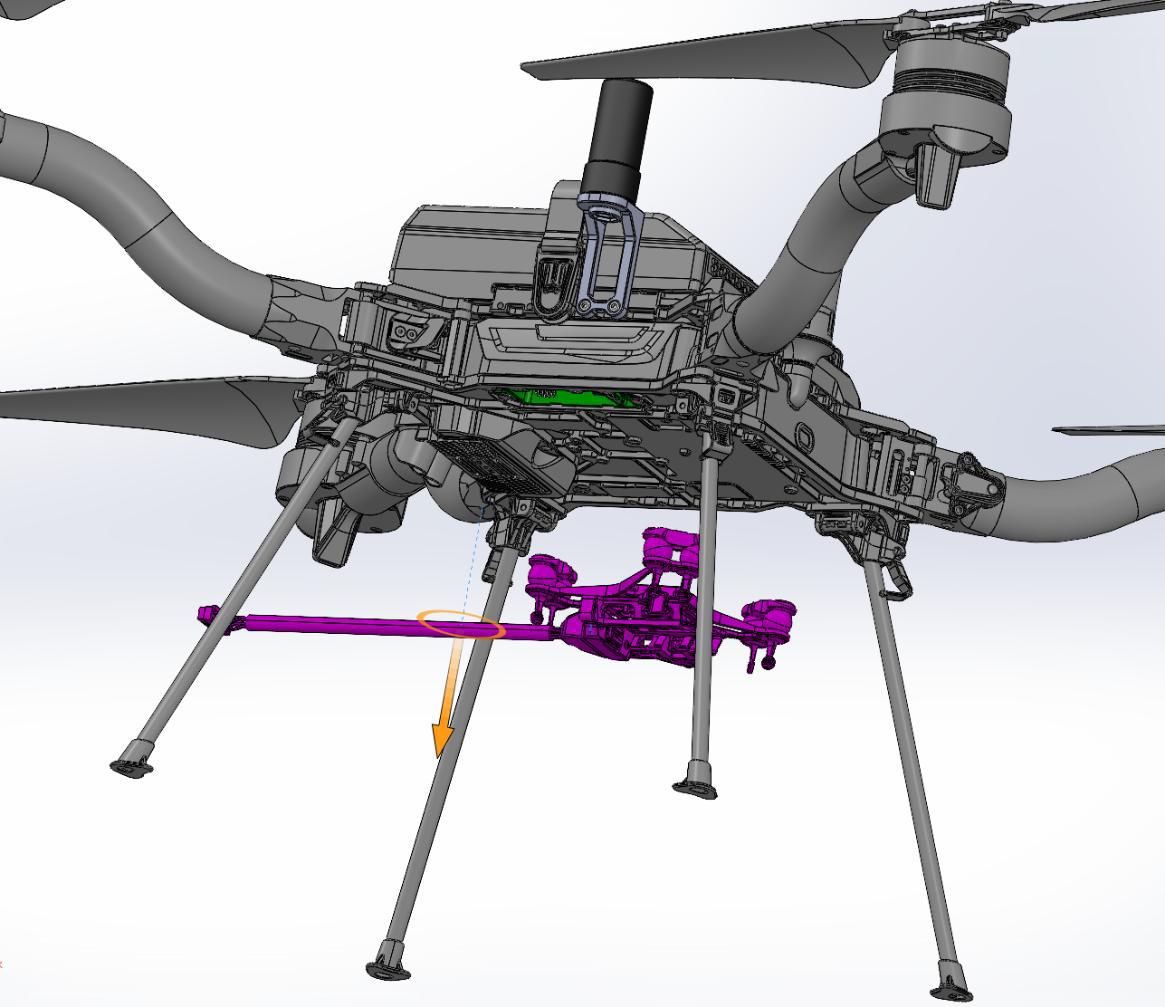
2. Install 4 M3 x 8mm male-female hex standoffs in the mounting holes (with Loctite).
3. Re-install the drone-side smart dovetail with 4 M3 x 8mm socket head screws. Secure the screws with Loctite.
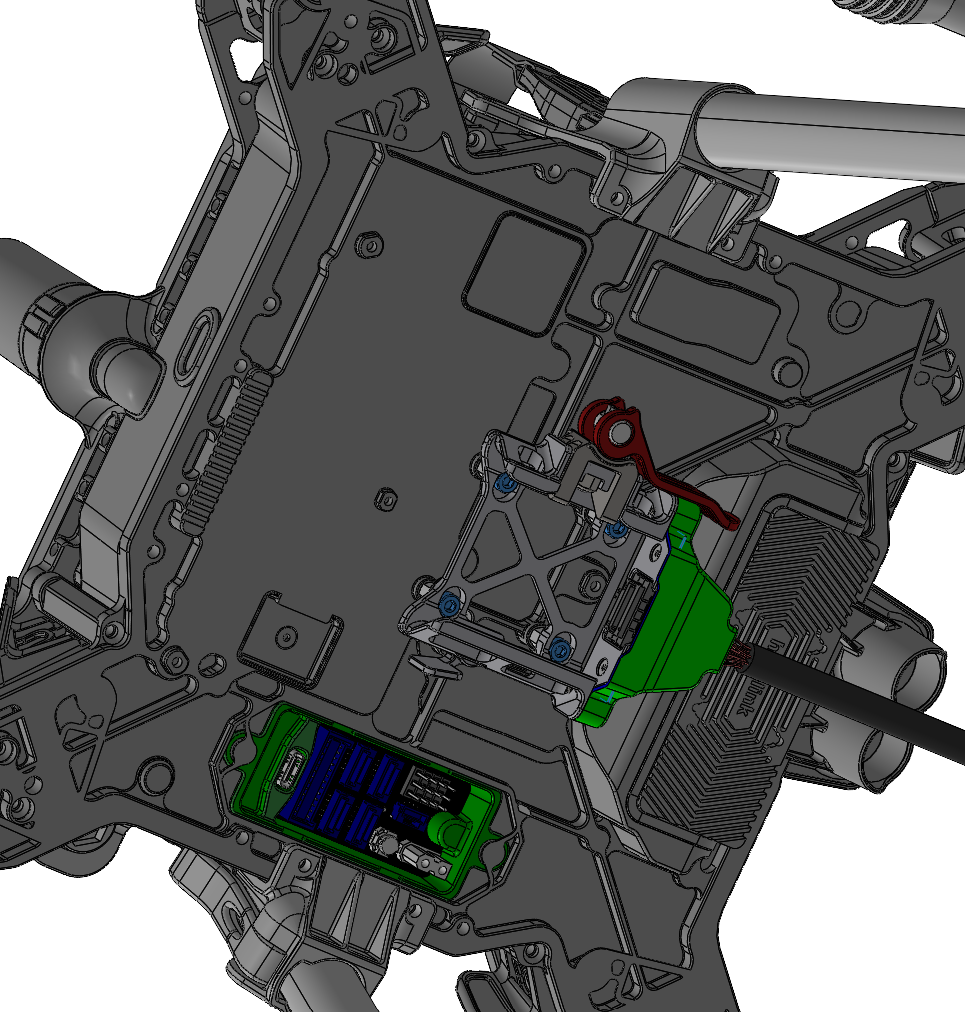
4. Make sure the smart dovetail’s connector is plugged to the drone.
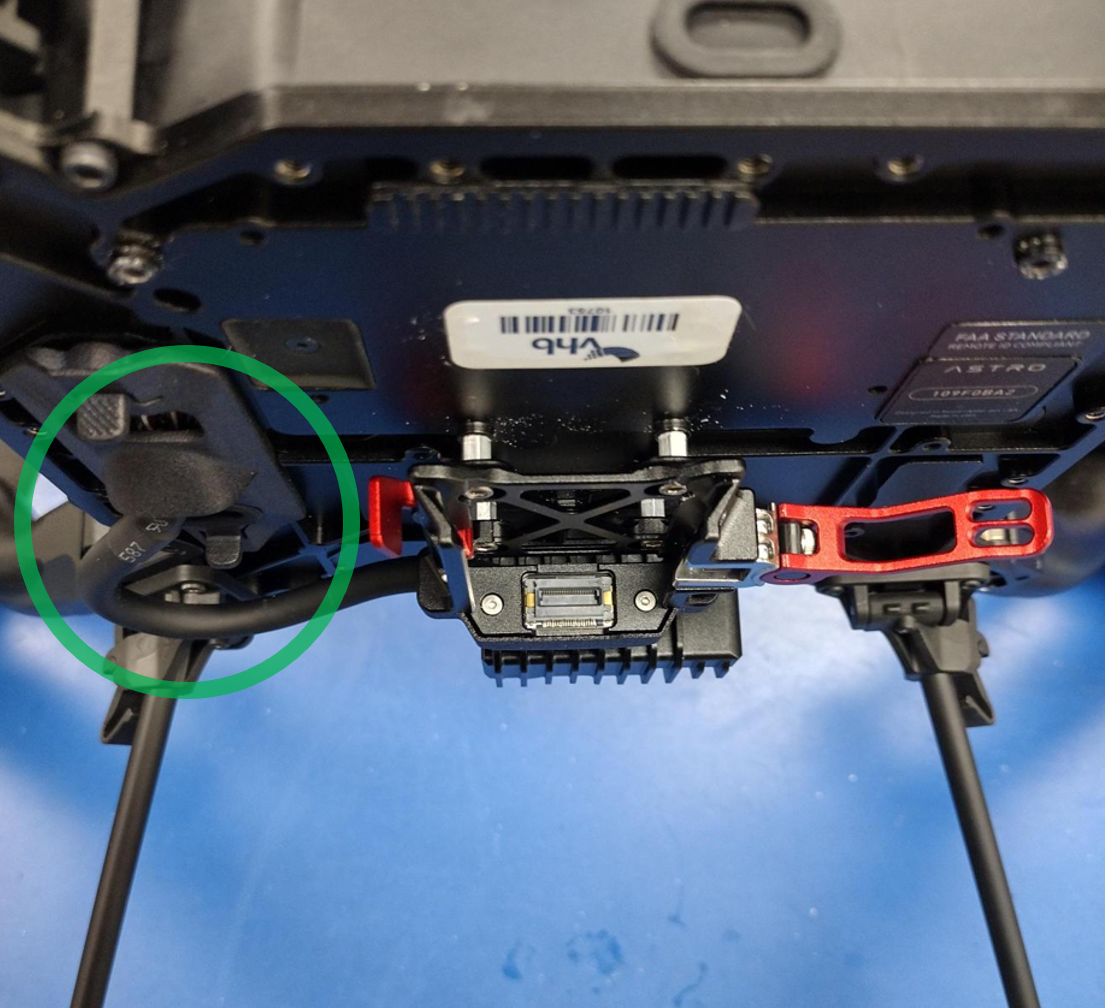
4. Slide the smart dovetail to PLI adapter into place. Lock the red cam handle.
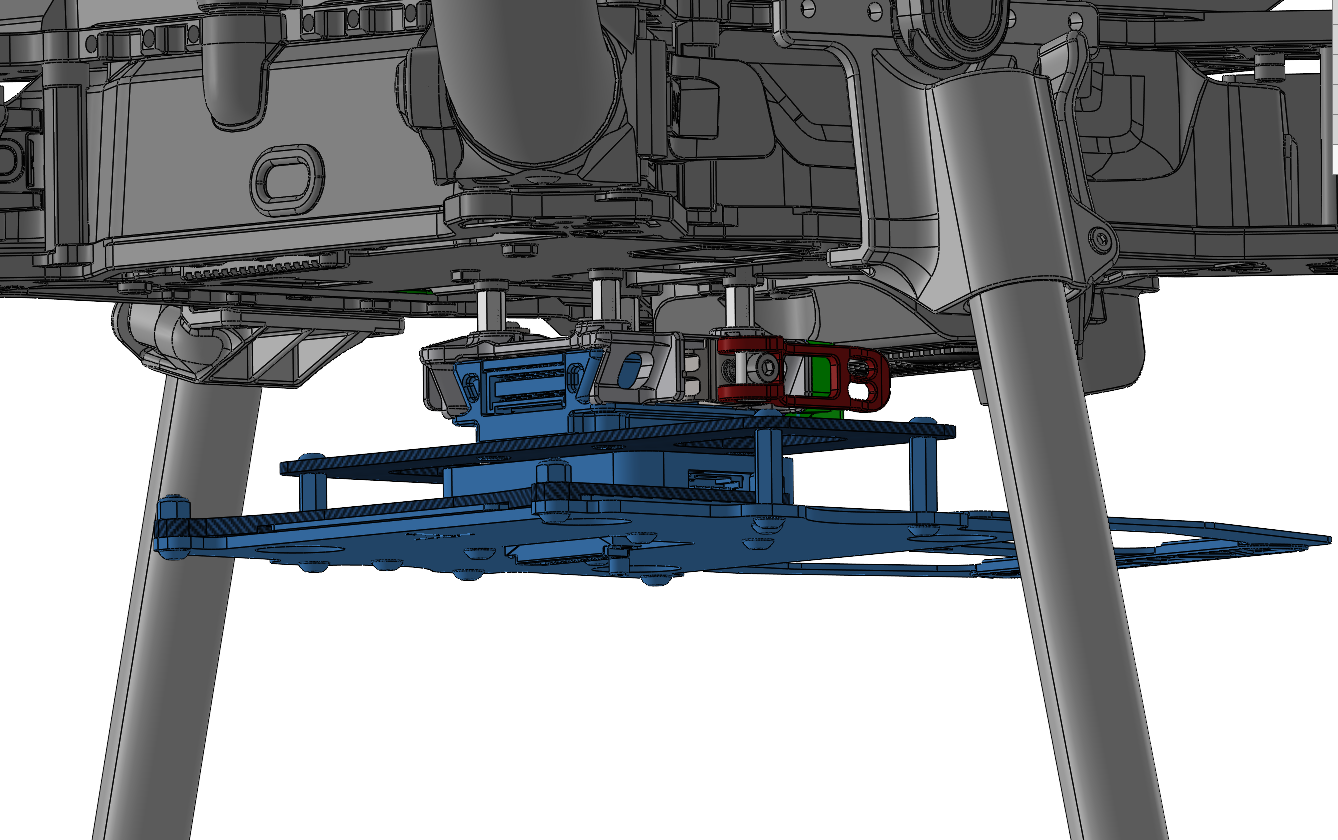
Make sure the XYZ coordinate axis symbol is pointing towards the front of the drone.
5. Insert the payload into the PLI adapter. Lock the sliding handle on the 4 pegs.
Payload power connection
Electrical power on the Astro Max is provided through the electrical interface panel. Select the one that comes with your provided adapter.
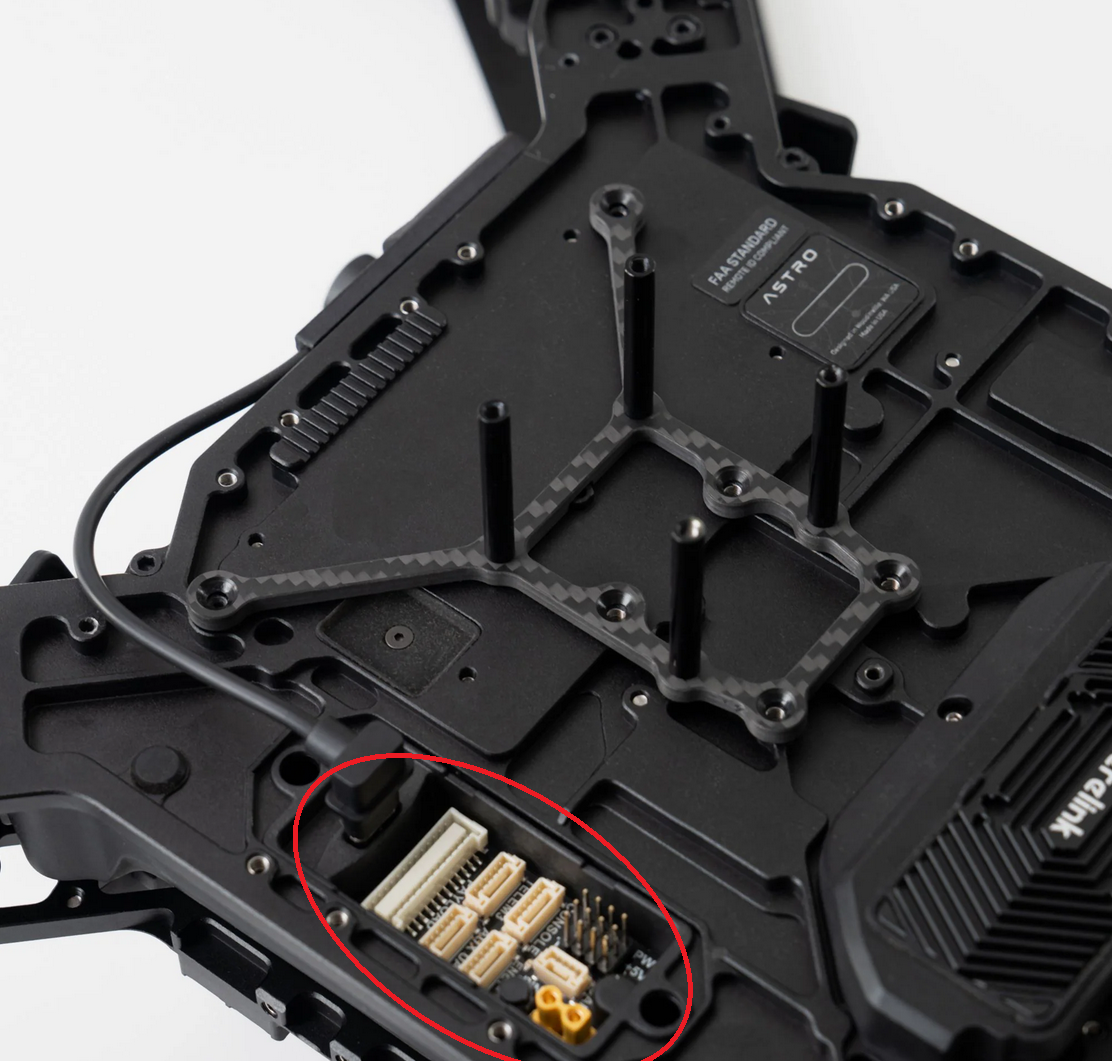
If your payload came with a cable with an in-line power switch, it is required to install it on the smart dovetail adapter.
The in-line power switch allows the payload to turn on after the drone has powered on. It prevents some issues with high power draw during start-up.

Required tools
- 1.5 mm hex screwdriver
Installation steps
- Remove the back cover from the smart dovetail assembly. Unscrews the two M2 screws holding it in place.


2. Unplug the manufacturer’s 26-pin white JST connector, and replace it with the one supplied by Geocue.

3. Re-install the cover and M2 screws.

4. Plug the yellow XT30-M connector to the battery connector on the Astro Max’s interface panel.
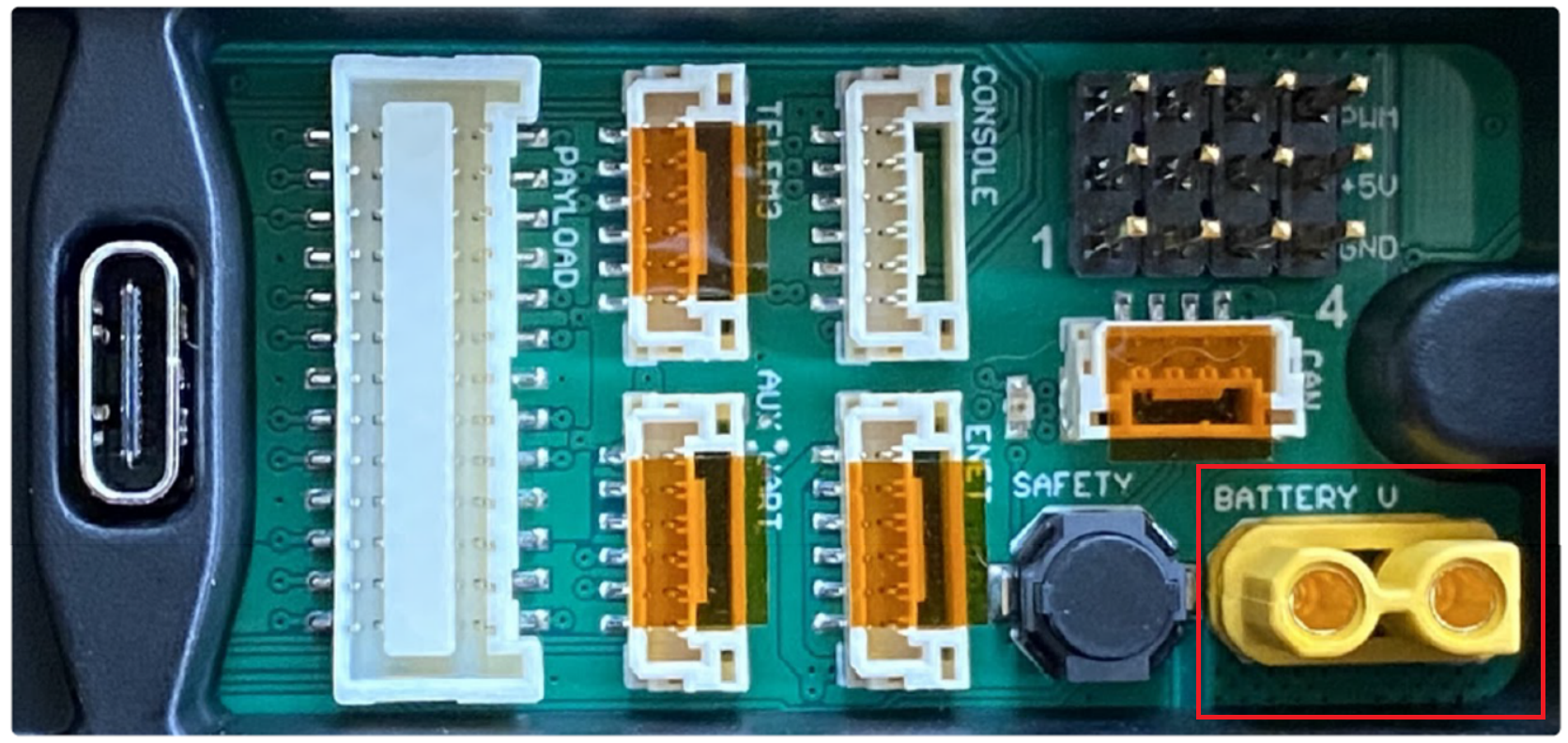
5. Use the double-sided tape to install the payload power switch in a convenient location.

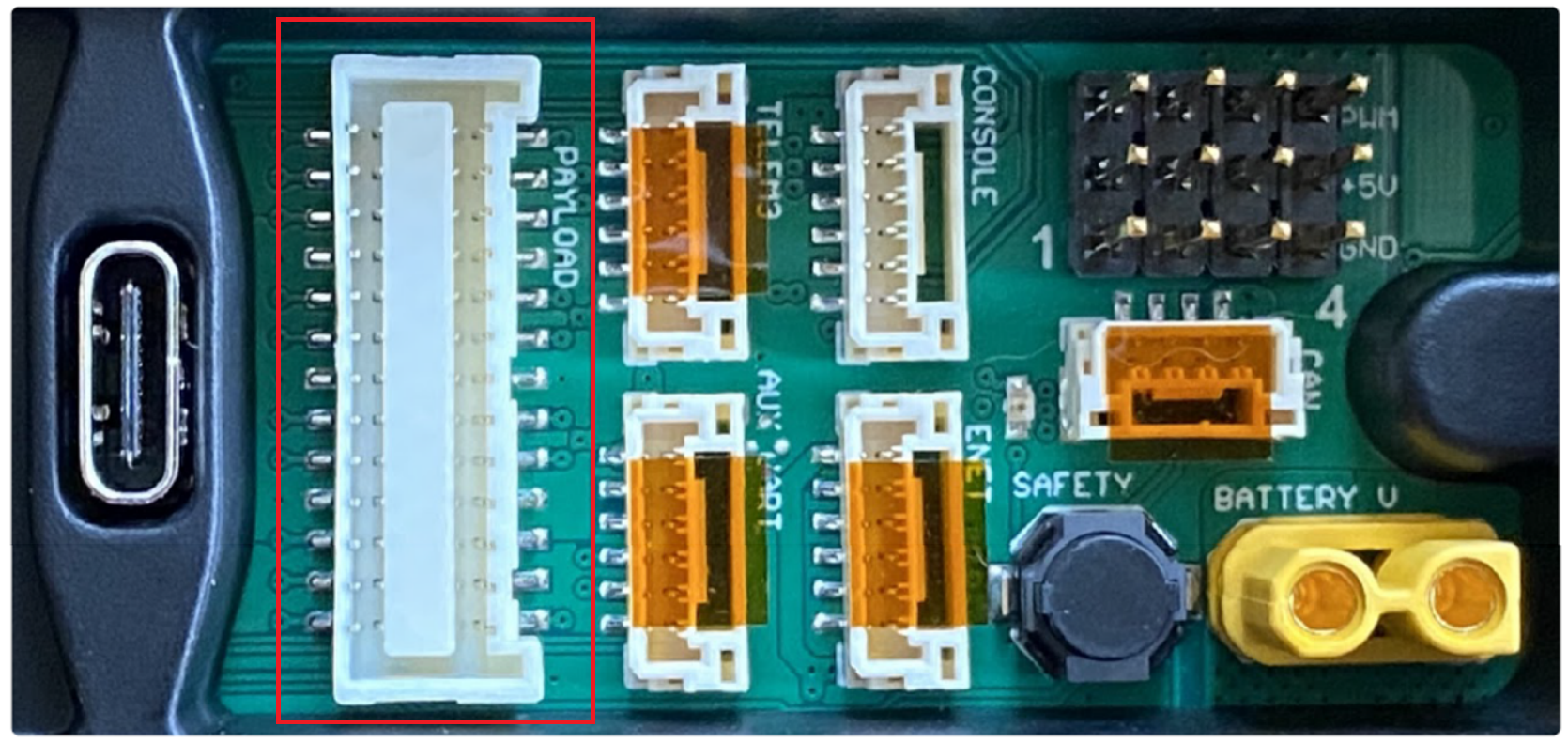
If your adapter is a smart-dovetail type, connect to this connector.
If your adapter (such as a PLI adapter) has a yellow XT30-M connector, connect to this connector.
Antenna Mount Installation
The Astro drone has many options to mount the GNSS antenna, depending on your drone’s landing gear.
Note: the different antenna mounting options do not affect lever arm offset values.
| Part number : MNT1002263A00T (This kit is required for smart dovetail adapters) |
This antenna mount comes with your Astro PLI kit, or can be obtained from Geocue.
1. Screw the GNSS antenna and cable onto the Astro antenna mount.
(The antenna may look different than the image below depending on the payload)
2. Screw the antenna mount onto the screw mount points (see image) on the Astro Max using two M3x8mm screws.
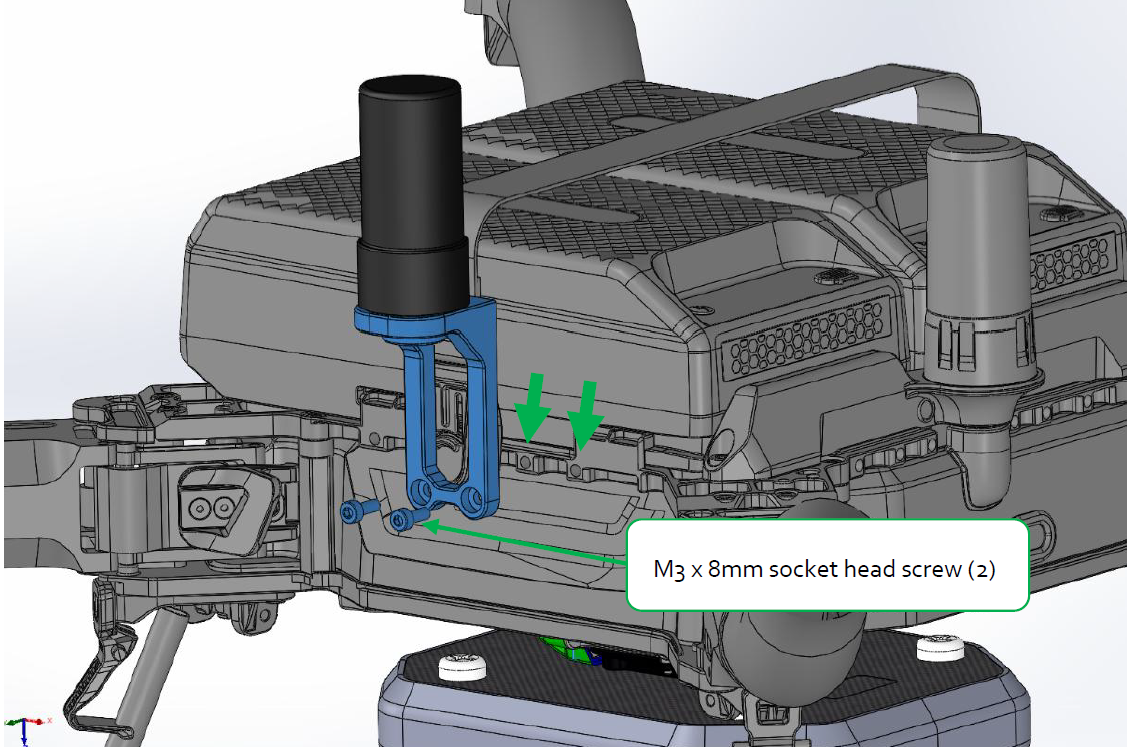
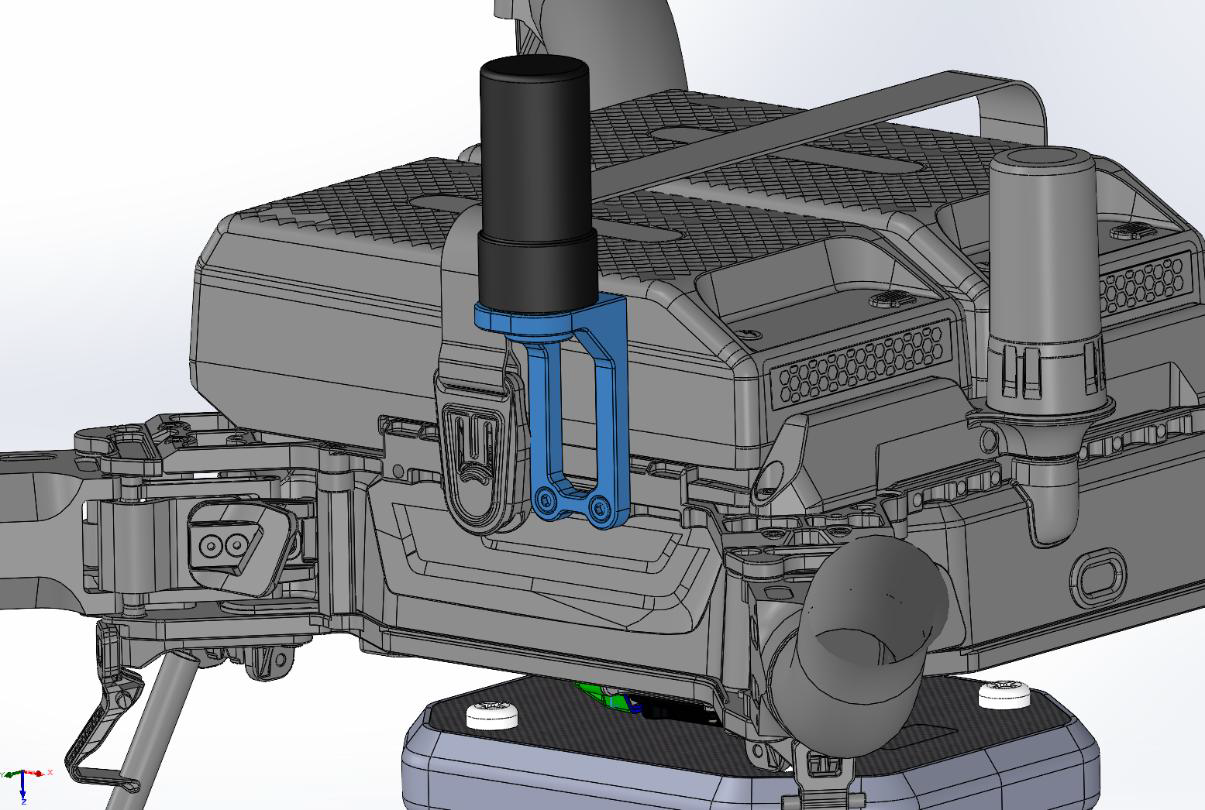
| Part number : MNT1002263A00T + MNT1002077A00T (This kit is required for smart dovetail adapters) |
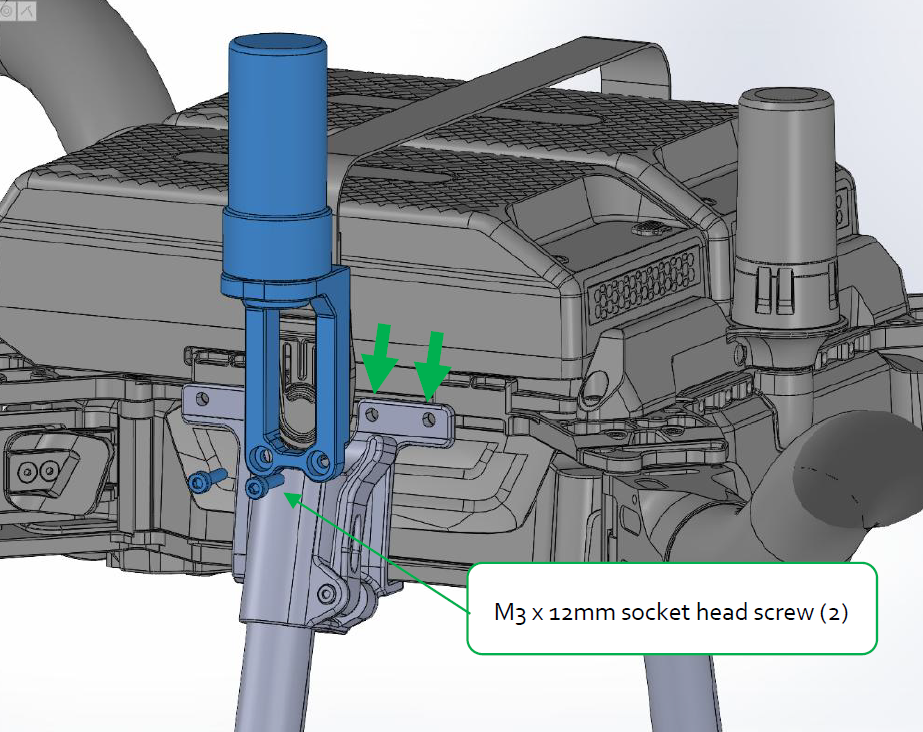
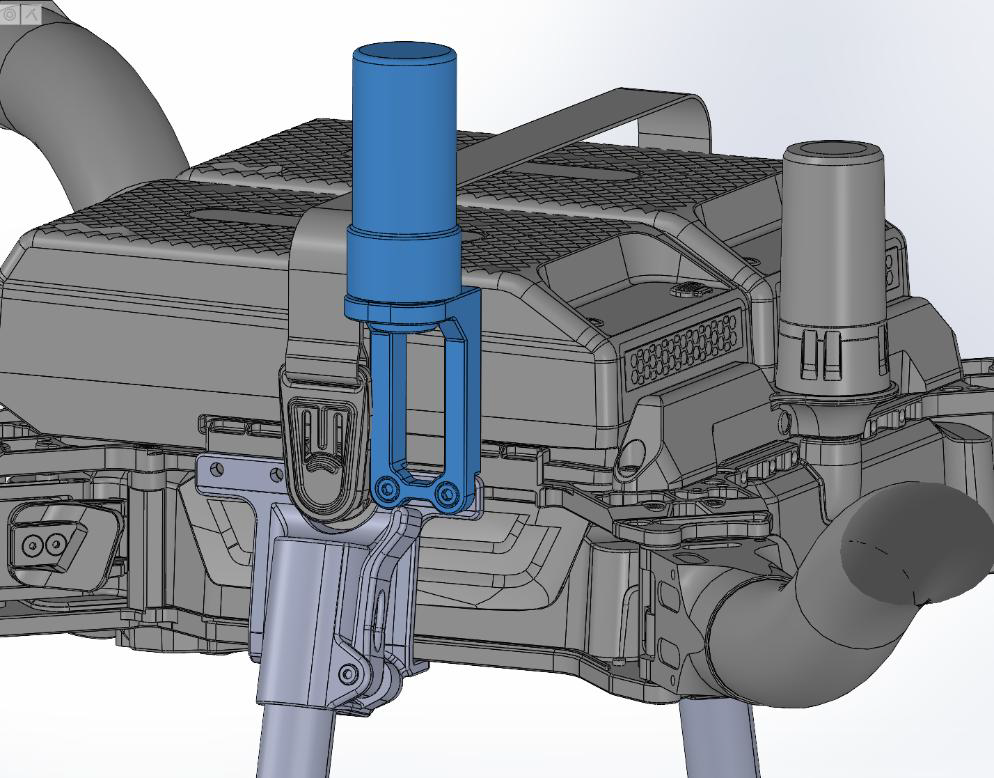
Please request the Freefly Astro antenna mount for extended landing gear (MNT1002077A00T) from Geocue if using the Sentera extended landing gear on the Astro Max.
1. Screw the GNSS antenna and cable onto the Astro antenna mount.
(The antenna may look different than the image below depending on the payload)
2. Remove the two screws on the front right of the extended landing gear.
3. Screw the antenna mount onto the side of the Astro Max using two M3x12mm screws.
Extended landing gears
The standard Astro Max come with the folding landing gear. This landing gear does not have enough ground clearance for some TrueView payloads.
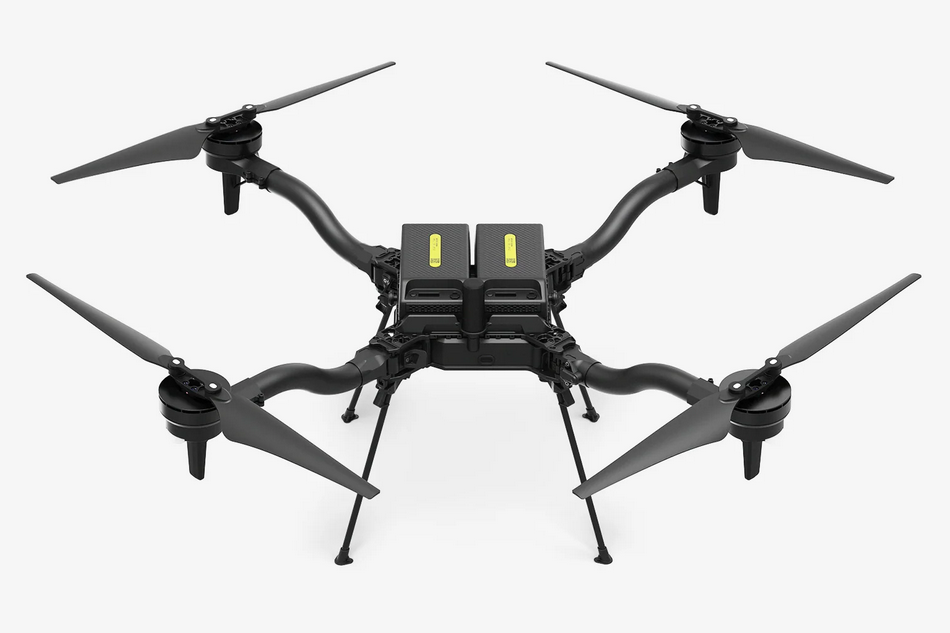
The following payloads require an extended landing gear.
- TrueView 539/540
- TrueView 515/535/545
- TrueView 641/651
- TrueView 625/655/660
- TrueView 720
Freefly offers two options for extended landing gears.
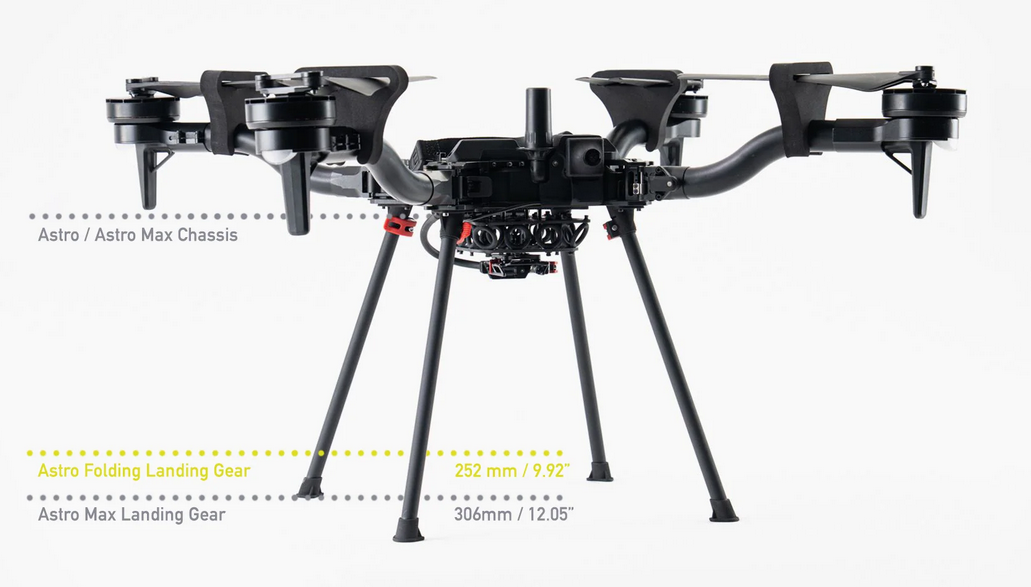
The Astro Max quick-release landing gear can be purchased from Freefly: https://store.freeflysystems.com/collections/astro/products/astro-max-landing-gear
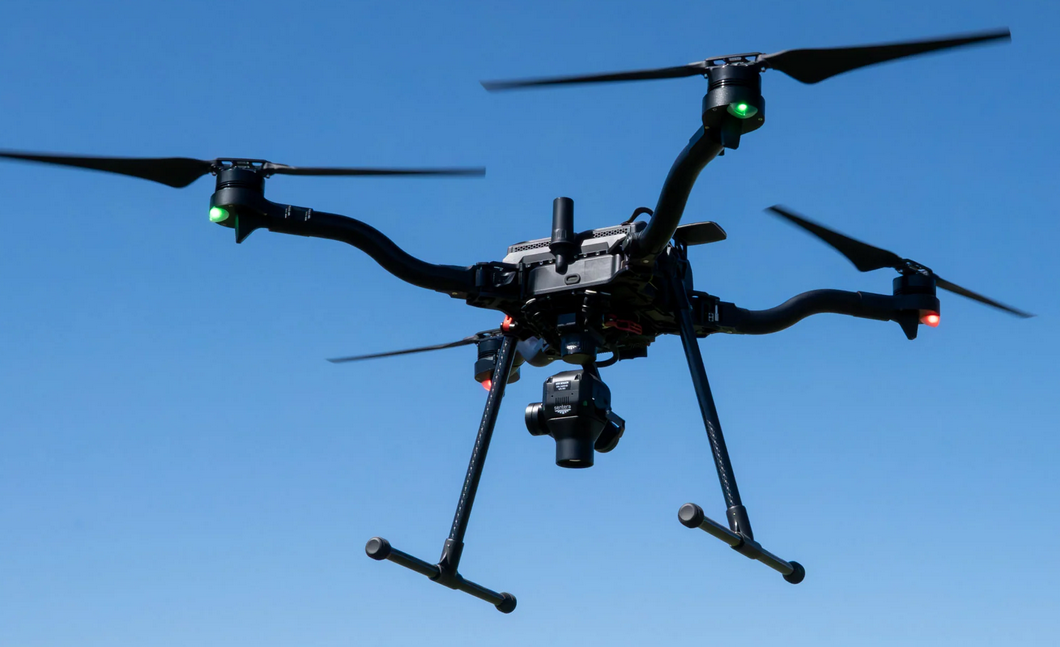
The Extended landing gear by Sentera can be purchased from Freefly: https://store.freeflysystems.com/collections/astro/products/astro-extended-landing-gear-set-by-sentera
Payload-specific integration
| Part number : MNT1002128A00T (This kit is required to mount TV539/540 payloads on Astro Max) |
To mount the TrueView 540 on an Astro Max, the Smart dovetail to Alphaport adapter is recommended.
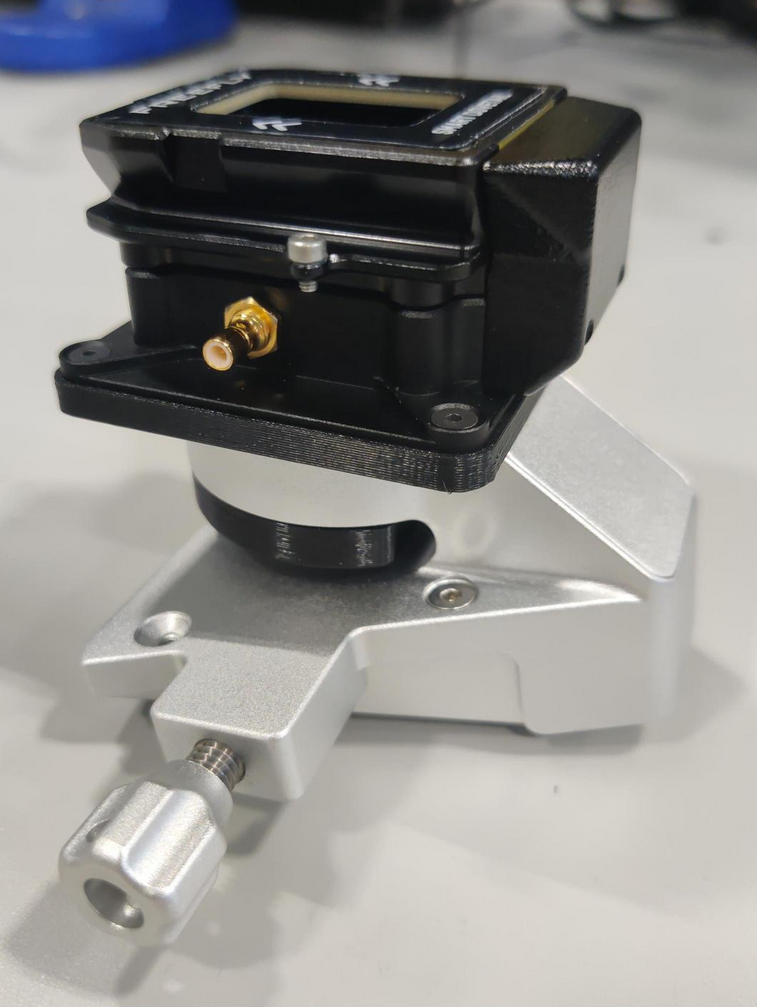
Contact Geocue support to obtain this adapter.
References & Printable versions
Printable versions of this guide are available as PDF documents.
Payload Profiles
For information on payload lever arms and profiles, please consult the following article :
Support
For troubleshooting how to mount your TrueView on an Astro Max, error messages, or additional workflow information, please Contact Support for assistance. Include your contact info, company name, product/version, and model/serial number for faster service.
