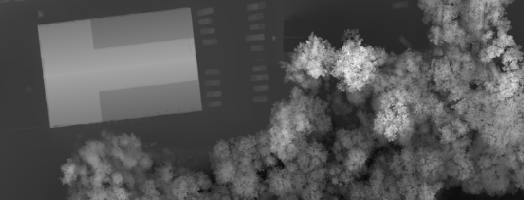
After LIDAR data has been collected and delivered to the processing office one of the first steps, after quality control and calibration, is to run classification routines on the data. There are multiple classification routines, which may be used depending upon the final delivery results of the data, however generally a ground classification routine is…
Ground Classification with LP360 Drone is one of the software’s most common workflows and is required for several other PCTs to function, such as Tree Segmentation, Canopy Height Segmentation, and Building Extractors for dense datasets. For a general video tutorial of the LP360 Ground Classification workflow, please see the How to Perform Ground Classification in…
Applicable to TrueView Classic payloads Updating the local Applanix POSPac UAV installation and updating the POSPac licenses process is relatively simple, but there are a few things to keep in mind so there are no issues encountered by the user. Install the POSPac update ONLY after installing the compatible LP360 Drone update. Compatibility chart is…
The Export Wizard provides a flexible way to convert LIDAR data to other formats. Such data includes the export format, extents, tiling of the data, or cookie cutting of the data using polygons. Derived attributes from interpolated elevations such as slope, aspect, and hillshade (brightness) can also be exported to raster files. LIDAR points within LAS files can also be exported to new LAS files. This is useful when isolating…
This page is no longer updated. Please visit the updated page on the new LP360 Support Knowledge Base for the latest information. The TV540 supports multi-platform integration through the TV540 Data Copy Tool, allowing the user to choose the correct carrier setting. Unlike traditional TV sensors, the physical offsets related to IMU/GPS do not need…
When using OneDrive for storing your Projects or processing, LP360 will have issues accessing the data files on OneDrive resulting in the software crashing. Probable Resolution Change your Project Root folder to a local folder location on your machine so future projects will not be created in the OneDrive location. Copy the Project Folder for…
This page is no longer updated. Please visit the updated page on the new LP360 Support Knowledge Base for the latest information. When running LP360 Drone (formerly TrueView EVO) and Applanix POSPac some antivirus, firewall, and other defender style software may interfere with processing and cause processing exceptions or slow license check in, or processing…
When working with orthos and other raster layers, it is important to be able to extract an area of interest (AOI) from the overall layer from certain projects. This is possible by using the Reproject Raster PCT. First, you will want to create a new project in LP360 and use the Add Files tool >…
ASPRS Approves Edition 2, Version 2 of the ASPRS Positional Accuracy Standards for Digital Geospatial Data (2024) Baton Rouge, LA June 28, 2024: The American Society for Photogrammetry and Remote Sensing (ASPRS) is pleased to announce adoption of the Positional Accuracy Standards for Geospatial Data, Edition 2, Version 2 (2024), which includes important modifications and additions…
Classify by Statistics is a Point Cloud Task in LP360 that can be created by selecting the “Add Task…” option in the Point Cloud Tasks Manager. It is primarily useful for general data thinning – especially useful for very dense data such as that derived from imagery (dense image matching, DIM, data). For example, you…