GeoCue Support » Archives for GeoCue Support » Page 7
Introduction LP360 Drone: At the end of the Post Processing Wizard in LP360 Drone, formerly TrueView EVO, the GNSS information is processed in an attempt to generate a good quality rover position file for use in downstream processing. While processing the GNSS solution a command window displays the quality level (Q level) for each epoch…
1. Introduction This article is meant to guide new LiDAR UAV users on how to process with LP360. This workflow is recommended for any LiDAR UAV user, sensors manufactured for example by Inertial Labs, Greenvalley, Tersus, Yellowscan, Fenix LiDAR or any other LiDAR UAV manufacturer. This workflow is different than TrueView, Microdrones, DJI L1/L2 or…
1. Introduction In this article we will explain step by step how to process a TV540 dataset in LP360 Drone. The idea of the article is to serve as a quick user guide on processing. This article will not explain in detail each of the settings available in each step, that can be found either…
This page is no longer updated. Please visit the updated page on the new LP360 Support Knowledge Base for the latest information. The available LP360 installers for use with the various license levels of LP360 may be downloaded using the links found on this page. The installer for the latest version of LP360 Drone are…
Welcome to our video guide on LiDAR flight planning. In this video, we walk you through the essential steps for planning a successful LiDAR survey mission. From selecting your flight route using DJI Pilot to setting up a custom camera model, we cover everything you need to know. Watch in the video below: Key highlights…
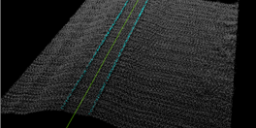
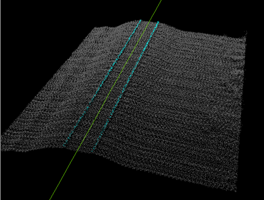
Introduction Three-dimensional point clouds of railways can be used to examine potential hazards along the railway infrastructure, identify track distortions and areas in need of maintenance. LP360 Drone includes tools to automatically extract a rail alignment (centerline) feature as a polyline as well as classify “top of rail” from LAS files derived from Laser Intensity Detection and Ranging…
1. Introduction This article and workflow video are meant to guide new Wingtra LiDAR users on how to process with LP360. The video below will demonstrate the workflow designed for Wingtra LiDAR as well as some recommended tools. We’ve also included a step-by-step guide, after the video, to assist you with your processing. 2. Import…
LP360 Cloud Ground Classification is a processing module on LP360 Cloud. It allows users to automatically classify the ground for data on the cloud. It can be used with any point cloud, however it has been designed for easy use with the TrueView 3DIS sensors. A user must be assigned an LP360 Cloud Starter license…
1. Introduction LP360 Cloud Ground Classification is a module available in LP360 Cloud, starting in 2024, and can be used to automatically classify the ground for data on the cloud. In this article we’ll explain step by step how to use the LP360 Cloud Ground Classification module. Refer to the LP360 Cloud Ground Classification –…
In LP360 Drone, formerly called TrueView EVO, the user has a number of options for post-processing the sensor trajectory solution for a TrueView, microdrones, or guest sensor. Here is a quick comparison chart of the options. For more details on each method click on the name in the header to take you to their descriptive…